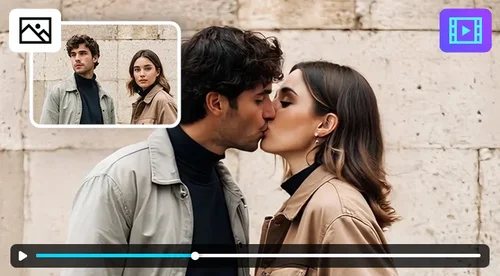
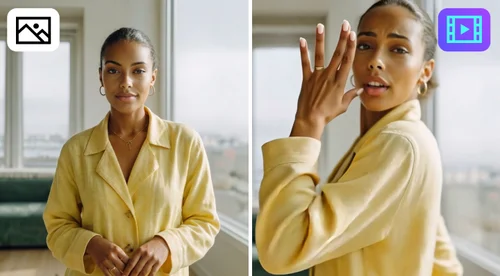
AI Face Swap
Swap Your Face with Anyone Online
Swap faces in any photo in seconds. Switch faces with friends, family, celebrities, or iconic artwork. Sign in to claim your free daily credits, then download your result with no watermark.
How to Use AI Face Swap?
 Step 1
Upload Your Image to AI Face Swap
Take your source image. This is the photo you want your face taken from. Use a clear, well-lit shot and avoid blurry or low-quality photos for the best results.
Step 2Choose an AI Face Swap Style or Upload Your Reference
Your reference image is whatever you want to see your face on. Choose from high-quality pre-made styles, or upload your own.
Step 3Check and Download Your AI Face Swap
Once you've swapped your face from source to reference image, you can preview your results. Check the result and download.
Try AI Face Swap Online for Every Occasion
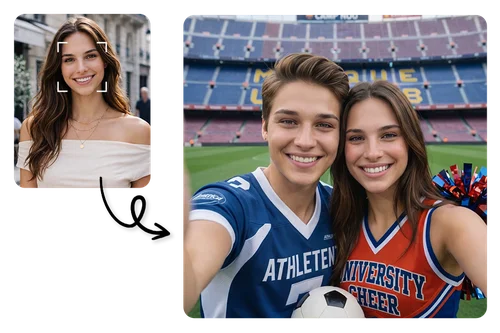
Create Your Digital Twin with AI Gender Swapping
Ever wondered what your twin of the opposite gender would look like? Upload a selfie and swap genders with a single click. Add a fun, shareable twist to your photos in seconds.
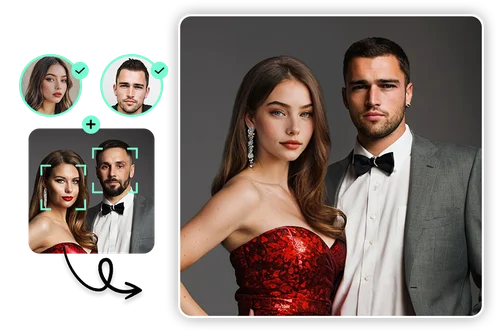
Swap Heads Instantly for Realistic Photoshoots
Skip the studio and save on shooting costs. Upload a reference image to transform your look instantly, or explore premade styles for even more creative possibilities. Perfect for both individuals and groups.
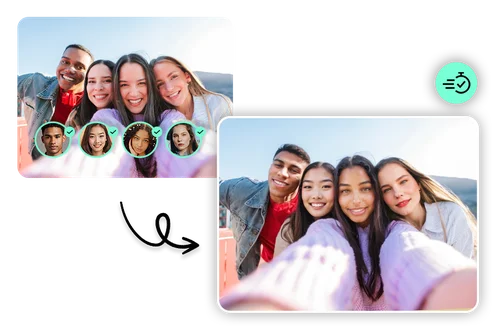
Multiple Face Swap for Group Fun
Bring new life to group photos with multiple face swaps. AI technology ensures every face is naturally blended with accurate lighting and shadows, giving results that look as if they were shot with professional equipment.
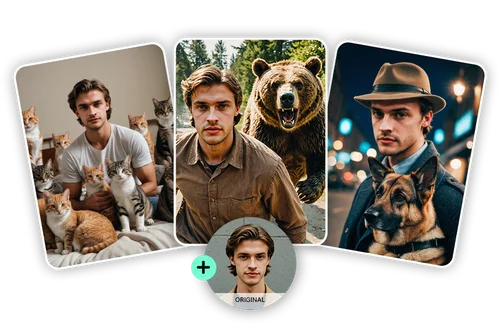
AI Face Swap for Portraits and Memes
From professional portraits to playful personal branding, boost your visibility on social media with AI face swap. Instantly create profile photos, fun meme swaps, or celebrity-style edits that stand out.
What You Can Do With AI Face Swap Online?
Create Trendy Portrait
Turn your selfies into stylish portraits with AI face swap. The AI matches lighting and skin tone automatically, so results look natural without manual editing.
Multiple Face Swap
Swap several faces in one photo at the same time, so group photos get done in one pass instead of editing each face by hand.
Gender Face Swap
See yourself as another gender with detailed, natural-looking results. No filters or settings to configure, just upload and swap.
Swap Head on Artworks
Place your face into paintings or posters with automatic alignment, so proportions and angles match the original artwork.

Meme Face Swap
Generate shareable memes by swapping your face with celebrities or characters in one click.
Studio Quality Photoshoot
Get high-resolution, studio-style portraits without booking a photoshoot or studio time.
AI Face Swap FAQ
What is AI Face Swap?


AI Face Swap is a tool that swaps your face with someone else's, including celebrities, family, friends, or artwork. It's built for quick, shareable photos for social media.
How does AI Face Swap work?
Upload a source image (the photo you want your face taken from) and a reference image (the photo you want your face placed onto). AI Face Swap blends the two and gives you a shareable result in seconds.
Can I use AI Face Swap Online?
Yes, MyEdit's tools are all built to be 100% online so our users can access AI Face Swap from anywhere, on any of their devices.
Do I need any technical skills to use AI Face Swap?
No. Upload your images and AI Face Swap handles the blending, lighting, and alignment automatically.
Is AI Face Swap customizable?
Yes. You can choose both your source and reference images, and combine AI Face Swap with other MyEdit tools for further edits.
How can I get the best results with AI Face Swap?
AI Face Swap works best with clear, well-lit, high-resolution source and reference images. Pre-made styles are designed to match lighting and shadow automatically for a more polished look.
Can the results of AI Face Swap be used for social media?
Yes. Downloads have no watermark, so your face swaps are ready to post right away.
Is it safe to use online AI Face Swap?
AI Face Swap is a safe option for anyone who wants to create incredible AI-based images. The platform uses advanced security measures to safeguard users' data.