Free Vocal Remover
Easily Remove Vocals & Split Instrumentals with AI
Online Vocal Remover lets you quickly remove vocals from a song and extract instrumentals to create a high-quality karaoke version.
Best Online Vocal Remover & Instrumental AI Splitter
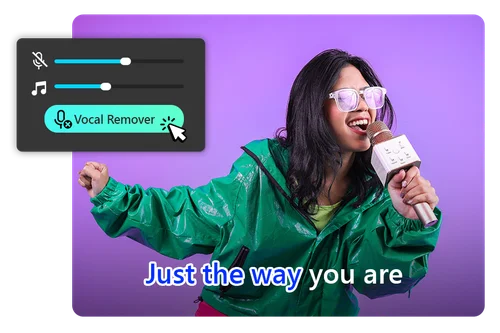
Vocal Remover for Creating Karaoke with AI
Everyone loves karaoke! It’s a great way to hang out with friends and meet new ones. Use our free AI vocal remover to eliminate vocals from any song for parties or family gatherings. Feel free to adjust the volume and pitch with our AI vocal remover.
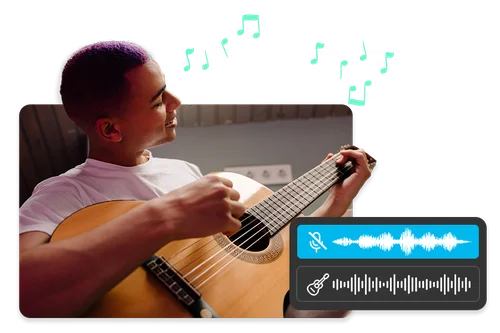
Instrumental AI Splitter to Easily Remove Vocals for Practice
Explore the versatility of our Instrumental AI Splitter by effortlessly removing vocals from any song. This tool empowers you to practice playing your instruments alongside your favorite tracks, offering a perfect opportunity to hone your skills and enjoy a personalized musical experience.
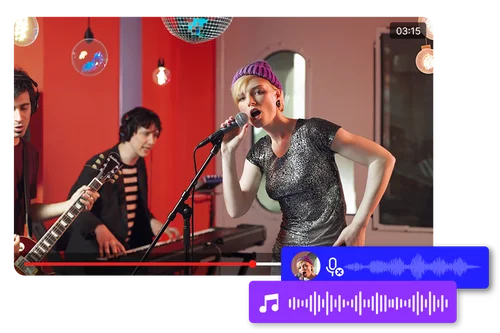
Use Online Vocal Remover to Create Background Music
Create instant instrumentals to listen to in the background while you work, study, or perform your daily chores with a vocal remover. Enjoy a customized musical backdrop that keeps you focused and motivated throughout your tasks.
How to Remove Vocals with Online Vocal Remover
 Step 1
Select and Upload Audio that You Want to Remove Vocals
Choose your audio file and upload it to our online Vocal Remover. Make sure the file is less than 900 MB in size and 90 minutes in duration.
Step 2Remove Vocals Online With AI
The vocal remover tool will automatically remove vocals from a song with an AI-powered engine. This may take a few seconds.
Step 3Fine-Tuning with Free Vocal Remover
Adjust the amount of vocal removal. To completely remove vocals from a song, adjust the volume to -30 dB. Adjust the pitch changer slider to increase or lower the pitch of songs.
Why Use Our Online AI Vocal Remover?

Simple and Intuitive Vocal Remover
Experience the ease of our advanced vocal removal technology. Simply upload your audio track, and our AI engine does all the work for you. It’s a simple one-step process to separate vocals from a song.

Remove Vocals With Ultra-Fast Results
Extract vocals to create instrumentals in just a few seconds. Our online vocal remover allows you to generate karaoke tracks with just one click, so you can enjoy singing anywhere, anytime. Unleash your inner superstar!

Extract Vocals Without Quality Loss
The Vocal Remover tool is designed by audio experts to deliver high-quality results. Our AI engine can accurately extract vocal from music without losing any audio quality.

Browser-Based Free Vocal Remover
The online Vocal Remover tool operates directly in your browser, making it easy to remove vocals whether you're on a PC, tablet, or mobile phone. Enjoy improved performance while saving both time and effort.

Ultimate Vocal Remover
Our powerful AI engine accurately extracts vocals from your original song, delivering professional and reliable results. Completely automatic, it separates vocals from your song in seconds!

Support for Popular File Formats
The online Vocal Remover (Instrumental AI Splitter) supports all popular audio formats, including MP3, WAV, FLAC, and M4A files, giving you greater flexibility in the formats you choose to upload.
AI Vocal Remover FAQs
What does a vocal remover do?


The online Vocal Remover tool uses artificial intelligence to extract vocals and create instrumental versions of your favorite tracks.
Is the vocal remover tool free?
Yes, the Vocal Remover tool has a free version. All MyEdit tools are free with limited use.
Do I need to download vocal remover software?
The online Vocal Remover tool is browser-based so you do not need to install anything on your device. Simply upload your audio and remove vocals within seconds.
How do DJs remove vocals from songs online?
DJs can use MyEdit's Vocal Remover to take out vocals from songs, isolate instrumentals, and create karaoke tracks or remixes for DJ sets and music production.
How to remove vocals from a song online?
You can easily remove vocals from a song using our online Vocal Remover tool.
1. Upload audio file
2. Vocal Remover will remove vocals instantly
3. Preview and download your result
What is the best vocal remover?
MyEdit's vocal remover is the best tool because it's browser-based and has free and premium versions.
How can I remove vocals from YouTube?
First download the song, then use our Vocal Remover tool to automatically remove vocals to create instrumental versions.
How can I use a vocal remover for creating karaoke tracks?
Use our Vocal Remover tool to easily separate vocals from the instrumental track to create a karaoke version of any song with just one click.