AI Video Reframe
Auto-Reframe Videos for Every Platform
Create videos for every platform from a single clip. Use AI Reframe to resize videos for different aspect ratios in one click. Free and without a watermark.
How Businesses Use Online AI Video Reframe
Small Business: Turn One Product Video Into Multiple Ad Formats
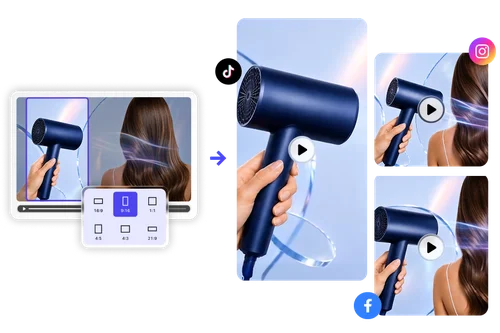
Creating separate versions of the same video for every platform wastes valuable time. AI Video Reframe automatically converts a single product video into different aspect ratios while keeping your product looks high-quality. Launch campaigns across TikTok, Instagram, YouTube, and Facebook from just one master video. Maximize your content's reach effortlessly.
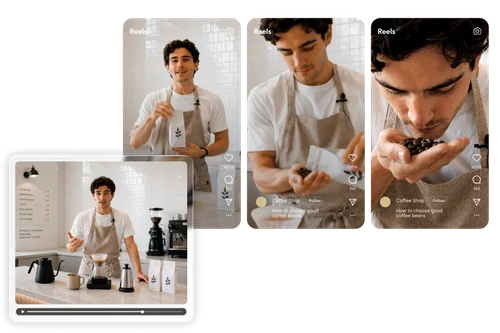
Content Creators: Publish Everywhere Without Extra Editing
Stop manually cropping and repositioning footage for every platform. With powerful auto-reframe technology, you can convert a single video into multiple aspect ratios in seconds. Effortlessly optimize your content for Reels, Shorts, and TikTok without any editing experience. Spend less time editing and more time creating.
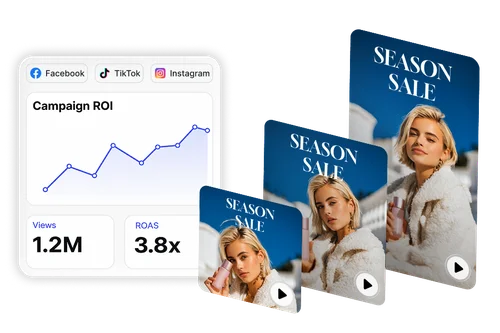
Marketing Teams: Repurpose Existing Content at Scale
Extend the value of every video asset. Upload existing campaign footage, choose your target format, and let AI handle the reframing automatically. Generate Stories, Reels, Shorts, social ads, and widescreen content from the same source video in just a few clicks.
How to Reframe Video Online
Upload Your Video
Upload an MP4 or MOV file, or get started instantly using one of our sample videos.
Select Your Aspect Ratio
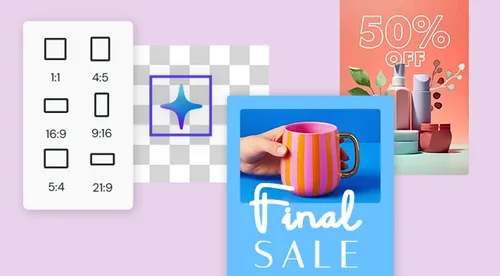
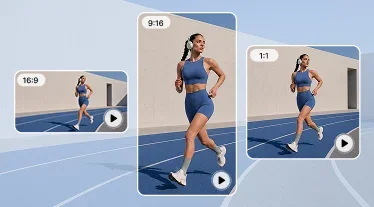
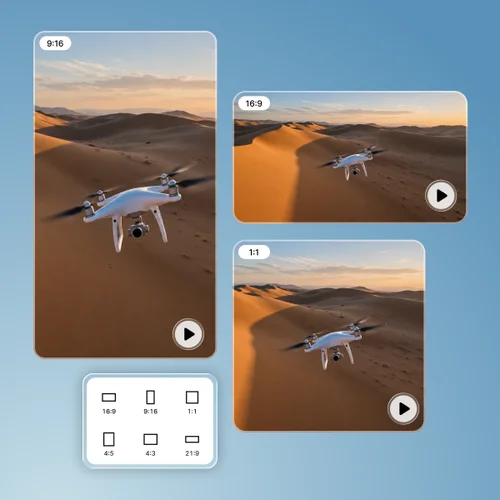
Choose from popular formats including 16:9, 9:16, 1:1, 4:5, 4:3, and 21:9. Adjust camera moving speed to match your content style.
Preview and Download
Compare the reframed version alongside the original, fine-tune the crop if needed, and download your finished video.
Why Choose MyEdit AI Video Reframe
Speed up your post-production workflow with instant aspect ratio adjustments. Stop wasting hours manually cropping footage for different social channels. Simply upload your master video, let the tool optimize the framing in seconds.
Customize how quickly the AI follows movement within your video. Choose slower mode for interviews, balanced movement for marketing content, or faster response for action-packed footage.
Create content for TikTok, Reels, Shorts, YouTube, Facebook, presentations, and more. Reframe a single video into multiple formats without manually resizing or re-editing footage.
Compare your reframed video with the original in real time and make quick framing adjustments whenever needed. Fine-tune results before exporting your final video.
Everything runs directly in your browser, with no software to install or maintain. Reframe videos online from virtually any device and keep projects moving faster.
Download clean, professional videos ready for social media, ecommerce listings, paid advertising, presentations, and other business content without watermarks.
AI Video Reframe FAQ
What is AI Video Auto Reframe?
AI Video Auto Reframe uses artificial intelligence to automatically adjust the crop for different aspect ratios. Making it easy to reframe videos for various platforms like Instagram, TikTok, and YouTube without losing important visual details.
Which aspect ratios are supported?
MyEdit supports 16:9, 9:16, 1:1, 4:5, 4:3, and 21:9 aspect ratios, covering the most popular formats for social media, advertising, presentations, and video platforms.
Can I use reframed videos for paid ads?
Yes. All exported videos are watermark-free and can be used in paid advertising campaigns, social media promotions, ecommerce listings, and commercial marketing materials.
What video formats are accepted?
You can upload MP4 and MOV video files for AI reframing.
Do I need video editing experience?
No. AI Reframe automates the reframing process, making it easy for anyone to create platform-ready videos without professional editing skills.
What is "camera moving speed" and how do I choose?
Camera moving speed controls how quickly the AI follows movement within your video. Slower speeds work well for interviews and presentations, while faster speeds are ideal for action scenes, product demonstrations, and dynamic content.