Podcast Studio
Text-Based Audio Maker and Voice Recorder
Enhance your audio with AI-powered text-based editing, seamless voice recording, advanced audio enhancement, and access to royalty-free music. Try our innovative audio editor today!
Quick and Easy Text-Based Online Audio Editor & Music Editor
Create High-Quality Podcasts with AI-powered Text-Based Editing
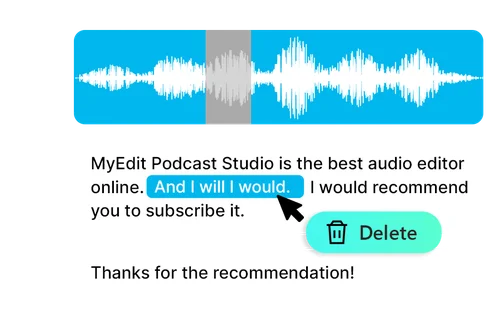
AI-powered transcription makes audio editing as visual and straightforward as editing a document! Easily edit or delete unwanted text and search for specific content with text search. Save time by editing in text format instead of traditional audio.
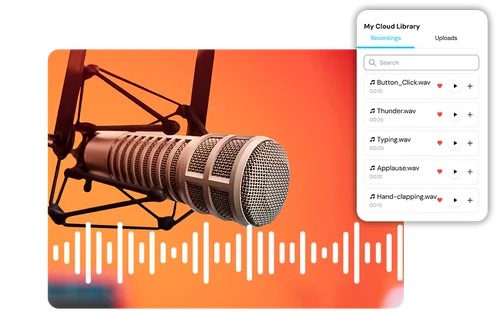
Sound Editor: Enhance Speech & Access Royalty-free Sound Stocks
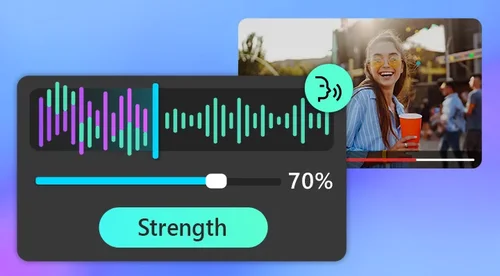
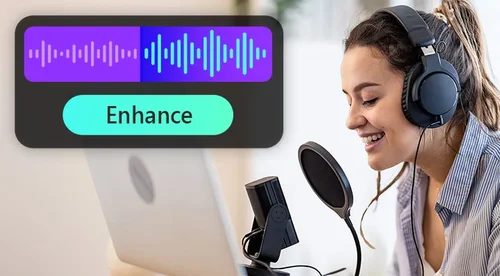
Elevate your podcast with our one-click speech enhancement for crystal-clear, professional audio. Plus, enjoy a variety of royalty-free audio files for intros, outros, and sound effects, adding a perfect spiritual touch. Let your podcast shine effortlessly!
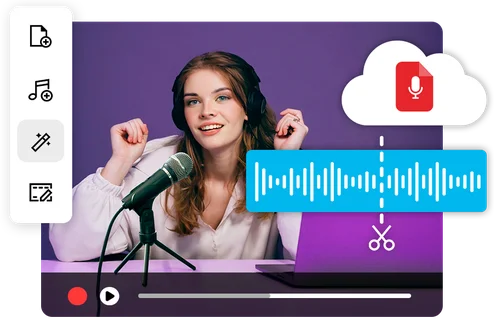
All-in-One, Cloud-Based Audio Maker for Creators
Record or upload audio directly to our Podcast Studio and edit seamlessly in one place. With cloud-based access, your work saves automatically. Plus, you can share a URL with coworkers for easy collaboration and discussions.
How to Use Podcast Studio
 Step 1
Upload or Record an Audio File
To get started with Podcast Studio, you'll need to upload your prior recorded audio file, or record your audio file directly. Make sure to use high-quality audio for best results.
Step 2Edit Your Audio Easily with AI
Now you can use our range of tools specifically tailored for you to create the perfect audio project that sounds great, with minimal effort.
Step 3Export Your Podcast in the Desired Audio Format
Now all you have to do is choose your audio format and export. Enjoy your professionally created podcast.
Revolutionary AI-Powered Podcast Editor

Effortless Podcast Editing with AI-Powered Transcription
Easily modify your podcast by editing text with AI Transcription. Adjust your audio by copy, paste, and editing the text. AI makes audio editing more convenient and time-saving!

Enrich Your Podcast Content with Royalty-Free Sound Effects
Add captivating sound effects from the library, along with intro and outro music. The best part? All tracks are royalty-free, so you can create freely without legal concerns. Start using our audio editing & music editor!

Make Your Podcast Sound More Professional
Save your budget recording in expensive studios. With our speech enhancement, you can transform your original audio to a more professional polished sound with just one click.

Download Transcriptions for Additional Uses
MyEdit’s Podcast Studio offers transcription features that support multiple languages, making editing more convenient. Users can also export transcribed files for further use, enhancing their content creation process.

Share Your Project with a URL
Access and edit your project from any browser—work smoothly across devices. Share your project URL with coworkers to collaborate effortlessly and stay in sync. Best of all, duplicate projects to your workspace for added flexibility.

MP3 & WAV Exports
Podcast studio lets you effortlessly export your audio in two popular formats, MP3 and WAV, giving you the freedom to choose the perfect one for your needs.
Podcast Studio FAQ
What does the Podcast Studio do?


With our AI-powered tools, you can edit your audio in simple ways, including text-based editing, advanced audio enhancement, access to royalty-free music, and seamless recording. Our innovative editor makes it easier than ever to create professional-quality podcasts.
Is the Podcast Studio free to use?
Yes, it’s free to use. New users can start right after signing up with a 2GB cloud storage limit. To increase storage, you can subscribe to the Audio Pro plan.
What is the best online Podcast Editor?
Podcast Studio is the best audio editor for everyone. This is because each tool is perfectly tailored to make high-quality audio, from anywhere you are, in the shortest amount of time possible. It's inexpensive, convenient and high-quality.
Can I get a transcript from an audio file?
Yes, you can export your transcript as a .srt or .txt file.
Do I need technical skills to use Podcast Studio?
No technical skills will be needed for Podcast Studio. AI-based podcast editing means all the hard work is done for you. Even your very first podcast will be as if you've got a full, professional studio setup.
Can I use the music in library for business use?
Yes, all music is royalty-free. So you rest assured it's there for you to use exactly how you like. Which is great as it saves you both the expenses of purchasing music, and also time - no longer do you need to go searching for music, it's all here waiting for you.