Voice Cleaner
Make Every Word Clear and Easy to Hear
Voice Cleaner is MyEdit's AI voice isolation tool. It boosts a quiet or buried speaking voice so it stands out, while Speech Compensation keeps it sounding natural. Upload a recording and clean up the voice in seconds.
Clean Up Your Voice Online for Free
Bring a Quiet Voice to the Front
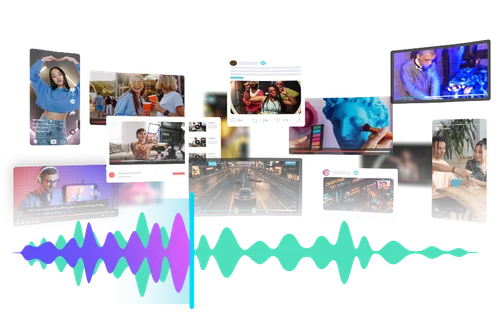
Voice Cleaner uses AI voice isolation to lift a speaking voice that's too soft or buried under everything else, so it's clear and easy to follow. A free online tool that helps creators, podcasters, and streamers get usable sound without complex editing software.
Easier for Your Listeners to Follow
Upload an interview, podcast, or meeting where the voice is hard to hear, and bring it forward so every word lands. Clearer speech also makes transcription more accurate.
Clearer Lessons for Teaching and Learning
Teachers, trainers, and online course creators can optimize recording quality with voice isolation. Ensure lectures remain clear, even in noisy environments. Language learners also benefit from enhanced pronunciation and clarity, making it easier to mimic words correctly and improve speaking skills.
How to Clean Up a Voice with AI Voice Isolation
 Step 1
Upload Audio to Refine Voice Clarity
Choose your audio file and upload it to AI Voice Isolation. Make sure the file is less than 900 MB in size and 90 minutes in duration.
Step 2Adjust Voice Strength As You Desire
Easily control the strength of the vocal enhancement on the isolated voice by adjusting the Speech Strength slider.
Step 3Preview and Download Voice Isolated Audio
Preview your audio to make sure the sound is perfect. Then, select your output format and settings before you download.
Why Use MyEdit Voice Cleaner

Get Your Isolated Voice Result Instantly
Say goodbye to struggles with complex audio editing processes. With our AI Voice Isolation, you can quickly improve your audio quality and reduce your workload.

One-Click Voice Enhancement
Simply upload your audio recording, and our AI Voice Isolation will handle the complex audio editing for you, delivering professional-grade sound quality effortlessly.

Improved Focus in Noisy Recordings
Make voices more recognizable in recordings with loud background noises. AI Voice Isolation gives you the professional touch to improve audio quality for podcasts, videos, or voice recordings.

Clearer Audio for All Audiences
The online Vocal Remover tool operates directly in your browser, making it easy to remove vocals whether you're on a PC, tablet, or mobile phone. Enjoy improved performance while saving both time and effort.

Multi-purpose Versatility
The AI Voice Isolation tool efficiently isolates the voice and delivers clear, high-quality audio while keeping the background ambience. It is ideal for improving the quality of podcasts, narrations, dialogues, and voiceovers.

Voice Isolation Supports Popular File Formats
You can easily enhance the voice for podcasts, narrations, dialogues, and voiceovers with MyEdit Voice Isolation, which supports popular formats like MP3, WAV, FLAC, or M4A.
Voice Cleaner FAQ
What is AI voice isolation, and what does Voice Cleaner do?


AI voice isolation brings a speaking voice forward so it stands out in a recording. Voice Cleaner does this for you: boost the voice with Speech Strength, then use Speech Compensation to keep it sounding natural.
Do I need to download anything to isolate voice?
Our tools are all browser-based, so you do not need to install anything on your device. Simply upload your audio, and get results within seconds.
Do I need professional skills to use Voice Isolation?
No, the AI Voice Isolation tool is suitable for users of all levels. Its simple and intuitive design allows beginners and advanced users to quickly enhance the speech quality for audio content.
Is it safe to use AI Voice Isolation?
Yes, it's safe to use AI Voice Isolation. MyEdit ensures that users' privacy is protected at all times. The platform uses advanced security measures to safeguard users' data.
Can I use Voice Isolation for business use?
Yes, you can use AI Voice Isolation for business use. The tool is designed for content creators who want to enhance their voice recordings to professional-grade studio quality.
Can I customize the voice strength when using AI Voice Isolation?
Yes. You have full control over the strength of AI Voice Isolation's vocal enhancement on the isolated voice. Simply adjust the Speech Strength slider until you find your desired result.