Wan 2.2 Animate: AI Character Motion Swap
Animate a Photo or Swap a Character With a Reference Video
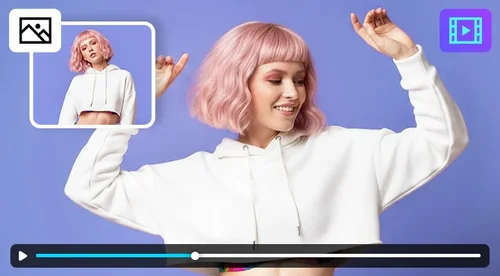
Character Motion Swap is MyEdit's AI motion transfer tool, powered by the Wan 2.2 Animate model. Upload a photo and a reference video, and it maps the motion onto your image or swaps your character into the clip. Start with your daily free credits. No watermark.
What You Can Create With Wan 2.2 Animate
Add Lifelike Motion to a Still Photo
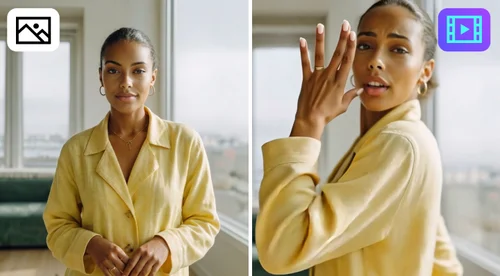
You don't need to shoot your own footage to get natural movement. Upload a reference video, like a dance clip, a walking shot, or a simple gesture, and pair it with your photo. The Wan 2.2 Animate model builds the video from that reference and applies the motion to your image. It's a strong fit for TikTok, Instagram Reels, and YouTube Shorts, where dynamic motion tends to hold attention.
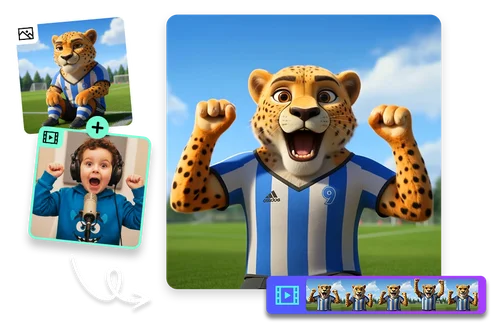
Bring Characters to Life With Natural Motion
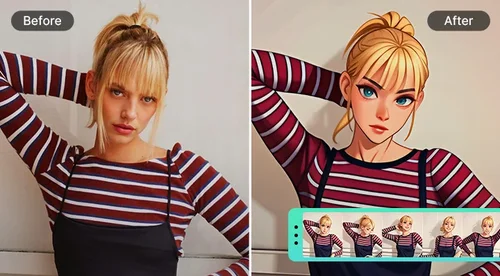
Animate illustrated or AI-generated characters without 3D modeling or frame-by-frame drawing. Upload your character image, pair it with a reference video, and the model generates smooth motion that mirrors every move. Faces, proportions, and art style stay consistent from the first frame to the last. Creators use it for storytelling, VTubing, and short-form animation.
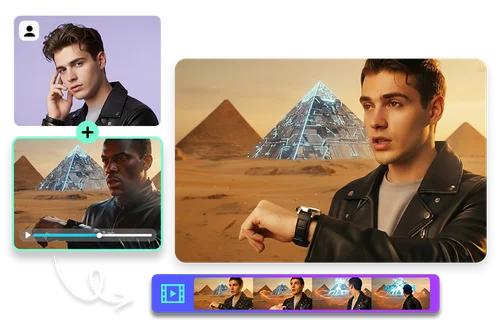
Step Into Any Scene With AI Character Replacement
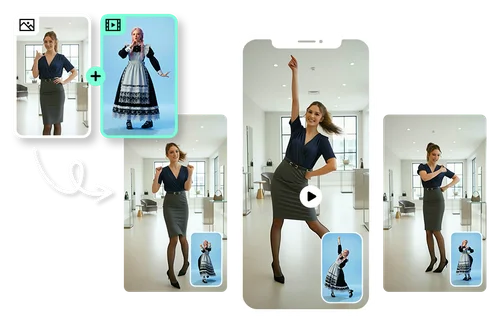
Skip the filming and the manual masking. Upload your photo alongside any action clip, and Character Motion Swap replaces the performer with your character while keeping the original motion, including gestures, head turns, and full-body movement. The background, camera angles, and timing from the source clip stay intact. It's built for memes, reaction videos, and social content where believable motion is the point.
How to Use Wan 2.2 Animate
 Step 1
Upload Your Image
Upload the photo you want to animate. It can be a portrait, a character illustration, or any image with a clear subject. The AI reads structure, color, and detail to prepare for natural motion.
Step 2Upload a Motion Reference Video
Add a source video with the movement you want to apply, such as a gesture, a performance, or a dance.
Step 3Choose a Mode and Generate
Pick a mode. Keep the photo background animates your photo with the video's motion. Keep the video background replaces the character in the video and keeps its motion. Then generate and download your finished video.
What Makes Character Motion Swap Stand Out

High-Precision Motion Transfer
The model maps the movement from your reference video onto your image. It reads human body structure, camera angle, and motion flow, so the result stays smooth and realistic.

Identity and Style Preservation
The model holds on to facial features, body proportions, and the original art style. A real portrait, digital art, or a stylized illustration all come out looking like themselves.

Works With Portraits, Characters, and Avatars
Animate real portraits, full-body characters, avatars, or fictional illustrations. The reference video can be a simple gesture, a dance, a cinematic action, or fast movement.

Two Modes to Animate
Use Keep the photo background to animate your photo with a reference video's motion, or Keep the video background to replace the character in a clip while keeping its scene and motion. Pick the mode that fits each project.

Fast Rendering
Rendering is quick enough to test several motion references in one session, so you can compare options and keep the best result. That keeps your workflow moving instead of waiting between tries.

Beginner-Friendly Workflow
No editing or animation experience needed. The interface is browser-based and simple enough to create image-to-video animations without prior editing skills.
Wan 2.2 Animate FAQ
What is the Wan 2.2 Animate model?


Wan 2.2 Animate, also known as Wan Animate, is an AI animation model from Alibaba's Wan series that turns a still image into a motion video using a reference clip. It works in two modes. In animation mode (Keep the photo background), the character in your photo follows the motion from the reference video. In replacement mode (Keep the video background), your character takes over the performer in the reference video while that video's scene and motion stay intact. Both can produce smooth, realistic movement without manual editing or animation skills.
How do I use the Wan 2.2 Animate video generator?
Upload your photo and a reference video, then choose whether to animate your character alongside the reference performer or replace them entirely. In a few clicks you get an animation you can use for storytelling, social posts, or character-driven projects.
Is Wan 2.2 Animate free to use online?
Yes. MyEdit gives you daily free credits to use Wan 2.2 Animate online, and each generation uses credits based on your clip length. There's no watermark on your results. For credit details and paid options, see our pricing page.
Can I use Character Motion Swap on mobile devices?
Yes. The tool runs in your browser, so you can upload images, pick a reference video, and generate animations from a phone or tablet. No app or download is required.
What is the difference between the two modes?
Keep the photo background makes the person in your image follow the motion from the reference video while your original photo background stays the same. Keep the video background replaces the person in the reference video with the character from your image, while preserving the source video's background, motion, camera angles, and timing. Pick the one that matches your project.
How do I get the best results?
Match the composition of your image to the reference video. Keep shot types consistent: use a close-up portrait for a close-up reference clip, and a full-body image for full-body movement.
Should I use Wan 2.2 Animate or an image-to-video tool?
Use Wan 2.2 Animate when you have a reference video and want your character to copy its exact motion or step into that scene. Use an image-to-video tool when you want to generate movement from a text prompt without a reference clip.