AI Photoshoot
Create Trending AI Photos with Templates
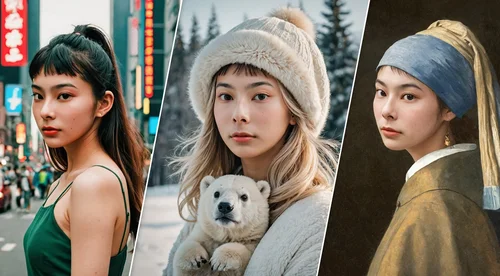
Jump on the AI photo trends everyone's posting, no prompts and no editing skills needed. Pick a template, upload your photo, and AI Photoshoot restyles it into a share-ready image in seconds. Claim free daily credits to start, your first generation is free to try, and there's no watermark on your download.
Create AI Photos Inspired by Viral Trends
Post-Ready AI Photos That Fit Any Feed
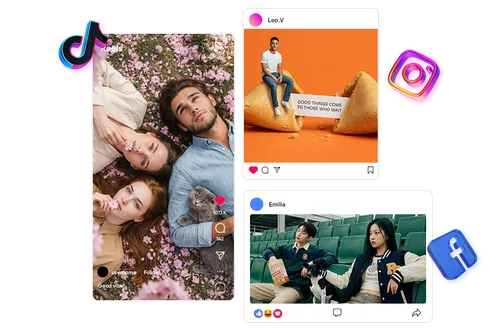
Skip manual editing and start from a template built around a current visual trend. Upload a portrait and turn it into a cinematic poster, an aesthetic profile picture, or a stylized social image. The result is a polished AI photo made to stand out on TikTok, Instagram, and other feeds. New template styles are added as trends change, so there is always something fresh to try.
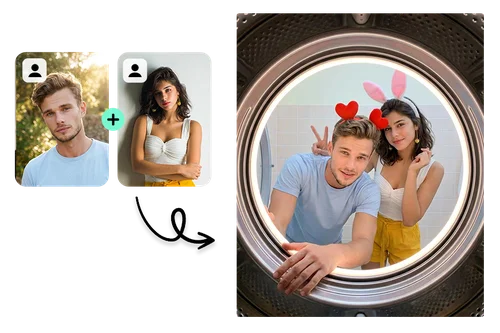
Group Photos with Friends, Family, and Pets
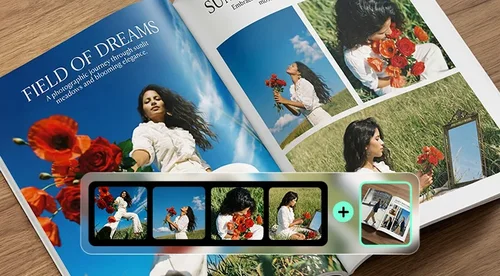
Many templates take more than one photo, so you can bring the people (and pets) around you into the same scene. Upload up to four images and the tool detects each face automatically and places everyone into the theme. Create movie-style posters, couple portraits, family shots, or a group photo that feels made for the occasion. It is an easy way to turn everyday moments into something worth posting.
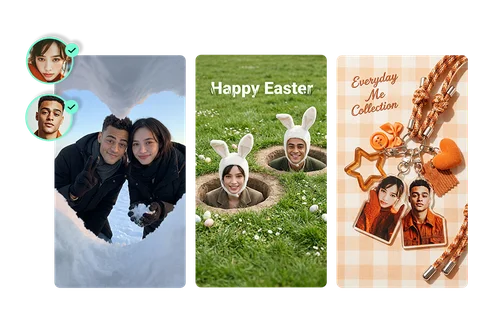
Seasonal and Celebration Photos
Holidays and milestones are the best excuse for a creative photo. Choose a seasonal template and restyle your portrait for Christmas, New Year, Valentine's Day, birthdays, Mother's Day, or Father's Day. Lighting, colors, and mood are matched to the theme automatically, so the photo feels intentional, not filtered. Save it to share or send it straight to someone you love.
How to Create Trending AI Photos
 Step 1
Select a Template
Browse the template library, organized by current AI photo trends. Each design carries its own look, from cinematic portraits to retro, fashion, and seasonal styles.
Step 2Upload Your Image
Import a photo of yourself, or one with friends, family, or a pet. Each template shows how many photos it takes, from one to four.
Step 3Generate and Download
Click Generate and the AI restyles your photo into the template. Review the result and download the final image, ready to share.
Why Use Trending AI Templates

Stay Updated with AI Photo Trends
Trends move fast on social media, and the template library keeps up. You can try the styles people are posting right now without hunting for a tutorial.

Solo, Group, and Pet Photos
Templates take anywhere from one to four photos, so it works for a single portrait or a whole group. You can even include pets in the shot when a template allows it.

Natural-Looking Results
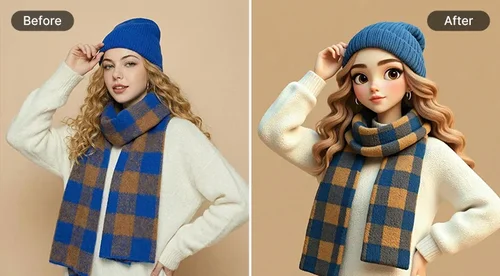
Your facial features stay intact while the background, lighting, and styling change around you. The output looks believable, not pasted together.
No Prompt Writing
Instead of describing a scene in text, you just pick the look you want. Templates handle the hard part, so there is nothing to learn before your first photo.

Studio-Quality Styling
Lighting, composition, and color grading are built into each template. The results resemble a real portrait session rather than a quick filter.

Private Image Processing
Photos you upload stay within your editing session. Files are processed securely and are not shared publicly during generation.
Trending AI Templates FAQ
What is AI Photoshoot?


AI Photoshoot is a MyEdit tool that turns your portrait into stylized AI photos using ready-made templates. You choose a look, upload your photo, and the tool generates a trending AI photo without any prompt writing.
Is AI Photoshoot free to use?
Yes. MyEdit runs in your browser with nothing to install, and every user can claim free daily credits to try the templates. New users also get a free trial on their first generation. For the full credit breakdown, see the pricing page.
How do I turn my photo into an AI photo?
Three steps:
1) pick a template built around a current AI photo trend,
2) upload your portrait or selfie,
3) click Generate.
The tool analyzes the face automatically and blends it into the template, and the finished AI photo is ready in seconds.
How many photos can I upload?
It depends on the template. Some take a single portrait, while others accept up to four photos so you can feature friends, family, or pets in the same scene. Each template shows its photo count before you upload.
How do I make viral AI photos for TikTok and Instagram?
Choose a template from the trending styles, upload your photo, and generate. The output comes out share-ready in a social-friendly format, so you can post it straight to TikTok, Instagram, or Reels without extra editing.
How is this different from an AI headshot generator?
An AI headshot generator is built for clean, professional portraits for resumes or LinkedIn. AI Photoshoot is built for creative and trend-driven photos: viral styles, seasonal themes, and group shots with friends or pets. If you want a formal headshot, try MyEdit's AI Headshot Generator instead.
Is it safe to upload my photos?
Yes. Uploaded images are used only for your generation task and stay private within the editing session. They are not shared publicly during processing.
What image formats can I import and export?
You can import JPG, JPEG, PNG, GIF, WebP, and BMP files. Results are exported as PNG so the final image keeps strong visual quality for posting or saving.
Can I use AI Photoshoot on my phone?
Yes. The tool runs in your mobile browser, so you can generate AI photos with no app to install. It works across desktop, tablet, and mobile.