AI Video Generator
Turn a Text Prompt into a Video Worth Watching
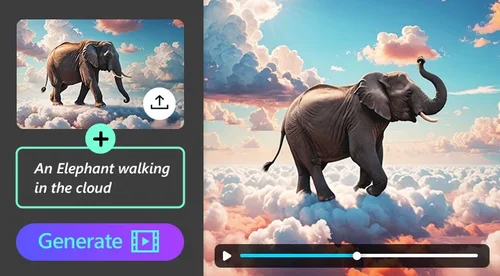
Describe what you want to see and generate a short video with audio and lip-sync on supported models. Create from text or use a reference image or clip to guide the style and motion. Get free daily credits and download watermark-free videos.
Make AI Videos from Text or a Reference
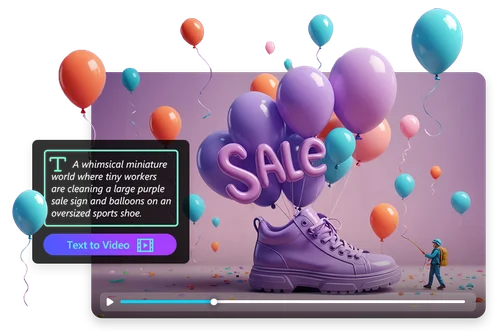
Turn Ideas into Videos with Text
Describe the scene you want and let the AI build it. Write out the subject, action, mood, and camera style, then generate a clip. Create everything from realistic scenes and 3D animation to sci-fi visuals, product shots, and cinematic B-roll, so you skip the shoot and the stock-footage hunt. Detailed prompts are welcome, so you can be specific about exactly what shows up on screen.
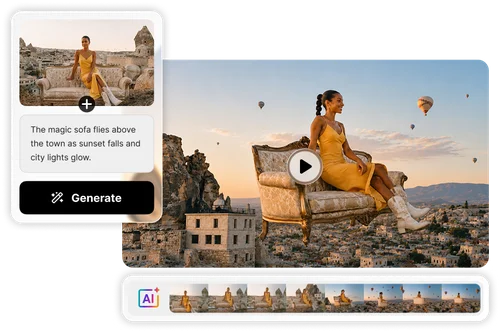
Guide Your Video with a Reference Image or Clip
Text shapes the story. A reference helps keep the look consistent. Upload a photo to hold a character, product, or art style in place, or a clip to guide the exact movement, then point to it in your prompt with @. You get more control over the final result.
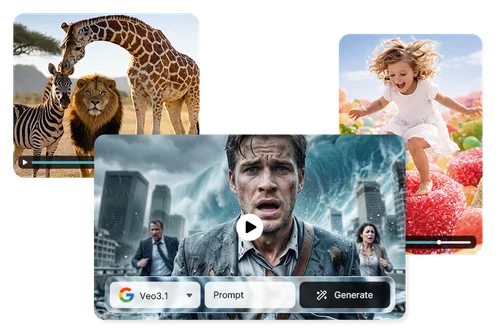
Switch Between Top Models in One Workspace
Every model has its own strengths, so MyEdit keeps them in one place. Reach for Veo 3.1 when you want realistic detail, Kling 3.0 for cinematic motion, Seedance 2.0 for smooth control, or PixVerse V6 for narrative-driven clips. Switch models without starting over or leaving the page. New models are added as they launch, so your options stay current.

Talking Characters with Lip-Sync and Audio
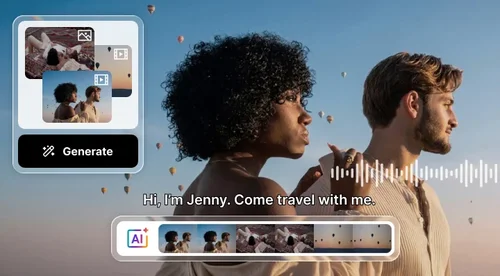
Type a script and let your characters say it. Supported models can generate built-in audio with multilingual lip-sync that matches mouth movement to the voiceover. Many supported models can also generate sound effects, background music, and dialogue, so picture and sound arrive together. You focus on the story while the AI handles the mix.
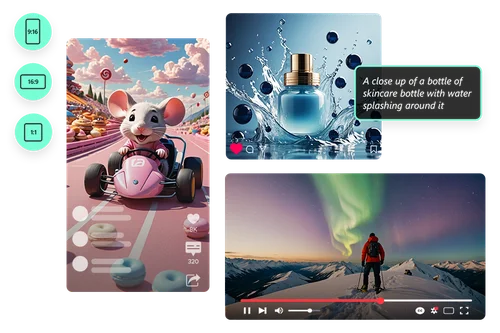
From Social Posts to Product Ads
The same tool covers a TikTok skit, a brand campaign, and an e-commerce product clip. Generate in 16:9, 9:16, or 1:1 so the video fits the platform with no cropping, in clips up to 15 seconds. Create original footage without searching a stock library. Post it as is or drop it into a longer edit.
How to Use AI Video Generator (Text to Video)
 Step 1
Select a Model and Describe Your Video
Pick an AI model, then type your prompt: the subject, action, mood, style, and any details you want on screen.
Step 2Add Reference Media and Settings (Optional)
Upload a reference image or clip for tighter control, and point to it in your prompt with @, like @image1 or @video1. Then set the mode, resolution, aspect ratio, and duration.
Step 3Generate and Download
Click Generate, preview the result, and download your video with no watermark.
Why Use MyEdit's AI Video Generator

Text or Reference to Video
Start from a text prompt on its own, or add a reference image or clip to guide the style and motion. Either way you end up with a finished video, not just a rough starting point.

Synced Audio and Lip-Sync
Generate sound effects, background music, and dialogue along with the picture. Supported models add multilingual lip-sync, so a speaking character actually matches the voiceover.

Consistent Characters and Style
Get steady, natural movement across the clip. Add a reference image to keep a character, product, or art style looking the same from the first frame to the last.

Sized for Every Platform
Generate in 16:9, 9:16, or 1:1, in clips up to 15 seconds, and download in up to 1080p. Your video fits the platform straight out of the tool, with no cropping or reformatting.

Latest Models, Updated Often
Work with current video models in one place and pick whichever one suits the shot. New models are added to the workspace as they become available, so you can keep experimenting with newer capabilities.

No Editing Skills Needed
Describe what you want and the AI produces the video. Nothing to install, no timeline to learn, and no prior editing experience required.
Which Featured AI Model Fits Your Shot?
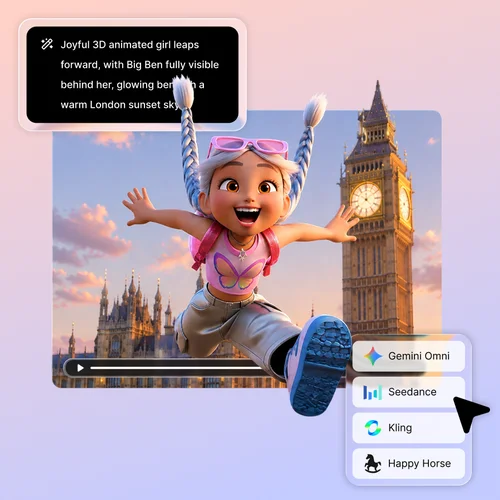
Still revising the same clip after the first try? Tag it with @ and Gemini Omni Flash reshapes the result each time you ask, in plain language, mixing in text, image, audio, or video as reference.
Already have a clip with the exact motion or style you want copied? Tag it with @ and Seedance 2.5 follows it with enhanced prompt accuracy, holding up under fast action and camera movement without warping. It now comes complete with perfectly synced audio.
If your video needs a character who speaks, this is the one. It generates voice and lip-sync together with the video, matched across multiple languages, so you're not dubbing it in after.
Veo 3.1 is the realism specialist, strongest on physics, lighting, and motion that need to look filmed rather than generated. Put dialogue in quotes and it generates matching speech, sound effects, and ambient audio.
Need the output to match something real, a brand character, a product, an existing series? Kling O3 takes reference images and keeps that face or product consistent from every angle across the clip.
More Ways to Create with MyEdit
AI Video Generator (Text to Video) FAQ
How does the AI video generator work?


It turns a text prompt into a short video. Enter your idea or script, pick a model, and the AI generates a clip with motion and sound. You can also upload a reference image or clip to guide the style and movement.
Is it free, and is there a watermark?
Yes. Sign in to claim free credits every day, and each generation spends a small number of credits depending on the model you choose. Videos have no watermark. Some models also include a one-time free generation. See the pricing page for details.
Do I need to sign up or log in to make a video?
You sign in to claim your free daily credits and to generate videos. There is nothing to download. The tool runs in your browser.
Which AI models can I use, and how do they differ?
You can switch between current models including Veo 3.1, Kling 3.0, Seedance 2.0, Vidu Q3, PixVerse V6, and Wan 2.7. They differ in motion style, clip length, audio, and how they handle reference media.
How long can the videos be, and what aspect ratios are supported?
Clip length depends on the model, up to 15 seconds (16 seconds on Vidu Q3). Every model supports 16:9 and 9:16, and most also support 1:1, so you can match YouTube, TikTok, and Instagram. You can download in up to 1080p.
Can I use a reference image or video?
Yes. Upload an image to set a character, product, or art style, or a clip to guide the motion, then reference it in your prompt with @. Every model accepts image references, and some also accept video references.
Can I use AI-generated videos for business or commercial use?
Commercial use may be available, depending on the model you choose. From your own prompts, there is no stock footage to license for social, marketing, or commercial projects. Review the terms of the model you use for its specific commercial-use conditions.
What should I look for in an AI video generator?
A strong text-to-video tool needs three things: several up-to-date models to cover different styles, synced audio and lip-sync, and output with no watermark. MyEdit's AI Video Generator does all three, runs in the browser, gives free daily credits, and supports 16:9, 9:16, and 1:1 for any platform.
Do I need video editing skills to use AI video generator?
No. You describe your idea in plain language and the AI produces the video. No editing experience or software setup is required, so a first-timer and a seasoned creator can both get a usable result.