Video Merger
Combine Videos Online for Free
Combine multiple videos into one with Video Merger for free. Perfect for merging reels, highlight clips, or ads. All done online with no download needed.
Join Videos Seamlessly Online
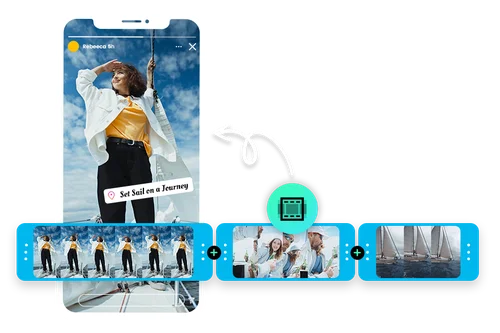
Merge Videos to Create a Highlights Reel
Combine multiple clips into a single, engaging highlights reel. Perfect for event footage, daily vlogs, behind-the-scenes moments, or social content, the video combiner makes it easy to merge videos in different formats. It's simple to use and ideal for boosting audience engagement.
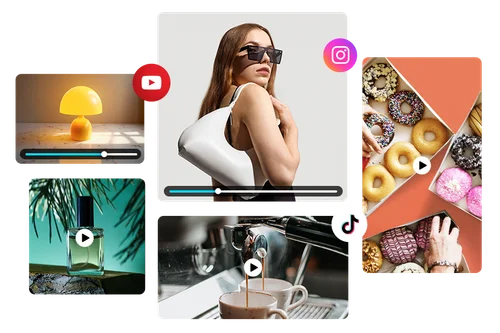
Combine Product Demos for Marketing Videos
Promote your product with a sleek, high-impact video. With Video Merger, you can combine multiple demo clips into one seamless file, add smooth transitions, and enhance your video with additional editing tools. Perfect for social posts, ads, and promotional content.
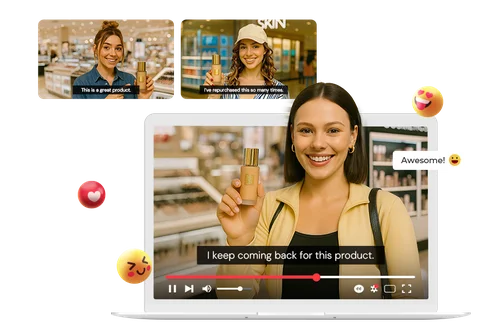
Showcase Testimonials in a Single Engaging Video
Transform scattered feedback into a compelling brand story. With the video combiner, you can merge clips from happy customers into one cohesive, professional video. From authentic client experiences to quick product soundbites, a polished testimonial video builds trust and gives future customers the confidence to choose your brand.
How to Combine Videos Online
 Step 1
Upload Multiple Video Clips
Click Import Video, select the import area, or simply drag and drop your clips to add them to the Video Merger.
Step 2Combine Videos in One Click
Customize how your videos merge by choosing transitions and adjusting the clip order.
Step 3Export Your Video
Click "Download" to export your merged video.
Merge Videos into One Captivating Video

Quick and Intuitive Interface
The online video merger tool makes combining videos effortless with a drag-and-drop editor that works right in your browser. Even large files process smoothly, allowing you to edit and merge your clips in just a few clicks.

Advanced Editing With Seamless Tool Switching
Start by merging your clips, then jump straight into AI tools like Video Enhancer for professional refinements. Enjoy a smooth workflow from start to finish.

Support for Popular Video Formats
Upload and edit videos in popular formats like MP4 and MOV. MyEdit automatically converts different file types for a seamless editing experience. Simply drag, drop, and start combining.

One-Click Editing
Easily add fade-in and fade-out effects and remove unwanted footage with a single click. Even beginners can merge videos quickly and download the final result instantly.

Security and Protection
MyEdit uses advanced technology to keep your data and privacy safe.

100% Browser-Based Platform
Work entirely online with cloud-based autosave and secure storage. Simply sign in to access and manage your projects, and start merging videos right in your browser.
Video Merger FAQ
How does the online Video Merger work?


MyEdit’s Video Merger lets you quickly combine multiple video clips into a single file right in your browser. Simply upload your clips, arrange them in the order you want, and export the final merged video without needing to install any software.
Is it free to use MyEdit Video Merger?
Yes, MyEdit offers a free version of the Video Merger tool. You can combine your videos online without any upfront cost, and upgrading to a premium plan unlocks additional features.
What is the best video combiner online?
MyEdit is one of the best online video combiners because it’s fast, beginner-friendly, and supports high-quality exports. It works entirely in your browser, and supports popular formats.
How to use MyEdit’s online Video Merger?
Simply upload your clips, customize them to your liking, and export. It’s that easy.
Can I combine videos that have different formats?
Yes. MyEdit supports MP4 and MOV files and automatically handles any format differences, so you can combine clips smoothly without extra conversions.