AI Image Fusion
Turn Your Photo into Art in the Style of Any Image
AI Image Fusion is MyEdit's AI style transfer tool. Pick a preset style or upload any image as your reference, and it recreates your photo in that style in seconds. Sign in to claim free daily credits and create without a watermark.
 By continuing, you agree to our Terms of Use and Privacy Policy.
What You Can Create with AI Image Fusion
Restyle Any Photo into Art
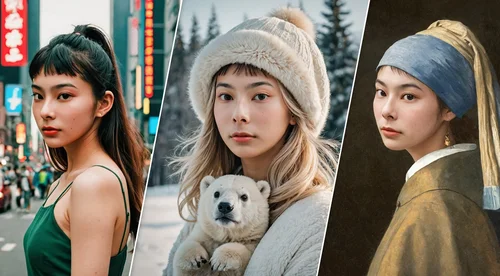
Apply the look of a famous painting, an art movement, or any image you love to your own photo. Upload a landscape with a watercolor reference for a soft, painterly version, or pair a portrait with a neon cyberpunk style for a bold new look. AI Image Fusion keeps your original subject and reshapes its colors, texture, and mood to match the style you pick. Turn an everyday photo into art you will actually want to post or print.
Create Concept Art Fast
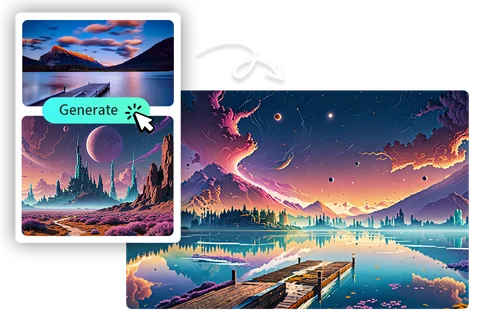
Apply one consistent style across characters, environments, and props so a whole project shares the same visual language. Feed in a mood board or a single reference frame, and turn rough sketches or photos into styled concepts in seconds. Try a grim noir direction one minute and a bright storybook look the next, without repainting anything. It is a fast way to pitch ideas for games, films, and media projects before you commit to a final style.
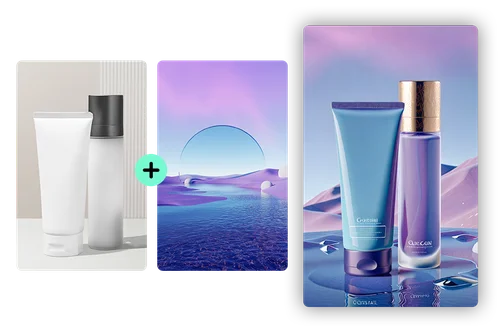
Keep Your Brand Visuals On-Style
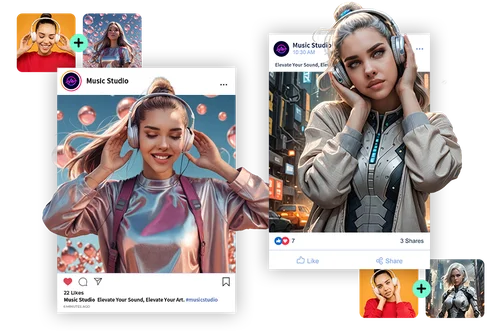
Style all your product and marketing images from a single reference, so your store, ads, and social feed share one consistent look. Set the palette and texture once, then apply it to new photos as you add them, with no manual editing per image. Keep seasonal campaigns on-brand, or try a fresh visual theme before a launch. A consistent look helps customers recognize your brand at a glance.
How to Use AI Image Fusion
 Step 1
Upload Your Image
Add the photo you want to restyle as your source image. This is the picture whose subject stays, like a portrait, a landscape, or a product shot, and JPG, PNG, and WebP all work.
Step 2Pick or Upload a Style
Choose one of the built-in style presets, or upload your own image as the reference. The reference is what sets the colors, texture, and mood that get applied to your photo.
Step 3Generate and Download
Now you can generate your result. When it is ready, download the restyled image to your device with no watermark, or pick another style and generate again for a different look.
Discover Benefits of AI Image Fusion

Match Any Style or Reference
Use one of the built-in presets, or upload any image as your reference to set the look. Because the style comes from a real image, you can match a specific painting, a brand palette, or a current trend instead of being limited to fixed filters.

Styled Results in Seconds
Doing this by hand means hours of layering, masking, and color work in pro software. AI Image Fusion reads your reference and restyles your photo in seconds, so you can test several looks in the time one manual edit would take.

No Editing Skills Needed
You do not need Photoshop or any design background to use it. Upload your photo, pick or add a style, and the AI handles the blending, so you can get a clean result on your first try.

Works 100% Online
Everything runs in your browser, with nothing to download or install. The processing happens in the cloud, so it works the same on a laptop or your phone.

No Watermark
Your finished image downloads clean, with no watermark. Each generation uses credits instead, so what you export is ready to post, print, or drop into a project.

Endless Style Variations
Swap in a different reference and you get a completely new version of the same photo. It is an easy way to compare directions and find the look that fits your project.
AI Image Fusion FAQ
What is AI Image Fusion?


AI Image Fusion is MyEdit's AI style transfer tool. You give it two images, your photo and a style reference, and it recreates your photo in the style of that reference. For example, turn a street photo into a glowing fantasy scene. You can pick a built-in style or upload your own.
What is the best AI style transfer tool?
The best one gives you control over the style, not just a few fixed filters. AI Image Fusion lets you pick from built-in presets or upload your own reference image, runs fully online with no install, and exports with no watermark. Try a few references on the same photo to see which result you like best.
How do I use AI Image Fusion?
Upload your photo as the source, then pick a built-in style or upload your own reference image. Hit Generate to apply the style, which uses 2 Credits, and download the result. It all runs in your browser, with no install needed.
Is it free to use AI Image Fusion?
Can I upload my own image as the style reference?
Yes. Besides the built-in presets, you can upload any image as your reference, and AI Image Fusion will match its colors, textures, and overall look.
Do I need any design skills?
No. Just upload your photo, pick or upload a style, and download the result. The AI handles the blending for you.
Can I use the results commercially?
Yes. You can use your results for social media, marketing, and other commercial projects, as long as your source images are legally yours to use. For enterprise needs, see MyEdit Business.
What image formats are supported?
AI Image Fusion supports common formats like JPG, PNG, and WebP. Upload clear, high-quality images for the best results.