AI Collage
Generate AI Collages Made for Your Photos
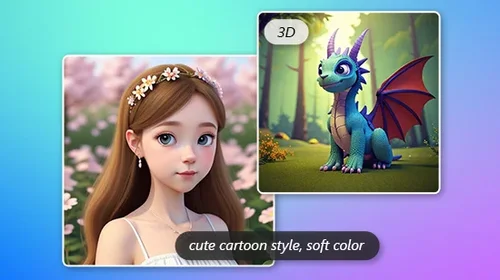
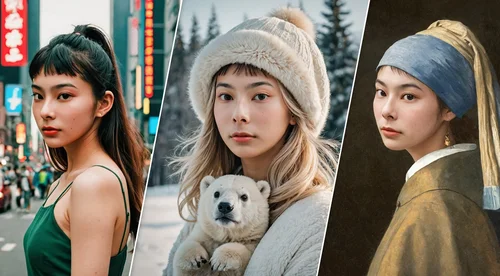
Not just a collage. Choose a template or enter your custom prompt, and our AI collage generator reads your photos to auto-generate layouts, text & decorations around them, such as polaroid spreads, film strips. Every result is uniquely yours. Free daily credits, no watermark.
Create Trending AI Photo Collages for Every Moment
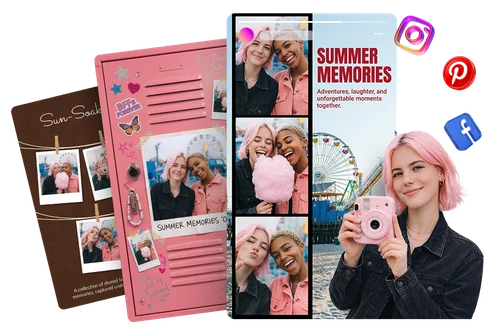
Instagram & Pinterest Collages with Zero Design Skills
Design scroll-stopping reels, stories, and posts in seconds. Pick from diverse, trend-forward templates and let AI automatically adjust spacing, align, and crop everything into beautiful layouts that drive engagement and make every post stand out in any feed.
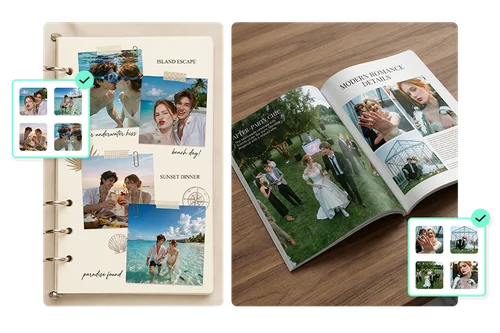
Travel & Event Storytelling via Custom Prompts
Relive your best vacations, weddings, and birthday moments in style. Simply upload your photos and enter a custom prompt describing your vision. The AI simultaneously analyzes your images and interprets your text, automatically generating a perfectly tailored collage with matching backgrounds and layouts.
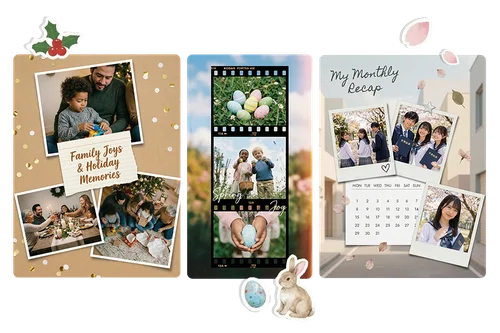
1-Click Festive Collages for Personal Gifts
Make holidays and special occasions truly unforgettable. Powered by advanced content-aware technology, the AI automatically detects people and main subjects, ensuring your figures remain fully preserved and perfectly framed without any awkward cropping. It instantly styles your photos with the perfect festive vibe, from Christmas and birthdays to any celebration worth remembering.
How to Make an AI Collage in 3 Easy Steps
 Step 1
Pick a Template or Describe Your Idea
Browse trending AI collage templates or switch to Custom mode and type a prompt describing the collage you want.
Step 2Upload Your Photos
Import your photos and MyEdit auto-matches them to your chosen layout. The template shows exactly how many photos are needed. Just fill the slots and you're ready.
Step 3Generate, Preview & Download
Hit Generate and watch your AI collage come to life. Preview your result, then download your favorite, or grab them all with Download All. No watermarks, free to keep.
Why Choose MyEdit's AI Collage Generator?

Captivating Templates for Instant Results
Skip the blank canvas. MyEdit offers a diverse library of pre-designed templates spanning every style, mood, and occasion so you always find the perfect starting point and go from idea to finished collage in seconds.

Your Photo, Seamlessly Blended In
Step into the future of collages. With smart content-aware detection, AI automatically adjusts template text and layouts to suit your specific picture. Watch your image blend naturally into our AI Collages with zero manual effort.

Virtual Studio Quality, Zero Effort
Every collage looks professionally lit and color-graded. MyEdit's AI automatically detects your photos and fine-tunes lighting and color to seamlessly match your chosen template. No manual editing required.

Intelligent Subject Alignment
Your subjects always take center stage. MyEdit's smart layout technology identifies the main subject in each photo and ensures they're perfectly centered and fully visible.

Fast & Seamless Workflow
Go from raw photos to a shareable masterpiece in seconds. MyEdit's intuitive interface lets you generate, preview, and download your collage without any learning curve, just results.

100% Online, No installs needed
No downloads, no installs, no hassle. MyEdit's AI Collage Maker runs entirely in your browser, so you can create stunning photo collages from any device, anywhere, anytime.
AI Collage FAQ
What is AI Collage?


An AI collage is a photo layout created using artificial intelligence. Instead of manually arranging images, AI automatically:
- Detects the subjects in your photos
- Matches them to a fitting layout and style
- Adjusts lighting and color for a cohesive, polished look
The result is a stunning, professionally composed collage in seconds, no design skills needed.
Is MyEdit's AI Collage Maker free to use?
Yes, it's completely free. Here's what you get at no cost:
- Access to diverse, trend-forward collage templates
- AI-powered photo arrangement and color matching
- Custom prompt generation for unique collage layouts
- Downloads with no watermarks
No subscriptions or sign-ups required to get started.
How do I turn my photos into an AI collage?
It only takes three steps:
- Pick a template from the library or switch to Custom mode and type a prompt describing your idea
- Upload your photos. The tool shows exactly how many are needed based on your layout
- Hit Generate, then preview and download your finished collage
Is it safe to upload my photos?
Yes, you can create freely without worrying.
- Photos are processed securely
- Uploaded images are not used to train AI models
- All data is encrypted to keep your files protected
What image formats are supported for import?
The following formats are supported for uploading your photos:
- JPG
- PNG
- GIF
- WebP
- BMP
For best results, use high-resolution images to ensure sharp, clear collage outputs.
What image formats are supported for export?
Your results can be exported in PNG format. MyEdit ensures the final image maintains HD quality so it can be posted online or saved locally.
Can I use the AI Collage Maker on my phone?
Yes, you can:
- Browse and select templates on any smartphone or tablet
- Upload photos directly from your camera roll
- Generate and download your collage without needing an app
It runs entirely in your mobile browser, so there's nothing to install. Create on the go, anytime.
What is the best AI Collage Generator?
Unlike traditional collages, our smart AI reads your photos to automatically adjust text and layouts into various stylish, fun designs like polaroid spreads, allowing you to create a truly unique and one-of-a-kind collage.