JPG Converter
Convert Images into JPG Online for Free
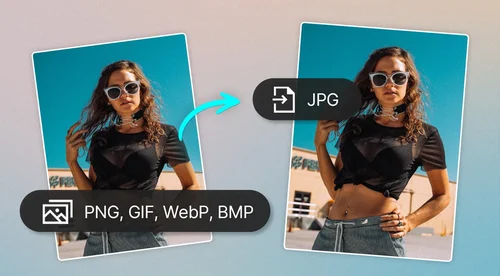
Convert up to 30 images into JPG simultaneously.
How to Convert Images
 Step 1
Upload Up to 30 Images
Select up to 30 images to convert simultaneously. We currently support PNG, GIF, WebP, and BMP file formats.
Step 2Review and Add More Files
Preview your uploaded files and click "Add More Files" if you need to include additional images for conversion.
Step 3Convert and Download
Hit the "Convert" button. Once the process is finished, your new JPG files will automatically download to your device.
Why Use MyEdit's Image Converter Tool?

Easy-to-Use
Simple three-step process. Choose your files, convert, and download.

Online Photo Editor
Quickly convert files without downloading an app or software to your device.

Convert Multiple Images Simultaneously (PC only)
Choose up to 30 image files at once.

PC and Mobile Compatibility
Simply upload from your device and convert.

Quick Results
Convert your images in seconds.

Preview Results
Our handy tool will let you know if any files failed to convert and need to be re-uploaded.
FAQ
What does a JPG converter tool do?


It lets you convert your files from one image file type to JPG file format.
Is the JPG converter free?
Yes, the JPG converter tool is completely free for single image conversions.
Are JPG and JPEG the same?
JPG and JPEG are file extensions that both refer to the same image format. The two names exist because some early Windows computers only supported three-character extensions, but modern devices recognize both JPGs and JPEGs and process them identically.
Is it safe to use MyEdit to convert my image into a JPG?
Yes, it's safe to use MyEdit for your image editing. MyEdit uses advanced security measures to safeguard users' data.
How to convert PNG to JPG?
Follow the steps below to convert PNG to JPG with Image Converter:
1. Upload your file
2. Click Convert
3. Download the converted file
How to convert GIF to JPG?
Follow the steps below to convert GIF to JPG with Image Converter:
1. Upload your file
2. Click Convert
3. Download the converted file
How to convert WebP to JPG?
Follow the steps below to convert WebP to JPG with Image Converter:
1. Upload your file
2. Click Convert
3. Download the converted file
How to convert BMP to JPG?
Follow the steps below to convert BMP to JPG with Image Converter:
1. Upload your file
2. Click Convert
3. Download the converted file