AI Music Generator
Create Original AI Music from a Mood or Photo
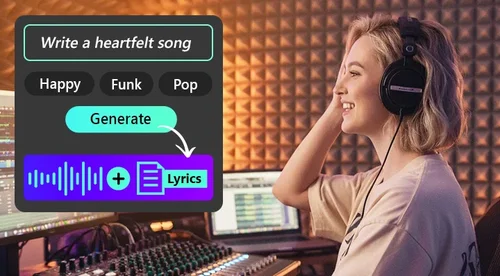
Turn a prompt or reference photos into up to 6 original vocal or instrumental tracks. Free credits every day, no music skills needed.
What the AI Music Generator Can Do For You
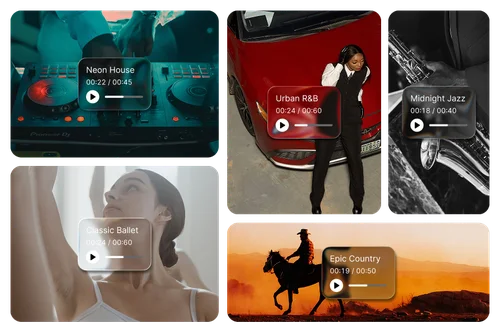
Turn Your Own Photos Into a Matching Soundtrack
Type a line or tap a few Genre, Mood and Instrument tags, then add up to 10 photos if you want. The AI reads your words and your images, and builds a track anywhere from 60 to 180 seconds.
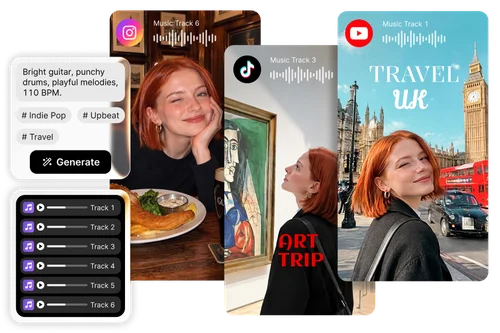
Score TikToks, Reels and Shorts Without Recycled Audio
Everyone is using the same trending clip this week. Type one line, or just tap Genre, Mood and Instrument tags, and get up to 6 versions at once instead of waiting through 6 rounds. Every track is generated for you, so nobody else has it.
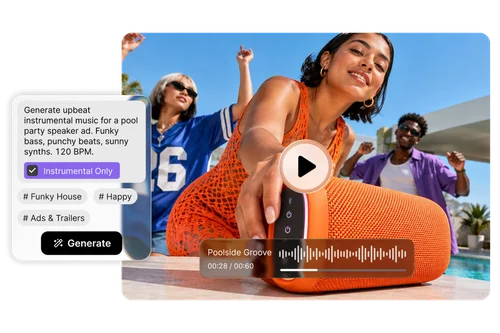
Instrumental Tracks for Ads, Demos and Podcasts
Turn on Instrumental Only and the vocals are gone completely. It works as background music for product demos, podcast intros and outros, tutorials, client explainers and paid ads. Generate a few versions and keep the one that sits best under your script.
How to Generate Music With AI
 Step 1
Describe It or Just Tap a Tag
Describe the track you want: genre, tempo, instruments, mood. Or tap tags under Genre, Mood, or Instrument to build your prompt.
Step 2Add Photos and Song Settings
Optionally upload up to 10 reference images to match their mood. Set the length to 60 to 180 seconds, then choose instrumental, vocal gender, and language.
Step 3Generate and Download
Pick 1 to 6 tracks and hit Generate. Tracks appear in Recent Gen, ready to play, rename, or download. They’re also saved to My Library for later use or editing in MyEdit.
Why Choose MyEdit’s AI Music Generator?

Music From Your Photos
Upload up to 10 reference photos and the AI reads their color, light and mood, then builds the track around what it finds. A text prompt on its own works too.

Six Tracks in One Generation
Ask for 1 to 6 tracks in one go instead of regenerating until something sticks. Each appears in Recent Gen the moment it finishes, newest first, so you can start listening while the rest are still running.

No Prompt-Writing Skill Required
Open Genre, Mood or Instrument and tap what you want. The tags go into the prompt in the order you pick them, so you never have to describe a sound in words you do not have.

Multi-language Vocals or Instrumental
Switch Instrumental Only on for a clean bed under a voiceover. Leave it off and choose male or female vocals in English, Spanish, French, German, Italian, Portuguese, Japanese, Korean or Chinese.

Daily Free Credits
Claim free credits every day, and your first single track costs nothing at all. If a generation fails, the credits go straight back to your balance instead of disappearing.

Saved Automatically to My Library
Every track lands in the AI Music Generator folder on its own, with nothing to export. Rename it, download it, or send it on to Vocal Remover or Audio Trimmer.
AI Music Generator FAQs
What is an AI music generator?


An AI music generator creates original music based on your chosen style and settings. Describe what you want, select Genre, Mood, and Instrument tags, or upload reference images to guide the sound.
Is MyEdit’s AI music generator free?
Yes. MyEdit gives you free credits every day, and your first single-track generation is free. Further generations use credits based on the number of tracks selected. Credits are automatically returned if generation fails.
Do I have to write a prompt to make music?
No. You can create music without writing a prompt:
Choose from Genre, Mood, and Instrument tags.
Combine several tags to define your sound.
Add a written description only when you want more control.
MyEdit automatically adds your selected tags to the prompt.
What do reference images actually do?
Reference images guide the overall feeling of your music. MyEdit analyzes elements such as color, lighting, and mood, then uses them to shape the track. You can upload up to 10 images or generate music without any images.
How long can a track be, and how many can I generate at once?
Tracks can be from 60 to 180 seconds long. MyEdit can generate between one and six different tracks at once, giving you several versions to compare from a single generation.
Can I generate instrumental music with no vocals?
Yes. Turn on Instrumental Only to create music without singing. This works well for voiceovers, ads, podcasts, tutorials, product demos, and other projects where vocals might compete with spoken audio.
What languages can the vocals be in?
MyEdit can generate vocals in 9 languages:
English
Spanish
French
German
Italian
Portuguese
Japanese
Korean
Chinese
You can also choose male or female vocals.
Can I use the music I generate for commercial projects?
Yes. Music generated with MyEdit can be used in personal and commercial projects, including ads, monetized videos, podcasts, and client work, without additional music licensing fees. Only upload reference images that you own or have permission to use.
Where are my generated tracks saved, and can I edit them?
Every track is automatically saved in the AI Music Generator folder under My Library. From there, you can: Play, rename, or download the track. Send it to Vocal Remover to separate or remove vocals. Open it in Audio Trimmer to adjust its length.