Free Audio Merger Online
Combine Multiple Audio Files Effortlessly
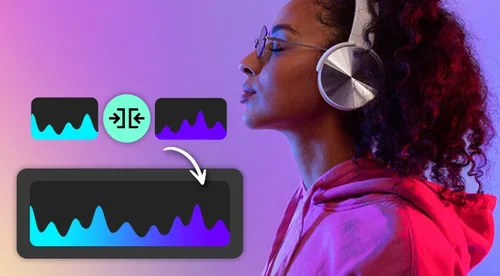
Merge audio files online effortlessly! Perfect for podcasts, music, and ringtones. Combine tracks instantly with our free, easy-to-use Audio Joiner tool.
Seamlessly Merge Audio for Any Project

Combine Music and Create Custom Sound Tracks with Audio Merger
Effortlessly merge songs, MP3s, sound clips, or effects to craft unique sounds. Create personalized ringtones, alarms, and notifications with our intuitive audio merger—no advanced skills needed.
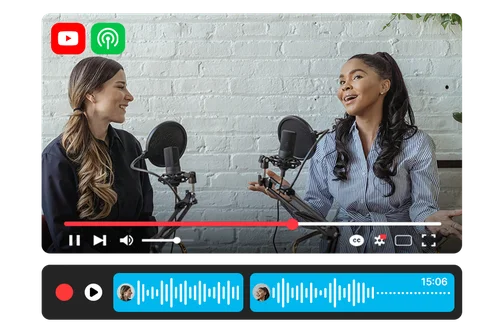
Edit and Join Audio Clips for Podcast or more
Easily merge multiple recorded segments, intros, and outros to create a polished podcast episode or video soundtrack—no complicated software required. Achieve professional-quality results with ease.
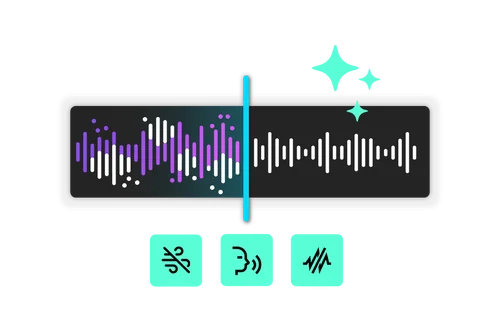
Fine-Tune Your Merged Audio with Advanced Editing
Need to remove background noise or transform your voice into something fun? Our continuous editing feature lets you refine, enhance, and perfect your audio before or after merging, ensuring top-quality results every time—perfect for podcasts, videos, and more!
How to Use Audio Merger
 Step 1
Upload Audio File
Easily select or drag multiple files to import and merge them effortlessly. Our intuitive tool saves you time, helping you create personalized ringtones, podcasts, and more without hassle.
Step 2Edit Audio Clips
Users can drag, add, split, copy, paste, or apply fade-in/out effects to audio clips, giving you full control to edit and create the perfect sound with ease.
Step 3Check Result and Download Audio
Check the result and download your audio with ease. Review your edits and seamlessly save the final version for use in your projects.
Explore the Power of Audio Joiner

Effortless Audio Combination
Merge multiple audio files quickly and effortlessly, without the need for complex software or technical expertise. Our simple tool lets you create polished, professional tracks in no time.

Edit Clips with Ease
Merge multiple audio files effortlessly without complex software or technical skills. Easily use essential functions like add, delete, copy, paste.

Seamlessly Crossfade Different Audio
Use fade-in and fade-out effects in MyEdit’s Audio Merger to create smooth transitions, ensuring a professional, polished sound with subtle beginnings, endings, or scene changes—perfect for a podcast creator.

Perfect for Personal & Professional Use
Audio Joiner is a versatile tool for both casual users and professionals. Whether you're making custom ringtones, enhancing video projects, or producing seamless podcasts, it simplifies the merging process with ease.

Free and Online
Being a free, online-based tool, Audio Joiner saves you time and money by eliminating the need for expensive software or downloads. Access it anytime, from any device, and merge audio files effortlessly without installation. Perfect for quick edits, on-the-go projects, and hassle-free audio merging!

Supports Multiple Formats
Compatible with various audio formats, Audio Joiner offers flexibility for all your merging needs. These formats include: MP3, WAV, FLAC, M4A.
Online Audio Merger FAQ
What is an Audio Merger?


MyEdit’s Audio Merger is a free, online-based tool that lets you seamlessly combine multiple audio files into a single track. Supporting various formats like MP3, WAV, FLAC, M4A, it offers flexibility for all your merging needs—whether you’re creating custom ringtones, enhancing video soundtracks, or producing polished podcast episodes.
With an intuitive interface, MyEdit’s Audio Merger allows you to add, delete, copy, paste, and apply fade-in/out effects effortlessly. No complex software or technical expertise is needed, making it perfect for both casual users and professionals. Plus, as an online tool, it’s easily accessible from any device, saving you time and eliminating the need for downloads or expensive editing software.
Do I need any professional skills?
No, you don’t need any professional skills to use MyEdit’s Audio Merger. It’s designed to be intuitive and user-friendly, allowing anyone to add, delete, copy, paste, and apply fade-in/out effects with ease. Whether you're merging music, creating ringtones, or enhancing podcasts, MyEdit simplifies the process—no complex software or technical expertise required.
What is the maximum audio size I can upload?
MyEdit’s Audio Merger has the following file size and length limitations on PC:
Audio Merger: Maximum file size of 900MB and file length of 90 minutes.
Voice Changer: File length is limited to 10 minutes.
Speech Enhancement: File length can be up to 60 minutes.
For other tools, the file length limitation stays at 90 minutes.
These limits ensure smooth processing, while still offering plenty of flexibility for various audio editing tasks.
What audio formats are accepted for Audio Merger?
MyEdit's Audio Merger supports a variety of audio formats, including mp3, wav, flac, m4a. This ensures flexibility, allowing you to seamlessly merge different audio files into one track, regardless of the format you're using.
Can I use Audio Merger for commercial projects?
Yes, you can use MyEdit’s Audio Merger for commercial projects. However, the copyright of your merged audio depends on the source files; make sure you have the rights to any content you upload.
How do I combine songs into one track?
To combine songs into one track using MyEdit’s Audio Merger, follow these simple steps:
Access the Tool: Go to the MyEdit website, which is an online-based platform, so no downloads are required.
Upload Your Songs: Click on the “Upload” button and select the songs you want to combine. You can add multiple audio files (MP3, WAV, etc.) for merging.
Arrange Your Tracks: Once uploaded, you can arrange the order of the songs. You can also use functions like add, delete, copy, paste, and apply fade-in/out effects to smooth transitions between tracks.
Merge the Tracks: After arranging the songs to your liking, click the ""Merge"" button to combine them into a single audio file.
Preview and Download: Listen to the final track to ensure it’s perfect, then download it for use in your projects, whether it's for personal, commercial, or social media purposes.
Can I add new clips or edit clips when merging?
Yes, with MyEdit’s Audio Merger, you can easily add new clips or edit existing clips while merging. The tool allows you to:
Add new audio clips to your project.
Edit clips by using functions like split, delete, copy, paste, or apply fade-in/out effects.
Rearrange the clips to your preferred order before merging them into a single track.