Audio Editor
Effortless Audio Editing with AI
Record, split, trim and enhance your audio with a fast and intuitive online audio editor. Save time and create studio-quality sound for free.
The Ultimate Online Audio Editor
Record and Edit Audio Online
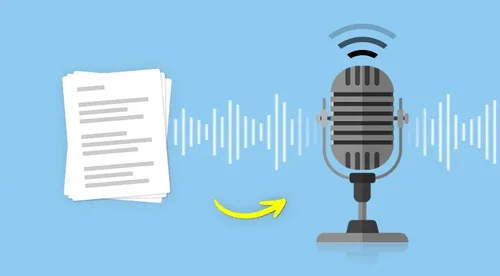
Use our free online audio editor to record and edit sound directly in your browser. Trim tracks, add fade effects, and turn speech into text instantly with built-in transcription to make your workflow faster and easier.
Trim, Split, Merge Audio With Ease
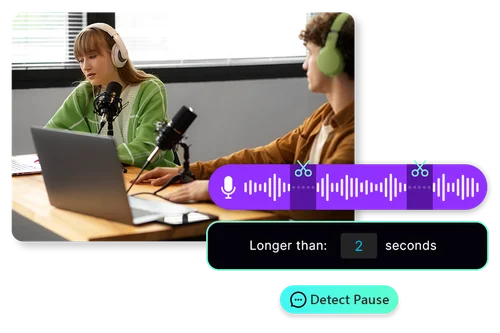
Easily trim unwanted parts, split long recordings, or merge multiple tracks into one seamless file. With AI-powered features like automatic pause detection, cleaning up your audio is simple and efficient.
Studio-Quality Stock Music and Sound Effects
Enhance your recordings with royalty-free music and sound effects, then perfect your audio using Speech Enhancement & Voice Normalization for balanced vocals and studio-quality results, all within our online audio editor.
How to Use MyEdit's Online Audio Editor
 Step 1
Upload or Record an Audio File
You can use our online audio editor to record the audio file you want to edit, or you can upload your pre-recorded audio to our online audio editor.
Step 2Edit Your Audio Easily with AI
A range of cutting-edge AI audio tools that can help you restore, edit and enhance your audio will be waiting for you. These tools are so easy to use that there will be practically zero learning curve.
Step 3Export Your Audio in the Desired Audio Format
Export your edited audio in the audio format of your choice. MyEdit's online audio editor currently supports all popular formats!
Explore the Power of an Online Audio Editor

Edit Audio Like a Document
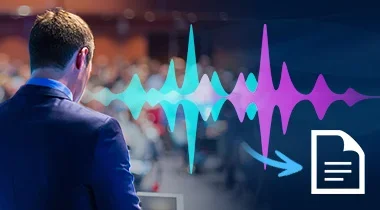
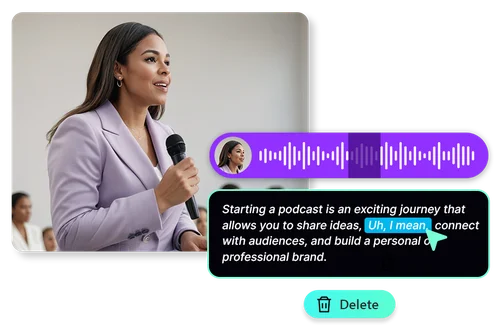
Visualize your audio editing with MyEdit’s audio editor. By converting your speech into text, you can easily split audio, copy clips, and delete segments directly from the text.

Remove Silences and Pauses for Crystal Clear Audio
AI-powered pause detection quickly identifies pauses in your audio. Search for pauses of specific durations and adjust them to your desired length effortlessly. With the pause detector, you can create a more professional and polished sound.

Make Audio Sound Studio Recorded
With just one click, Speech Enhancement uses AI to transform your audio into studio-quality sound. Achieve professional results while saving time and budget.

Audio Normalization
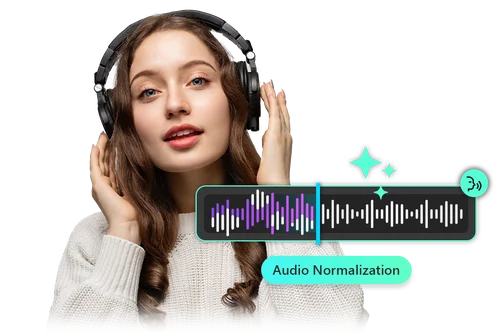
Say goodbye to manually adjusting clip volumes for synchronization. Activate our Voice Normalization feature, and AI will automatically maintain consistent levels across all audio clips.

Fade In & Out Toggle
Our online audio editor lets you adjust the volume with built-in fade-in and fade-out buttons, saving you valuable editing time.

Free Music & Sound Effects
Discover the perfect sound in our library, including music for intros, outros, and sound effects. All sounds are free to use and come with no copyright concerns!
Online Audio Editor FAQ
Is it free to use MyEdit audio editor?


Yes, MyEdit's online audio editor can be free to use! Use your daily claimed bonus Credits or monthly bonus Credits (for premium users) to access our online audio editor. Credits for specific AI tools empower users to create polished, professional-quality audio without any cost up to their daily free credit limit. With its intuitive interface and advanced features, you can save time, reduce expenses, and focus on perfecting your audio projects—ideal for individuals, businesses, and marketers alike!
Is it safe to use MyEdit audio editor?
Yes, MyEdit's online audio editor is 100% safe. We prioritize user privacy and security, ensuring that all data is protected with advanced security measures.
What is the best audio editor?
MyEdit’s online audio editor is your ultimate creative companion! With its fully web-based platform, you can access it from anywhere—no downloads, no installations, just seamless audio editing. Equipped with cutting-edge AI tools, it gives you everything you need right at your fingertips. Whether you're perfecting podcasts, creating professional audio for marketing, or refining personal projects, MyEdit combines powerful tools with intuitive usability. Its accessibility, versatility, and robust features make MyEdit the best choice for audio creators of all levels.
Do I need to install software to use the audio editor?
Not at all. MyEdit's online audio editor is 100% online and browser-based. This means you can access the most powerful AI-based audio tools without any heavy software taking up valuable space on any of your devices.
How can I remove background voices or noises from audio?
With powerful AI based audio tools such as Speech Enhancement, all background noises such as people chatting or general noise will be completely cut from your track. Making it like your audio was recorded in a high-quality dedicated studio environment.