Free Audio to Text Converter
Convert Speech to Text Online with AI
Use the AI audio transcription tool to automatically convert audio to text with the help of AI right in your browser.
One-Click AI Audio Transcription Tool

Transcribe Audio to Text for Lecture Learning
Hate taking notes? Or wish you could write more complete notes for your lectures? Use AI Audio Transcription tool to instantly auto-convert your professor's voice into text. This tool is perfect for capturing long lectures with precision and ease.
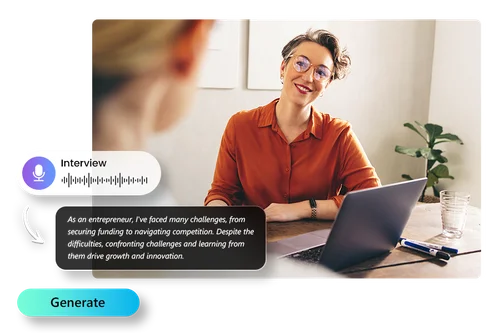
AI Transcription Tool That Boosts Productivity
When you've got long audio recordings from interviews or speeches, use the online AI audio transcription tool to instantly turn audio into text. Streamline your workflow and ditch tedious transcription. Perfect for reporters, journalists, and podcasters!
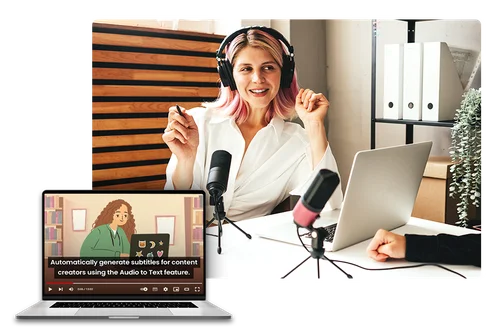
Auto Generate Subtitles With Transcription Tool For Free
Whether you're a YouTuber, streamer, vlogger, or podcaster, the online Audio to Text Converter is an invaluable tool for enhancing your content. With this powerful audio transcription tool, you can easily add subtitles to your videos by exporting .SRT files complete with timestamps.
How To Convert Audio to Text Online for Free
 Step 1
Upload Your Audio File to the Audio to Text Converter
Drag and drop your audio file to the Audio to Text Converter.
Step 2Choose Language You Want to Convert Audio to Text
Speech to text online can convert your audio into text in English, Japanese, Chinese (Traditional), German, French, Korean, Spanish, Italian and Portuguese with high accuracy.
Step 3Preview and Download Audio to Text Result
Preview and edit your audio to text result to ensure the converted audio into text result is perfect. Select your output format and settings before you download.
Why Use AI Transcription Tool?

Convert Speech to Text Online for Free
Quickly convert audio into text for free without downloading anything to your device. Perfect for those needing instant Audio to Text transcription. Just open the Audio to Text converter in your browser and convert speech to text online.

Quick, Accurate Audio to Text Converter
Streamline your workflow with the Audio to Text Converter. It simplifies complex tasks, saving you time and effort. It takes just a few seconds to use the Audio to Text Converter and you'll get high quality text in no time.

Audio to Text Converter Supports Popular File Formats
Upload audio files in your preferred format. Our Free Audio to Text Converter supports MP3, WAV, FLAC, and M4A.

Simple and Intuitive Interface
It's as easy as 1,2,3! It only takes a few clicks for the Speech to text online tool to convert your audio. Then tweak the text and download your result.

Accurate Transcription Powered by AI
Our powerful AI engine can accurately apply audio to text conversion for professional and impactful results. It's the perfect solution to boost productivity, minimize typing errors, and transcribe audio content faster and more accurately.

Perfect for Projects with Speech
Audio to Text Converter opens up a world of possibilities to enhance efficiency. Our online Audio to Text Converter is suitable for podcasts, narrations, interviews, business meetings, and class lectures.
Free Audio to Text Converter FAQ
What does the Audio to Text Converter do?


The auto-to-text converter tool can instantly convert speech into text online in a variety of situations.
Is the Audio to Text Converter free?
Do I need to download anything to convert my audio to text?
Our tools are all browser-based, so you do not need to install anything on your device. Simply locate the tool, upload your audio, and convert audio to text in seconds.
What is Audio to Text Editing?
Our Audio to Text tool uses advanced AI algorithms to turn speech into text online with high accuracy.
How can I convert audio into text?
Follow these steps to use Audio to Text tool to convert voice into text: Step 1: Upload your audio file. Step 2: Choose your language. Step 3: Preview and download your audio-to-text result."
What is the perfect tool to convert audio to text?
MyEdit's Audio to Text Converter is the most powerful and easy-to-use tool to convert voice into text. Whether you're a content creator, a student, or a professional, this online AI voice recognition tool is suitable for anyone.
How accurate is MyEdit's Audio to Text feature?
Because it uses the most advanced AI voice recognition algorithms, MyEdit's Audio to Text tool is highly accurate.
Can I add timestamps to the Audio to Text result?
Yes, our audio to text converter also automatically adds timestamps to the speech to text result.
Can I edit the audio to text result?
Yes, our speech to text tool lets you edit the result after it converts voice into text.
What are the file formats supported for download?
After you use the Audio to Text Converter to convert speech into text, you can download the result in a .txt file or a .srt file with time stamps.
What languages are supported?
The Audio to Text converter supports English, Japanese, Chinese (Traditional), German, French, Korean, Spanish, Italian and Portuguese when converting voice into text.
Can I also use the Audio to Text Converter as a subtitle generator?
You can use the audio to text tool to add subtitles to videos. First, convert your voice into text using the tool. Then, download the .SRT file with timestamps and add them to your video to add subtitles to your video.