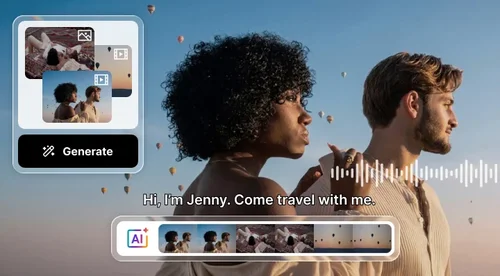
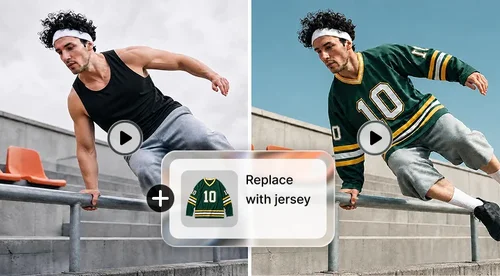
Veo 3 AI Video Generator
Turn Images or Text into Realistic Videos
Veo 3, upgraded to Veo 3.1, turns any image or text into cinematic video with smooth motion, natural lighting, and rich sound. Try it free with your daily bonus credits. No watermark.
Next-Level AI Video Creation – Powered by Veo 3.1
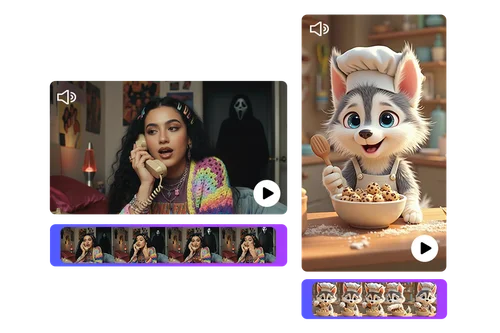
Cinematic Realism with Veo 3.1 Sound & Motion
Discover next-generation AI video creation with Veo 3.1. Transform any image or text prompt into cinematic video with realistic lighting, fluid camera motion, and natural ambient sound. Every frame feels crafted by a filmmaker - immersive, detailed, and expressive.
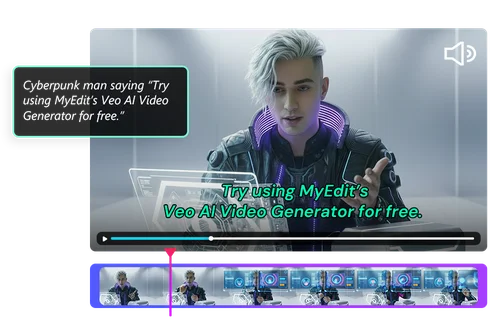
Lip-Synced Dialogue for AI Video Ads
Produce professional-quality video ads quickly with Veo 3.1’s advanced lip-syncing. Write a script and the AI syncs lip and mouth movements naturally, giving human-like cinematic results without high production costs using MyEdit’s Veo AI video generator.
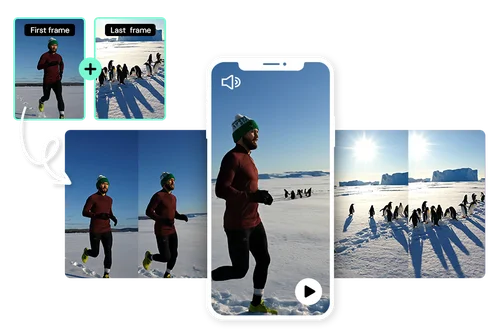
Define Your Story’s Start and Finish
Take full creative control of your video’s story with MyEdit’s Veo 3 AI Video Generator. Set the first and last frames to shape your narrative, and Veo 3.1 intelligently fills the scenes between with smooth motion and seamless transitions for cohesive storytelling.
How to Create Videos with MyEdit's AI Video Generator, Powered by Google Veo 3.1
 Step 1
Upload Your Image or Start with a Prompt
Upload a photo for image-to-video creation, or write a text prompt to let Veo 3.1 instantly generate your custom video scene.
Step 2Generate with the Google Veo 3.1 Model
Select your aspect ratio and video length. Turn on Master Mode and enable Audio Generation to produce smooth motion and perfectly synced sound.
Step 3Preview and Download AI-Generated Videos
Preview your result, make edits if needed, then export or download your finished AI-generated video in just a few seconds.
Start Creating High-Quality Videos with Veo 3.1

Realistic Lighting, Motion & Detail
Veo 3.1 enhances every frame with precise lighting, smooth motion, and advanced physics, creating lifelike depth, reflections, and realistic movement for visually immersive and cinematic-quality results.

Natural Lip Sync & Dialogue
Simply type your dialogue and Veo 3.1 syncs it automatically. Characters move naturally, with expressive lips and speech that feel authentic, human-like, and perfectly timed for seamless storytelling.

Precision Control with Prompts
Create detailed, realistic videos from simple text prompts. Veo 3.1 fine-tunes lighting, motion, and object interaction to deliver cinematic visuals, dynamic depth, and professional-quality storytelling that feels natural and polished.

Integrated Audio & Sound Generation
Veo 3.1 generates visuals and audio together, adding ambient sound and effects that match every scene naturally for a cohesive viewing experience. No separate mixing or post-production required.

Fast, Simple, and Effortless Creation
The upgraded Veo 3.1 model delivers faster, smoother generation for professional-quality videos, enhancing rendering precision and efficiency to make high-end production effortless and accessible to everyone.

Control of First and Last Scenes
Lock your video’s first and last frames for consistent storytelling. Veo 3.1 fills the middle with smooth transitions and balanced pacing, creating a cohesive, cinematic flow from start to finish.
Veo 3 Video Generator FAQ
What is Veo 3 and 3.1?


Google Veo 3 is an advanced AI video generation model that turns text or images into realistic video. MyEdit features Veo 3.1, the upgraded version with improved lighting, motion, and sound quality for more lifelike results.
Is it free to use the Veo 3 AI Video Generator?
You can use Veo 3 with daily free credits. After those are used, costs start from 3 credits per second of video. For full details, visit the pricing page on the MyEdit platform.
Does Veo 3.1 have sound?
Yes, Google Veo 3.1 model generates synchronized sound automatically. It includes ambient effects and audio elements that match scene movement, making every video more immersive and dynamic.
How do I create a Start Frame or End Frame in Veo 3.1?
In the Veo 3 AI video generator, you can lock your first and last frames to define a video’s start and finish. Veo 3.1 then fills the middle with seamless, consistent motion.
Is the Veo 3 AI Video Generator available on mobile devices?
Yes, Veo 3.1 is a fully online AI video generator that works in any browser. You can create, edit, and download videos directly from mobile or desktop without installing software.
What formats are supported for upload and download?
You can upload images in JPG, PNG, GIF, WebP, or BMP formats. Finished videos can be downloaded in MP4 format for sharing or further editing across platforms.
Is Veo 3 AI content safe for commercial use and social media?
Yes, videos made with MyEdit Veo 3 AI video generator are safe for commercial and social use when following platform and copyright rules. Always review local licensing terms.
Is my data secure?
Yes, all files created with the Veo 3 AI video generator are protected by encrypted data handling. MyEdit and Google Veo 3.1 safeguard your uploads and never share your content.