AI Video Enhancer
Improve Your Video Quality with AI
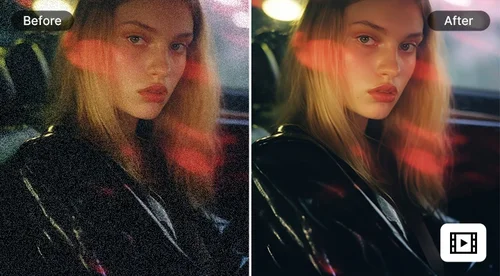
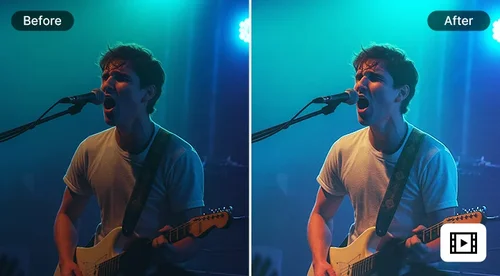
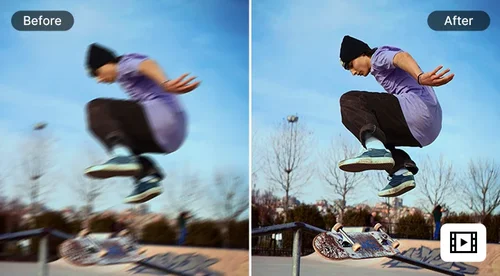
Enhance video quality online with our online free AI video enhancer. Boost resolution up to 4K, sharpen blurry footage, fix low light, and reduce noise automatically. Free daily credits, no watermark.
What AI Video Enhancer Can Do For You
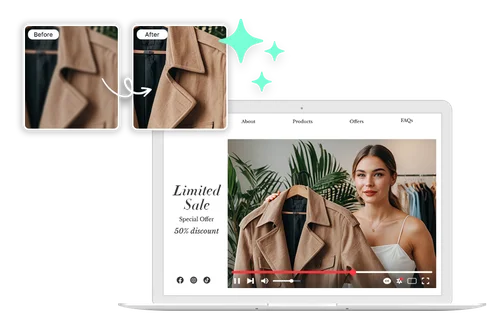
Upscale Low-Resolution Videos to 4K in One Pass
Upscale old or low-quality clips and sharpen soft details with AI, with output up to 4K so footage holds up on a big screen. Bring back clarity on footage from older phones, screen recordings, or compressed downloads. Useful for product highlights, ads, and anything you want to look crisp when it plays full screen.
Keep Vlogs and Tutorials Looking Sharp in Any Light
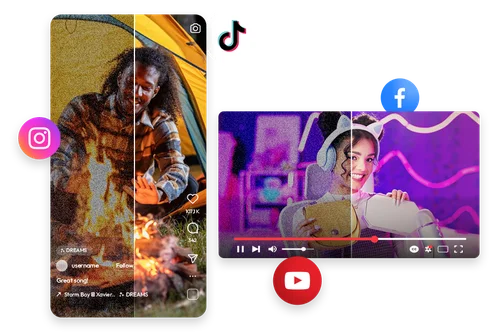
Dim rooms and harsh outdoor light can wash out a vlog before it's even uploaded. AI Video Enhancer fixes exposure, reduces noise, and sharpens detail in the same pass, so your YouTube and TikTok clips look clean no matter where you filmed them. If noise removal is the only fix you need, Video Denoiser handles that on its own.
Smooth Slow-Motion Clips Without Extra Software
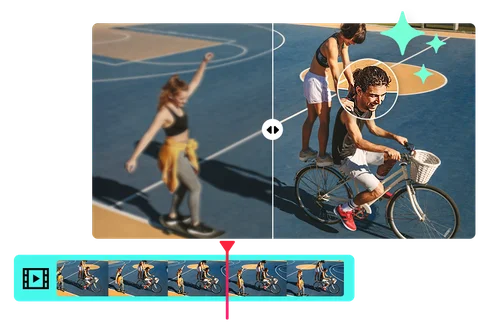
Fix stuttering slow-motion with AI frame interpolation. The tool fills in frames so motion looks fluid in workout tutorials, sports highlights, and game recaps. A good fit for fitness creators and gamers who want smooth playback.
How to Enhance Video Quality with AI Video Enhancer
 Step 1
Upload Low-Quality Video Clips
Select or drag and drop the clip you want to improve, or select it from your device. The AI video enhancer supports MP4 and MOV files.
Step 2Choose Your Enhancement Settings
Start with automatic upscaling to 4K and lighting correction, or add denoise and frame interpolation, all in the same pass.
Step 3Download Your Enhanced Video
Preview the result, then download your upscaled video in seconds. It's ready to post or keep editing in MyEdit right away.
Why Use AI Video Enhancer by MyEdit?

Enhance Details in Pixelated Videos
Upscale pixelated, low-quality videos captured with shaky hands or in poor lighting. Restore clarity and vivid details to your cherished memories, preserving every special moment.

Increase Video Quality for Social Media
Make your TikTok, YouTube, or Instagram videos stand out with sharper visuals, vibrant lighting, and enhanced color. Perfect for upgrading vlogs, travel clips, and short-form content to look sharp and color-true.

Improve Gameplay Recordings
Upscale Twitch or gameplay footage to create high-quality reuploads for YouTube and other platforms. Need smoother frame rates specifically? AI Frame Interpolation handles that on its own.

Brighten Low-Light Footage
Use lighting correction and denoise together to improve visibility in low-light security recordings. If lighting is the only fix you need, Video Brightener does that by itself.

Restore Old Home Videos
Refresh old camcorder and early phone clips by raising resolution, cutting noise, and cleaning up compression artifacts. Give family footage and archived memories a sharper, high-definition look.

Get Smoother Slow-Motion Playback
AI frame interpolation adds frames between your existing ones, so choppy clips play back fluid. Useful for sports and action slow-motion, gameplay highlights, and drone shots that stutter at a low frame rate.
AI Video Enhancer FAQ
What is a video enhancer?


A video enhancer is an AI tool that improves video quality automatically. It increases resolution, sharpens detail, corrects lighting, and reduces noise, so clips look clearer and more professional without manual editing.
Is AI Video Enhancer free to use?
Yes. Sign in and you can enhance videos online with your free daily credits. The cost scales with the length of your clip and how many enhancements you turn on, so short clips cost very little. See the pricing page for current credit details.
Does AI Video Enhancer support 4K?
Yes. You can upscale low-resolution or compressed footage up to full 4K, along with lighting, noise, and motion fixes in the same upload.
How do I enhance a blurry or low-resolution video?
Upload the clip, keep upscaling on, and add denoise if it looks grainy, then run the enhancer. The AI sharpens soft edges and rebuilds detail, then you download a clearer version.
What video formats and length does Video Enhancer support?
The enhancer supports MP4 and MOV files, with clips up to 3 minutes long and up to 1.8GB in size. For longer footage, trim it first, then enhance the sections you need.
Do I need editing experience to use it?
No. The enhancer is built for one-click use. Upload your clip, keep the default settings or toggle a few options, and the AI handles the rest, so anyone can get a cleaner video without editing experience.
Can I use Video Enhancer on mobile?
Yes. The tool runs in your browser, so you can enhance videos from a phone or tablet without installing anything.
Can I use enhanced videos for social or commercial projects?
Yes. Enhanced clips work for social media, marketing campaigns, and commercial use, so your footage stays polished wherever you post it.