Free Vocal Remover
Remove Vocals & Get the Instrumental with AI
The online Vocal Remover lowers or removes the vocals in a song and leaves you a clean instrumental, so you can make karaoke tracks, backing music, and practice mixes in seconds. Want to keep the vocals instead? Use the Vocal Isolator.
Best Online Vocal Remover for Karaoke & Instrumentals
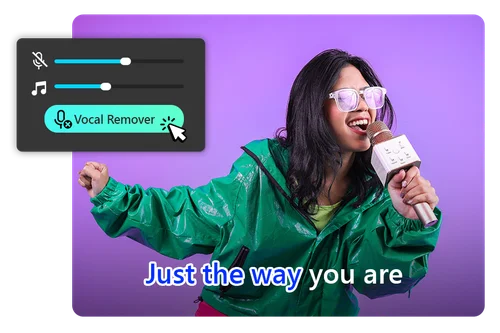
Vocal Remover for Making Karaoke with AI
Everyone loves karaoke. Use our free AI vocal remover to take the vocals out of any song for parties, family gatherings, or a quiet night in. Drop the vocal volume all the way for a full instrumental, or leave a little in as a guide track. You can also shift the pitch to match your own vocal range.
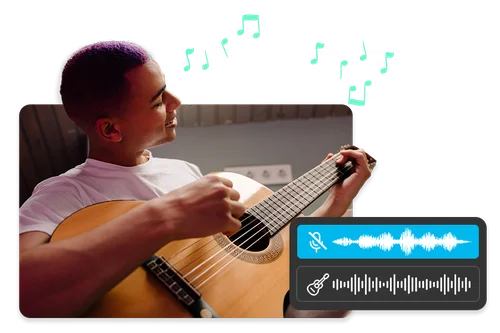
Instrumental Splitter to Practice Along
Remove the vocals from any track and play along with the backing music. It's an easy way to rehearse guitar, piano, or bass to real songs, and you can shift the pitch down a few semitones to work out a tricky part before playing it up to speed.
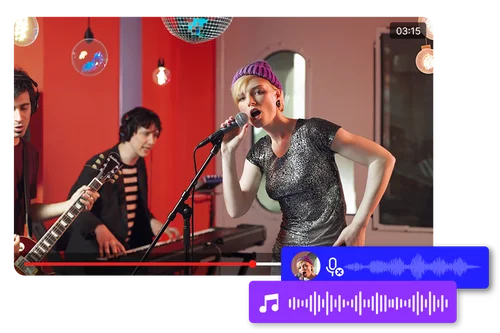
Turn Songs Into Background Music
Turn any song into an instrumental to play while you work, study, or record a video. There are no lyrics competing for attention, and no copyright-flagged vocals in your content. Compare the Adjusted and Original versions before you export to get the mix you want.
How to Remove Vocals with Online Vocal Remover
 Step 1
Select and Upload Your Audio
Choose your audio file and upload it to the online Vocal Remover. Free users can import tracks up to 10 minutes long; subscribers up to 90 minutes (max 900 MB). On Safari, files must be under 100 MB.
Step 2Remove the Vocals with AI
The Vocal Remover automatically separates vocals from the music with its AI engine. This usually takes a few seconds.
Step 3Fine-Tune the Result
Use the Vocal Volume slider to set how much vocal to cut. Lower it to -30 dB to remove the vocals completely. Use the Pitch slider to raise or lower the key, then switch between Adjusted and Original to compare.
Why Use Our Online AI Vocal Remover?

Simple, One-Click Removal
Upload a track and the AI separates vocals from music on its own. No mixing knowledge needed. One click gives you the instrumental, and a slider lets you dial the vocal volume up or down.

Fast Results in Seconds
Turn a song into an instrumental in just a few seconds. Preview the result right away and download a karaoke track whenever you're ready.

Clean Instrumental, No Quality Loss
Our AI is trained to separate vocal frequencies from the music cleanly, so the instrumental you keep holds on to its original clarity.

Works in Any Browser
The Vocal Remover runs directly in your browser, so you can remove vocals on a PC, tablet, or phone. Nothing to install.

Private and Secure Processing
Your files are encrypted in transit and deleted from our servers after processing, so your audio stays private.

Support for Popular File Formats
The Vocal Remover supports all popular audio formats, including MP3, WAV, FLAC, and M4A, giving you flexibility in what you upload.
AI Vocal Remover FAQs
What is a vocal remover?


A vocal remover is an AI tool that lowers or removes the vocals in a song and leaves you the instrumental. You can fine-tune how much vocal to cut and shift the pitch for karaoke.
What's the difference between a vocal remover and a vocal isolator?
A vocal remover keeps the instrumental and drops the vocals. A vocal isolator does the opposite: it keeps the vocals and mutes the music. Use whichever part of the song you want to keep.
Is the vocal remover tool free?
Yes. Free users get one download per day and can import tracks up to 10 minutes long. Subscribers get unlimited downloads and can import files up to 90 minutes.
Do I need to download vocal remover software?
No. The Vocal Remover is browser-based, so there's nothing to install. Just upload your audio and remove the vocals within seconds.
How do I remove vocals from a song online?
1. Upload your audio file.
2. The Vocal Remover takes out the vocals automatically.
3. Fine-tune the vocal volume and pitch, then preview and download.
Can I remove the lyrics or words from a song?
Yes. Removing the vocals also removes the sung lyrics, since the words are part of the vocal track. Lower the vocal volume to take the words out and keep the instrumental.
What is the best vocal remover?
A good vocal remover should separate vocals cleanly, work in any browser, and let you fine-tune the result. MyEdit's Vocal Remover does all three: no install, adjustable removal strength, and pitch control for karaoke tracks.
Will the vocal remover keep the audio quality?
The AI separates the vocal frequencies from the music, so the instrumental keeps its original clarity. For the cleanest result, upload a lossless file like WAV or FLAC.
How can I remove vocals from a YouTube song?
First download the song as an audio file, then upload it to the Vocal Remover to take out the vocals and get the instrumental.
How do I use a vocal remover to make karaoke tracks?
Upload a song, lower the vocal volume to remove the singing, and adjust the pitch to fit your range. Preview the karaoke version and download it in one click.