Free AI Image Generator Online
Turn Text and Photos Into AI Images
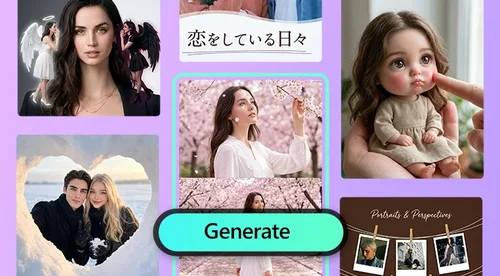
Describe what you want and get a high-resolution image in seconds. Add a reference image to guide the style or likeness. Pick from leading AI models like GPT Image 2.5, Nano Banana Pro, and Seedance Pro. Claim free daily credits to start. No design skills, no watermark.
One Tool for Text to Image, Image to Image, and the Latest AI Models
Turn Text Into Original Images
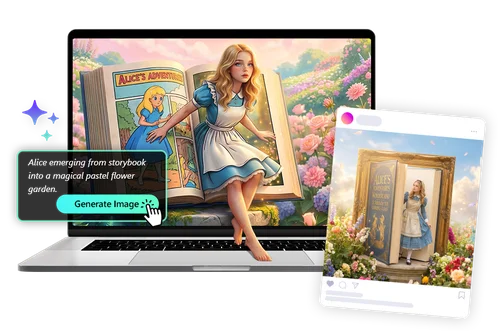
Describe what you want and the AI builds it from scratch, with export up to 4K. Use it for unique artwork, marketing visuals, or concept art that no stock library can give you. Set the subject, the setting, and the mood in plain words. Refine the prompt and regenerate until the result is right.
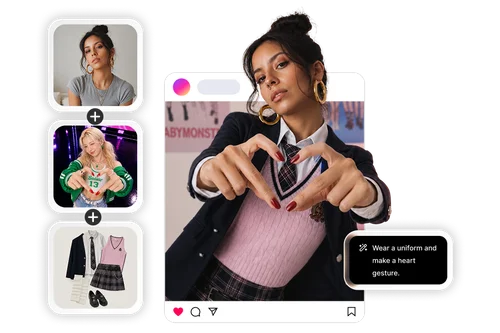
Generate Images From Your Own Photo
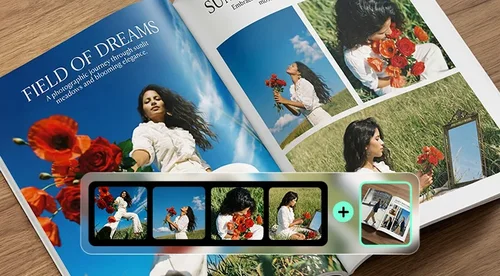
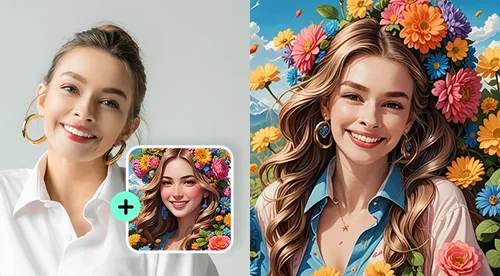
Describe what you want, then upload a photo and the AI uses it to guide composition, style, or likeness for more personal results. Use your own face and pose to create profile pictures, headshots, or tattoo concepts that actually look like you. This image-to-image mode keeps what matters from your photo and reimagines the rest. It is the fastest way to get a result that feels made for you, not generic.
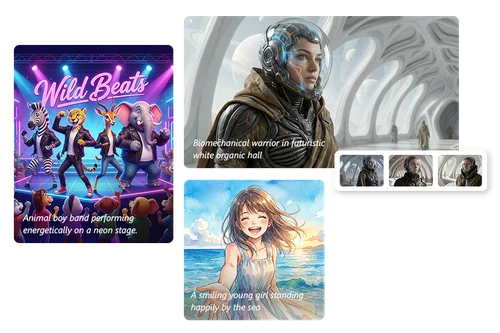
Pick the Right AI Model for Every Idea
Different models are good at different things, so MyEdit lets you switch between more than a dozen without leaving the page. Pick GPT-Image-2 for accurate prompt following, Nano Banana Pro for photoreal detail, or FLUX.2 Pro for stylized and artistic looks. Run the same prompt through each and keep the result you like best. One tool covers work that would normally need several separate apps.
How to Generate AI Images
 Step 1
Write Your Text Prompt
Describe the image you want. Add the subject, setting, and mood for a closer match.
Step 2Pick a Model and Add Your Reference Image (Optional)
Choose the AI model that fits your goal. To shape the result, you can also upload a reference image or apply a style preset on select models.
Step 3Generate and Download
Click Generate and your high-resolution image is ready in seconds. Download it with no watermark.
What You Can Do With MyEdit's AI Image Generator
Replace Generic Stock Photos
Create visuals no one else has instead of settling for the same stock graphics. Useful for marketing campaigns, social posts, and storytelling that needs to stand out.
Generate Multiple Options at Once
Create several versions of the same prompt in one run, then keep the best. A faster way to compare results than generating one at a time.
Export Up to 4K
Output high-resolution images up to 4K with no visible pixelation. Ready for print, large screens, and detailed product work.

Generate for Any Format
Output square, portrait, or widescreen images with built-in aspect ratios like 1:1, 9:16, and 16:9. Ready to drop straight into social posts, stories, or banners.

Download With No Watermark
Every image you generate downloads clean, with no MyEdit watermark. Claim free daily credits to create at no cost.
Use Them Commercially
Your generated images are yours to use for marketing, ads, social posts, and client work. No extra licensing step before you publish.
Which Featured AI Model Fits Your Image?
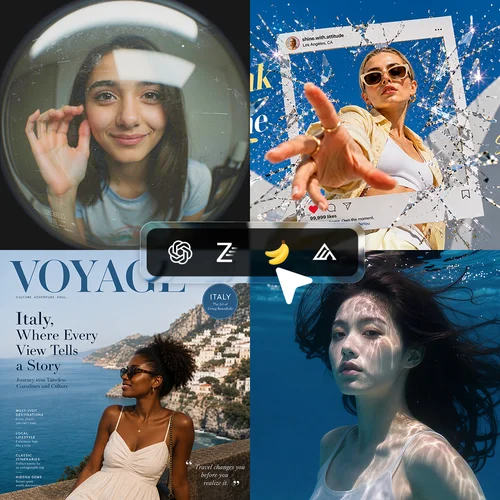
Writing a long, detailed prompt or working from a stack of reference images? GPT Image 2.5 supports up to 16 references and keeps your subjects recognizable across styles, with clean, readable text rendering. Pick Sunburst when the details need to hold up to a close look, or Flare when speed matters more.
Need Google's model with the right tier for the job, fast for quick iterations, Pro for tighter prompt control and sharper text? Nano Banana covers both, grounded in how things actually look, not an obvious AI guess.
Need text in more than ten languages, or a result you can still take apart afterward? Seedream 5.0 renders native multilingual text with layer separation, so text, backgrounds, and product cutouts stay editable on their own.
Combining a handful of exact references, a product, a background, a model? FLUX.2 Pro is built around multi-reference control, blending up to 4 images into one photorealistic result.
Need English and Chinese text in the same image? Z-Image handles both. Prompts are capped at 800 characters with no reference image option, so it works best for simpler, single-prompt generations.
More Ways to Create with MyEdit
AI Image Generator Online FAQ
What does the AI Image Generator do?


It turns a written prompt, or a prompt plus a reference photo, into a high-resolution image. The AI reads the meaning of your text and renders a matching result, usually in seconds.
Which AI image model should I choose?
GPT-Image-2 follows detailed prompts most closely, Nano Banana Pro is strong for photoreal detail and faces, and FLUX.2 Pro is best for stylized and artistic looks. MyEdit offers more than a dozen models in total, including Nano Banana 2, Z-Image, and Seedream, so you can run the same prompt through several and keep the one you like.
Can I generate an image from a photo (image to image)?
Yes. Write a prompt for what you want, then upload a reference image to guide it. The prompt tells the AI what to create, and the reference shapes the composition, style, or likeness. You can even use your own face and pose for personalized headshots and profile pictures.
Is MyEdit's AI Image Generator free?
Yes. Sign in to claim free daily credits, and each image you generate uses a small number of credits depending on the model and result. There is no watermark on your downloads. Premium plans add more monthly credits for heavier use.
Which image formats and resolution can I export?
You can export in JPG, at resolutions up to 4K.
How do I write a good prompt for AI images?
Start with the subject, then add the setting and the mood in plain language. For a closer match, upload a reference image to show the AI the style you want. You do not need any technical wording.
Is the AI image generator safe to use?
Your prompts and any uploaded photos are encrypted in transit and deleted after processing. We do not use your inputs to identify you.
Can I use the generated images commercially?
Yes, commercial use is permitted. You can use your images for marketing, social media, advertising, and business projects. If you have ecommerce or marketing needs, explore MyEdit Business.
Can I generate images on my phone?
Yes. The AI Image Generator runs in your browser, so it works on phones, tablets, and desktops. A dedicated MyEdit app is also available on iOS and Android.