Free Audio Transcription
Transcribe Audio into Text Online
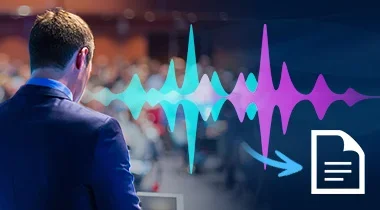
Transcribe audio to text accurately with AI. Supports multiple languages and popular formats. Start for free now.
What Free Audio Transcription Can Do for You?
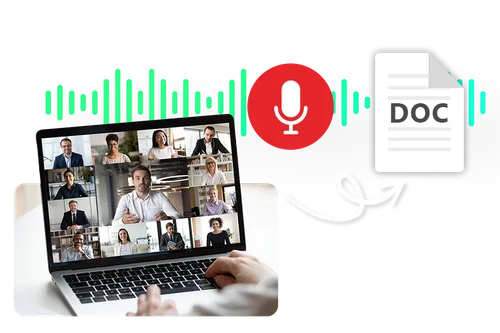
Transcribe Audio to Text Online for Business Use
Simply upload your audio and let AI transcribe class lectures, meetings, webinars, or calls with ease. Our AI audio transcription tool helps you organize content quickly, streamline decisions, and keep your team focused.
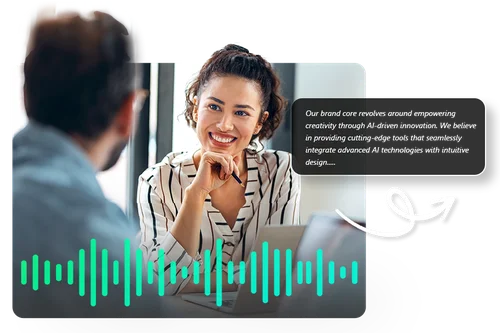
Audio Transcription Online of Professional Interviews
AI Audio Transcription is an effective tool for creating transcripts of interviews or preparing for them. By converting audio files into text, you can quickly read and grasp the key points. This is helpful for journalists, researchers, and businesses that need to record and reference interviews.
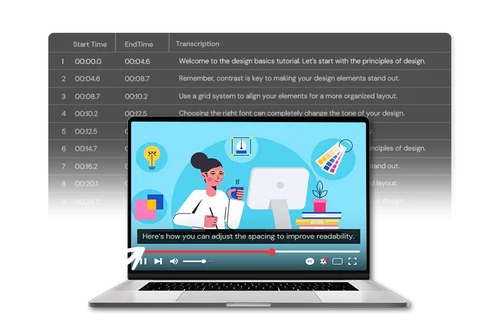
Create Subtitles for Video Content or Podcasts
For YouTubers, streamers, vloggers, or podcasters, audio transcription is useful for generating subtitles to videos by exporting .SRT files with timestamps to add to your content. Additionally, it supports multiple languages, making your content accessible to a wider audience!
How to Use AI Audio Transcription Online?
 Step 1
Upload Your File
Drag and drop your file into the online audio transcription editor.
Step 2Choose the Language You Want to Transcribe
Using the audio transcription tool, select the language of your audio recording and final transcript.
Step 3Preview and Download
Preview and edit your audio transcription until you are satisfied. Then, select your output format and settings before you download.
Why Use Free Online Audio Transcription Tools?

Browser-Based Online Audio Transcription
Quickly convert audio into text without downloading anything to your device.

Quick transcription with AI
Simplify audio transcription effortlessly with the power of AI. Our user-friendly solution effortlessly converts your voice into text, streamlining your workflow and saving you valuable time.

Effortless Audio Transcription Online
Online audio transcription takes just a few easy steps: file upload, language selection, and preview and download.

Supports Popular File Formats
The best free online AI-based audio transcription tools support any MP3, WAV, FLAC, or M4A file.

Seamless Audio Transcription Made Easy
Experience the ease of simple and intuitive audio transcription. Our cutting-edge technology ensures a swift and accurate conversion of your spoken words into text.

Perfect for Projects with Audio
Audio transcription tools are perfect for podcasts, interviews, business meetings, lectures, phone calls, or discussions.
Free Audio Transcription FAQs
What does the online audio transcription tool do?


Audio transcription can instantly transcribe audio into text in a variety of situations.
How long does it take to get your audio transcription result?
The process of audio transcription takes only a few seconds, base on your import file length.
Do I need to download anything to do audio transcription?
Online audio transcription tools allow you to do transcription without installing anything on your device.
Is the online audio transcription tool free?
You can use your daily claimed bonus Credits or monthly bonus Credits (for premium users) to use audio transcription tool. Find out all about Credits >
How can I transcript my audio?
Follow these steps to use free online audio transcription tools to convert audio into text:
Step 1: Upload your audio file.
Step 2: Choose your language.
Step 3: Preview and download your audio transcript.
How accurate is audio transcription?
The best audio transcription tools use advanced AI voice recognition algorithms, making audio transcripts highly accurate.
Can I add timestamps to the transcript?
Yes, the best audio transcription tools also automatically add timestamps to the resulting text transcript.
Can I edit the audio transcription result?
Yes, audio transcription tools let you edit the transcripted text.
What are the file formats audio transcription tool supported for download?
The best audio transcription tools allow you to download the resulting text transcript in a .txt file or a .srt file with time stamps.
What languages are supported by audio transcription tool?
Language support depends on the audio transcription tool. MyEdit's audio transcription tool supports English, Japanese, Chinese (Traditional), German, French, Korean, Spanish, Italian and Portuguese transcription.
Are Free Audio Transcription also subtitle generators?
The best audio transcription tools allow you to add subtitles to videos. First, convert your audio into text, then download the .SRT file with timestamps and add them to your video to add subtitles to your video.