Free AI Speech Enhancer
Turn a noisy recording into clear speech in one step
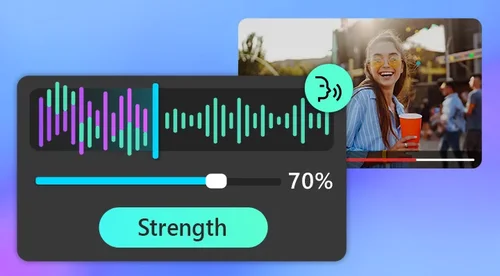
Clear room echo, hiss, and hum, and bring the voice forward. The AI does it the moment your file loads, with a Speech Strength slider if you want to fine-tune. No sign-up to try.
Where the AI Speech Enhancer Helps

Rescue Podcasts and Interviews
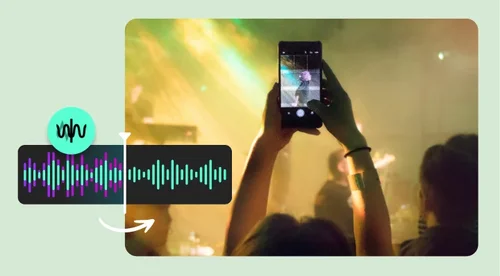
Home and remote recordings pick up fan hiss, room echo, and AC hum that make voices hard to follow. MyEdit strips that out and keeps the voice front and center, so every episode sounds like it was recorded in a quiet room. Run each guest track through in seconds instead of fixing it by hand.

Clean Up Vlogs and Tutorials
Filming at home, your camera mic picks up room echo, street noise, and hum along with your voice. MyEdit clears that out and brings your narration forward, so tutorials, hauls, and vlogs are easy to follow. Export the audio track from your clip, run it through, and drop the cleaner version back into your edit.
Sharpen Voiceovers and Video
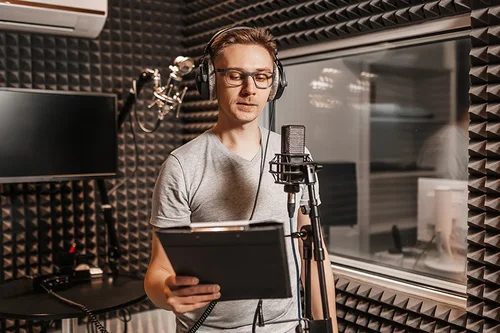
A script loses its impact when the voiceover sounds thin or noisy. MyEdit lifts the voice and removes the hiss behind it, so your narration carries. Drop the enhanced track back into your video and the whole piece sounds more finished. Useful for ads, trailers, and social clips.
How to Enhance Speech Online
 Step 1
Upload Your Audio
Choose a file and upload it to the AI Speech Enhancer. Files up to 600 MB and 60 minutes are supported.
Step 2Let the AI Enhance It
The AI removes background noise, hiss, hum, and echo and brings the voice forward as soon as your file loads. Nothing to set up. If you want more or less, one Speech Strength slider adjusts it.
Step 3Preview and Download
Compare the enhanced version with the original. Everything up to here works without an account. Sign in when you want the file: free accounts get one download per day, and a subscription removes the limit.
Why Choose MyEdit's AI Speech Enhancer

One-Step Cleanup
Your file is cleaned the moment it loads. No audio skills or equalizer settings required, and a single Speech Strength slider is there if you want to dial it up or down.

Removes Noise, Hiss, and Echo
Clears background noise, hiss, hum, and echo, the sounds that make speech hard to follow.

Keeps Voices Natural
The AI lifts the voice without making it sound flat or robotic, so it still sounds like the real speaker.

Works in Your Browser
No app to install. Enhance speech on Mac, Windows, or your phone, straight from the browser.

Built for Longer Recordings
Handles files up to 600 MB and 60 minutes, so full episodes and interviews go through in one pass.

Try It Without an Account
Upload a file and hear the cleaned result before you sign up for anything. Signing in gets you one free download a day, and a subscription removes the limit.
AI Speech Enhancer FAQ
What is speech enhancement?


Speech enhancement uses AI to separate a voice from the background noise around it, then restore clarity so the words are easy to hear. It is the fastest way to fix a recording without re-recording it.
How do I make a voice recording sound clearer?
Upload the file to MyEdit's AI Speech Enhancer. It removes noise, hiss, hum, and echo and brings the voice forward as soon as the file loads, so there is nothing to set up. One Speech Strength slider is there if you want more or less.
Is the AI Speech Enhancer free?
Yes. You can upload a file, enhance it, and listen to the result without creating an account. Downloading is the part that needs one: sign in and you get one free download per day. A subscription removes the daily limit.
Is there a free alternative to Adobe Podcast's Enhance Speech?
Yes. MyEdit's AI Speech Enhancer does the same job in your browser: it removes background noise, hiss, hum, and echo and brings the voice forward as soon as your file loads, with one Speech Strength slider if you want to fine-tune. Two practical differences. You can run a file through and hear the result before creating any account, and the free tier resets daily rather than monthly, so one noisy interview a day costs nothing.
What file types and sizes can I upload?
MyEdit supports common audio formats such as MP3, WAV, and M4A, up to 600 MB and 60 minutes per file. It runs in the browser, so you can do this on a phone, tablet, Mac, or Windows PC without installing anything.
What is the best free AI speech enhancer?
A good speech enhancer should remove noise without making the voice sound robotic, work without you setting anything up, and let you hear the result before you commit. MyEdit does all three: your file is cleaned as soon as it loads, the voice still sounds like the speaker, and no account is needed to try it.
Does it work on my phone?
Yes. The tool runs in the browser, so you can enhance speech on a phone, tablet, Mac, or Windows PC without installing anything.
Can I edit my audio before enhancing it?
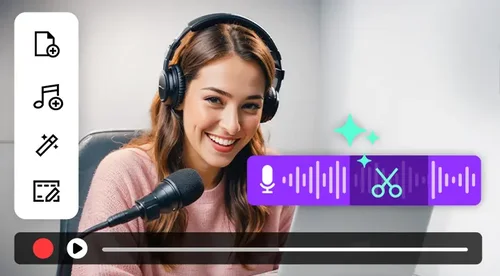
Yes. You can trim and adjust your file in MyEdit's audio editor first, then run the AI Speech Enhancer on the result. This lets you cut out the parts you do not need before cleaning up the sound.
Is it safe to enhance my audio on MyEdit?
Yes. Your files are sent over an encrypted connection and deleted from the servers after processing, so your recordings stay private.