AI Filter
Turn Your Selfie into Anime, Cartoon, and Art Styles
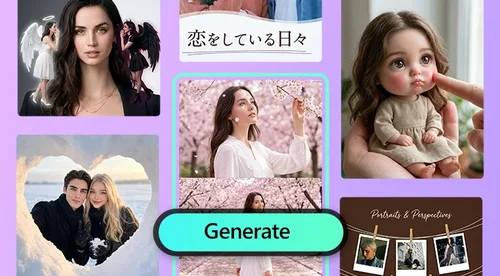
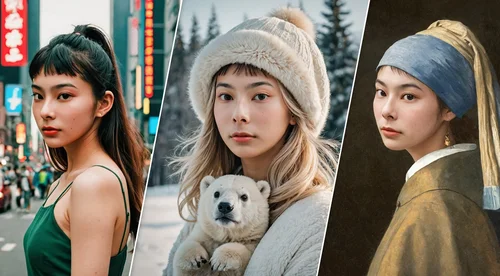
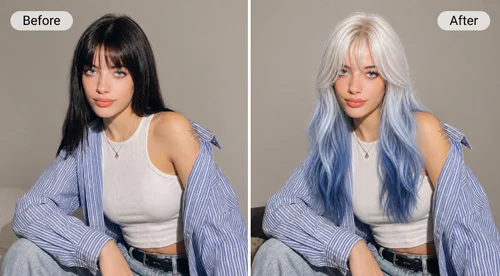
Upload a portrait and let our AI filter restyle it into 200+ looks, from anime and 3D cartoon to pixel art and clay. Pick a style, generate, and download your avatar in seconds. Free daily credits, no watermark.
 By continuing, you agree to our Terms of Use and Privacy Policy.
Turn One Selfie into 200+ Art Styles
200+ Portrait Styles for Every Look
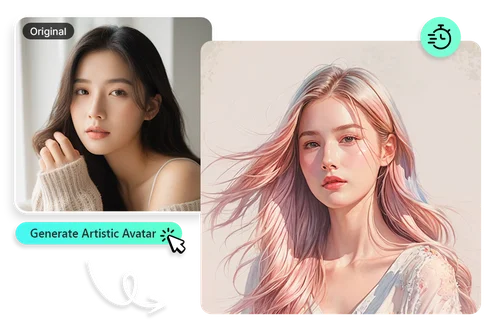
Upload a selfie and browse 200+ portrait styles, sorted into sets like Digital Art, Soft Toon, and Figurine. From anime to pixel art, each style restyles your photo into a finished avatar. Preview the result and download it in seconds, ready to post or share.
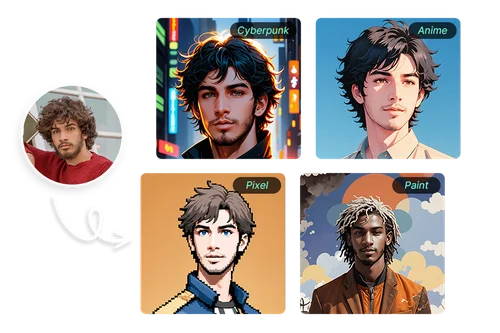
AI Face Filters for Selfies and Portraits
Our AI face filter is built for people. Choose from 3D cartoon, anime, clay, or pixel art, and each style adapts to your facial features so the portrait still looks like you. It is a quick way to make a profile picture that stands out on social media.
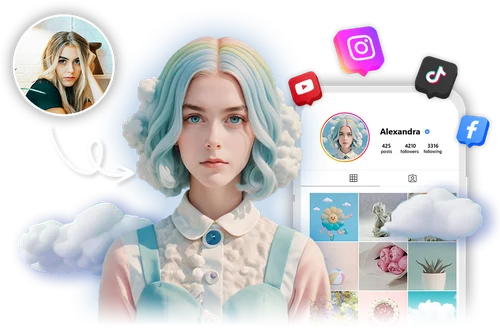
Make Fun Cartoon Portraits to Share
Restyle an everyday selfie into a fun character that fits your personality. Separate style sets for men and women give you looks that actually suit the photo. Great for gaming avatars, chat apps, or just sharing with friends.
How to Use AI Filter
 Step 1
Upload Your Portrait
Upload a clear portrait with a visible face. Works with JPG, PNG, and WebP.
Step 2Pick Your AI Filter
Choose a style like anime, 3D cartoon, clay, or pixel art to set the look.
Step 3Preview and Download Your Styled Portrait
Preview your styled portrait and download it with no watermark.
Why Choose MyEdit's AI Filter

Keeps Your Features
Each style adapts to your face, so the avatar still reads as you instead of a random character. Upload a portrait and get a styled result in seconds.

AI Filters for Men and Women
Separate style sets for men and women give you looks that fit the photo. Mix and match to land on an avatar that feels like your own.

200+ Styles to Explore
Browse over 200 styles across anime, 3D cartoon, clay, pixel art, and more. There is a look for a clean profile pic and one for something more playful.

Results in Seconds
Pick a style and your styled portrait is ready in seconds, not minutes. Try a few looks quickly and keep the one that fits best.

Download Without a Watermark
Every avatar you download is clean, with no watermark stamped across it. Use your daily free credits, and the result is yours to post or share anywhere.

Free Online AI Filter
No app or install required. Open the AI filter in your browser and create your avatar anytime, on any device.
AI Filter FAQ
What is an AI Filter (AI Art)?


An AI filter is a tool that uses AI to restyle a photo into a chosen art style. It reads the face, colors, and details in your portrait, then applies a look such as anime, 3D cartoon, or pixel art to create a styled avatar.
Is AI Filter free to use?
Yes. Sign in and you get free credits every day, enough to try the tool at no cost. Each style you generate uses credits, and a few premium styles need a subscription. Whatever you download has no watermark.
What kind of photo should I upload?
Upload a clear portrait with a visible face and good lighting. The AI filter is built for people, so a straight-on selfie or headshot gives the best result. Works with JPG, PNG, and WebP.
How is an AI filter different from a regular photo filter?
A regular photo filter adjusts the color and tone on top of your original photo. An AI filter goes further: it reads your portrait and redraws it in a new art style, such as anime or 3D cartoon, so you get a fresh illustration rather than a color tweak.
Can I use AI Filter for business or personal purposes?
Yes. You can use your styled avatars for personal profiles or for business needs like branding and social content. They work well anywhere you want a recognizable, on-brand picture.
What is the best AI filter?
It depends on the look you want. Anime and 3D cartoon are popular for social profiles, pixel art and clay stand out for gaming, and cleaner portrait styles suit a professional feel. With 200+ styles, you can test a few and keep the one that fits.
Are my photos safe?
Yes. Your uploads are sent over a secure connection, are not shared or sold, and are removed from our servers after processing. For full details on how CyberLink handles your data, see the Privacy Policy.