AI Sound Effect Generator
Generate AI Sound Effect With Text Prompt
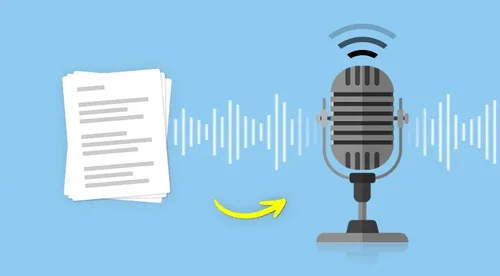
Use the Text to Sound Generator for custom AI-generated sound effects like screams, bells, and other unique effects.
The Best AI Sound Effect Generator for Everyone
Custom AI Sound Generator
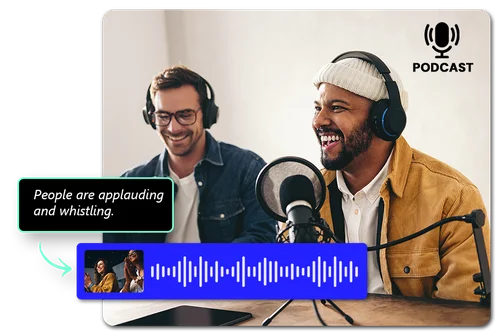
Just input a text prompt, and the AI will deliver personalized, high-quality sound effects designed to match your specific requirements. Simplify your workflow and save valuable time with this efficient, hassle-free solution.
Royalty-Free Sound Effects Library
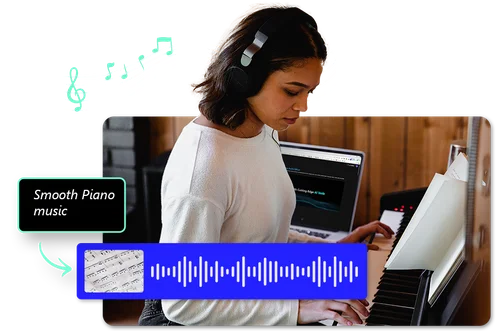
Build your own collection of royalty-free sound effects for videos, games, and creative projects. With Text to Sound, generate effects ranging from ambient backgrounds to realistic sounds, all carefully curated for high quality and copyright-free use.

Text to Sound Effects With AI Sound FX Creation
Whether you’re working on a film, gaming, or music production project, our AI sound effect generator empowers you to effortlessly create custom and unique sound effects. From character movements to immersive environmental sounds, generate high-quality audio tailored to your creative needs instantly.
How To Use the AI Sound Effect Generator
 Step 1
Describe Your AI-Generated Sounds
Draw inspiration from the samples and type in your text, up to 800 characters, describing AI-generated sounds for Sound Effect Generator's text-to-sound feature to create.
Step 2Preview Your AI-Generated Sounds
Preview your AI-generated sounds to ensure the sound effects perfectly match your needs.
Step 3Download Sound Effects in Multiple Formats
Download free sound effects in MP3, WAV, FLAC, or M4A formats. Keep generating for free or upgrade for unlimited access and advanced features with our Sound Effect Generator.
Create Free Sounds With AI SFX Generator

Copyright-Free Sounds
All AI-generated sound effects are unique and copyright-free, ensuring you can use them confidently in any project without legal concerns.

Simple and Intuitive
Our simple, user-friendly online platform makes it easy to create high-quality sound effects in just a few clicks, saving you valuable time and effort.

High-Quality Audio Output
Produce professional-grade sound effects ideal for use in videos, advertisements, music projects, or gaming content.

Precise Action Sounds
Input prompts like "a horse carriage passing by," "a girl typing," or even "a farting sound" to instantly generate AI sound effects customized to your specific needs. The AI SFX ensures seamless synchronization and delivers high-quality audio for any project.

Natural Soundscapes
Generate nature-inspired audio effects like "duck quacking," "wind whooshing," or "firework sounds" without the hassle of browsing sound effect libraries. Let AI effortlessly provide the exact soundscapes you need.

Realistic Human Sounds
Create lifelike sound effects, such as "a baby laughing hysterically" or "a woman crying." The more detailed your text prompt, the more nuanced and realistic the generated sounds.
Sound Effect Generator FAQ
What does Sound Effect Generator's text-to-sound tool do?


The text-to-sound tool creates free custom sound effects using text you input.
Is the text-to-sound tool free?
Yes, Sound Effect Generator's text-to-sound tool has a free version. All our tools are free with limited use.
Do I need to download anything?
Our tools are all browser-based, so you do not need to install anything on your device. Simply locate the tool, type in your text, and get results within seconds.
Can AI generate sound effects?
Yes, Sound Effect Generator's text-to-sound tool uses the latest AI tech. It uses text prompts to generate a wide variety of free sound effects, giving you multiple choices.
How do I generate sound effects?
To generate free sound effects, simply describe your desired audio and select a duration. Once the AI creates the file, you can preview and download your custom sound effect instantly.
Where can I get free sound effects?
Instead of looking for non-custom royalty-free sound effects online, choose to create your own personalized ones.
What is the perfect Sound Effect Generator?
Our Sound Effect Generator has the most powerful and easy-to-use AI text-to-sound tool to create custom AI-generated sounds. Whether you're a beginner or a professional sound designer, this online text-to-sound tool is suitable for you.
Is it safe to use AI Sound Effect Generator?
Yes, it's safe to use Sound Effect Generator's text-to-sound tool. MyEdit ensures that users' privacy is protected at all times. The platform uses advanced security measures to safeguard users' data.
Is AI Sound Effect Generator free?
Yes, Sound Effect Generator's text-to-sound tool allows you to generate free sound effects. If you want more AI-generated sounds, our subscription option allows you to generate AI sound effects without limitations.