Online PNG Converter
Convert Images to PNG for Free
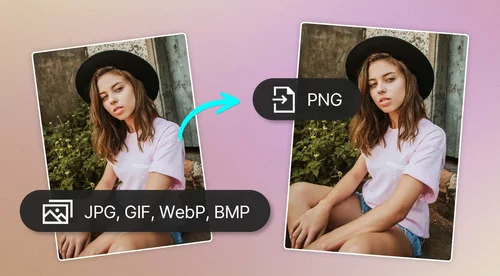
Convert popular file formats like JPG to PNG, GIF to PNG, WebP to PNG, or BMP to PNG in just one click using the free online PNG converter.
How to Convert Images With PNG Converter
 Step 1
Upload Up to 30 Images
Select up to 30 images to convert simultaneously. We currently support JPG, GIF, WebP, and BMP file formats.
Step 2Review and Add More Files
Preview your uploaded files and click "Add More Files" if you need to include additional images for conversion.
Step 3Convert and Download
Hit the "Convert" button. Once the process is finished, your new PNG files will automatically download to your device.
Why Use MyEdit's PNG Converter?

Easy-to-Use
Simple three-step process. Choose your files, convert, and download.

Online PNG Converter
Quickly convert to PNG without downloading an app or software to your device.

Convert Multiple Images Simultaneously (PC only)
Choose up to 30 image files to convert to PNG at once.

PC and Mobile Compatibility
Simply upload from your device and convert.

Quick Results
Convert to PNG in seconds with PNG converter.

Preview Results
PNG converter will let you know if any file failed to convert and need to be re-uploaded.
Online PNG Converter FAQ
What is a PNG file?


PNG stands for "Portable Networks Graphics". It is the most frequently used uncompressed raster image format on the internet. This lossless data compression format was created to replace the Graphics Interchange Format (GIF). PNG file format is an open format with no copyright limitations.
What does the PNG converter tool do?
It lets you convert your files from one image file type to PNG file format.
Is the PNG converter free?
Yes, the PNG converter tool is completely free for single image conversions.
Is it safe to use MyEdit to convert images into PNG file format?
Yes, it's safe to use MyEdit for your image editing. MyEdit uses advanced security measures to safeguard users' data.
How to convert JPG to PNG?
Follow the steps below to convert JPG to PNG with Image Converter:
1. Upload your file
2. Click Convert
3. Download the converted file
How to convert GIF to PNG?
Follow the steps below to convert GIF to PNG with Image Converter:
1. Upload your file
2. Click Convert
3. Download the converted file
How to convert WebP to PNG?
Follow the steps below to convert WebP to PNG with Image Converter:
1. Upload your file
2. Click Convert
3. Download the converted file
How to convert BMP to PNG?
Follow the steps below to convert BMP to PNG with Image Converter:
1. Upload your file
2. Click Convert
3. Download the converted file
What is the best PNG converter?
MyEdit's PNG converter is the safest and easiest option to convert the most popular image file formats to PNG.
Is PNG better than JPG?
Both PNG and JPG have their advantages. While PNG is a more versatile file format than JPG, these files are larger and require more storage space.
What is the best free image converter?
MyEdit's PNG converter and JPG converter tools are the safest and easiest options to convert images. Simply upload and convert popular image file formats.
Is PNG free?
PNG is not a patented file format, so you can open it without the need for a license.
Is PNG copyright free?
PNG is an open file format and hence can be utilized with no copyright limitations.