Image Cropper
Crop Image Online for Free
Crop images online in 1-click using free image cropper. Easily crop images to precise dimensions for social media post, collages and more!
Why Crop Images With the Online Image Cropper?
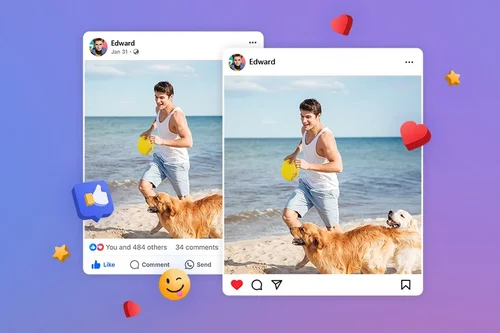
Crop Images for Social Media
Crop photos quickly with presets for posting on Facebook, Instagram, LinkedIn, Pinterest, Twitter, and more with the online image cropper.
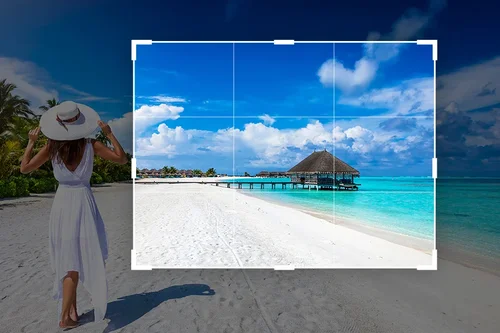
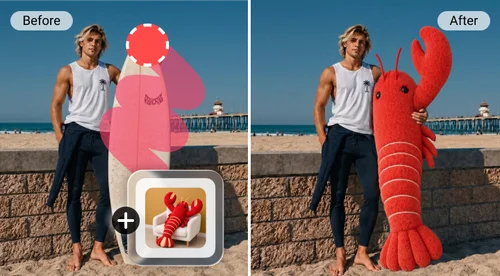
Crop Out Unwanted Parts
Quickly crop images to take out people or objects in the background for picture-perfect results every time.
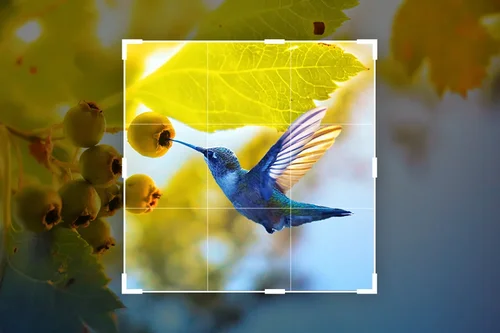
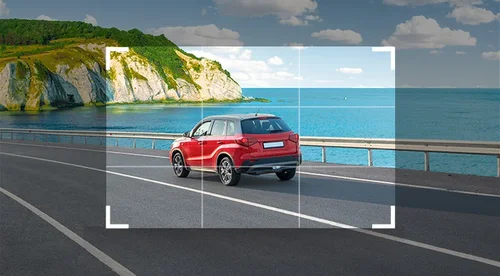
Crop Images to Focus on a Specific Part of the Picture
Achieve balance by cropping images to direct your viewer’s attention to a portion of the larger image. Ideal for scenic shots!
How to Crop Images With Free Online Image Cropper
 Step 1
Upload Image File to Crop
Select and import an image file from your device to crop.
Step 2Crop Image Online
Select a preset or crop image to your exact specifications manually.
Step 3Download Cropped Image
That's it! Click "Download" to save the cropped image to your device.
Why Use the Free Image Cropper to Crop Images?

Easy 1-Click Image Cropper
Simply choose your image, crop, and export.

Crop Images to Any Specific Size
Online image cropper simplifies the process of cropping images to your desired dimensions.

All-in-One Editor to Crop Images
Crop images to any given specifications using presets or manual adjustments.

Crop Your Images Online for Free
Simply upload from your device and crop image online for free.

Free Social Media Image Cropper
Quickly crop images with social media presets for Facebook posts, Instagram posts, YouTube thumbnails, and more!

Free Image Cropper Supports Popular File Formats
Our free online image cropper accommodates a variety of formats, such as JPEG, PNG, GIF, WebP, and BMP.
Online Image Cropper FAQ
What does image cropper tool do?


Cropping an image takes out undesired portions of an image.
Is the image cropper tool free?
Yes, you can crop your images for free.
What image formats are supported by online image cropper?
Supported image formats include JPG, PNG, GIF, WebP, and BMP.
Is it safe to use the image cropper tool to crop a photo?
Yes, it's safe to use the image cropper to edit photos. The platform uses advanced security measures to safeguard users' data.
How do I crop a photo for a Facebook cover?
Simply upload your image and then look for the Facebook icon on the preset dashboard. Click the Facebook cover ratio frame for cropping your image.
How do I crop a photo to 2x2?
The "2x2 photo" usually refers to a 2x2 inch photo. This size is commonly used for passport photos. 2x2 converted into pixels is 600x600. You can easily crop your picture to this size using the image cropper tool by typing in the pixels in the Width and Height boxes.
How do I crop an image for Instagram posts?
Simply upload your image to image cropper and then look for the Instagram icon on the preset dashboard. Click the Instagram post ratio frame for cropping your image.
What types of projects is the image cropper tool useful for?
Image cropping is useful when highlighting a portion of a photo for better composition and framing.
Can I crop a GIF?
Yes, you can crop a GIF in the same way you would crop an image. Upload your GIF and use the simple crop tool to reshape the borders of your GIF.
What social media templates does the image cropper include?
Image cropper includes social media templates for Facebook, Twitter, Pinterest, YouTube, and LinkedIn.
How do you crop an image?
Follow these steps to crop your image:
1. Upload image file
2. Select a preset or enter specifications manually
3. Download cropped image
How can I cut a picture online for free?
Follow these steps to cut a picture online for free:
1. Upload image file
2. Select a preset or enter specifications manually
3. Download cropped image
How to crop photos without Photoshop?
Use our image cropper to crop images online for free. Simply upload, crop, and download your image.