Free Online Video Editor
Creative and Easy Online Video Editing
MyEdit's free online video editor lets you trim clips, arrange them on a multi-track timeline, add AI-generated subtitles from speech, plus stickers, music, and effects. No download needed. Create polished videos for any platform in minutes.
Edit High-Quality Videos Online for Free
Make Everyday Moments Into Videos Worth Sharing
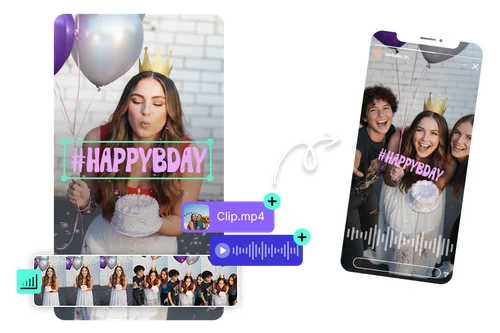
Turn birthday clips, trips, and pet videos into a polished montage in minutes. Drag your footage in, trim the slow parts, and drop in music and effects with a few clicks. No editing experience needed, and the result looks like you spent hours on it.
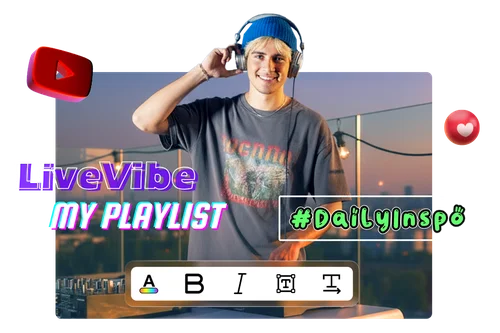
Create YouTube Videos That Stand Out
Tighten your tutorials, vlogs, and stories with clean cuts, instantly turn speech into subtitles with AI, then add on-screen text, music, and effects. Edit straight in your browser and publish a finished video the same day, all in one place.
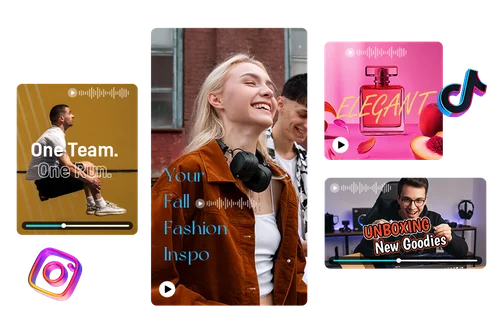
Make Scroll-Stopping Social Videos
Create short-form videos for TikTok, Instagram, and YouTube: product ads, unboxings, fashion looks, and more. Every spoken word becomes a subtitle automatically, while quick cuts, background music, and clean text overlays help hook viewers in the first few seconds. Build clips that drive clicks, engagement, and sales.
How to Use the Free Online Video Editor
 Step 1
Upload Your Video
Upload your video or drag it into the editor. All major formats are supported, so you can start editing right away.
Step 2Edit with Ease
Trim clips, arrange your timeline, and add subtitles, text, photos, stickers, music, and effects. Drag-and-drop tools keep editing fast for beginners and pros alike.
Step 3Export and Share
Export your finished video in high quality, ready for YouTube, Instagram, TikTok, or anywhere else you post.
Make Videos That Stand Out

Stylish Text Effects
Highlight key messages with modern text templates. Customize fonts, colors, and layouts to match your style and give any video a clean, professional look.

Rich Stock Library
Pull from royalty-free images and preset text templates to fill gaps, set the mood, and make your story easier to follow in seconds.

Smooth Transitions
Connect clips with fades, wipes, zooms, and more for a seamless watch. Keep a natural flow between scenes so viewers stay with you from start to finish.

AI-Generated Subtitles from Speech
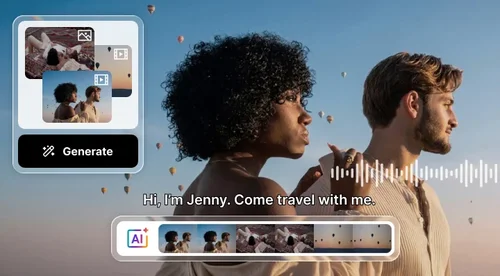
Generate accurate subtitles from speech automatically with AI. Save hours of manual captioning, improve accessibility, and make your videos easier to watch on mute across social media platforms.

Background Music & Sound Effects
Set the perfect mood with royalty-free background music and professional sound effects. Add cinematic hits, whooshes, and ambient audio to make every scene more engaging, all without leaving the editor.

Cloud Editing & Autosave
Edit anywhere with secure cloud access. Projects autosave online, so you can pick up right where you left off on any device.
More Ways to Create with MyEdit
Online Video Editor FAQ
What is an online video editor?


An online video editor lets you cut, arrange, and enhance video in a web browser, with no software to install. MyEdit adds AI-generated subtitles from speech, text, transitions, sound effects, and royalty-free music, then exports your video in high quality.
Is MyEdit's Video Editor free to use?
Yes. You can edit and export for free with no watermark, up to 5 minutes per video and one export per day, with free fonts, title templates, and transitions. Upgrade to Creator or higher for exports up to 60 minutes, unlimited downloads, and all premium fonts, templates, and transitions.
Can I edit videos online without a watermark?
Yes. MyEdit adds no watermark to your exports, even on the free plan. Free exports are up to 5 minutes with one download per day, and upgrading to Creator or higher unlocks longer exports and unlimited downloads.
What is the best video editing tool for beginners?
MyEdit's free online Video Editor is beginner-friendly, with drag-and-drop tools, preset effects, and a simple interface that makes editing fast and easy.
What is the best free online video editor?
A strong free online video editor covers the essentials without a paywall: trimming, a multi-track timeline, text, transitions, and royalty-free music. MyEdit includes all of these, adds no watermark, and exports in high quality with no software to install.
What video formats can I upload?
MyEdit's online video editor supports all major formats, including MP4, MOV, and more. Just upload or drag your file into the editor to start.
How do I start editing a video online?
Upload your clips, drag them onto the timeline, trim or split, then add subtitles, text, music, and effects. Export in high quality when you are ready.
Does the video maker include music, sound effects, and photos?
Yes. You get a large royalty-free library of music and sound effects, plus built-in photos and text templates to use in your videos.
Is it safe to upload my videos to an online editor?
Yes. Uploads are encrypted in transit, and projects are stored in your private account with autosave, so you can pick up on any device.
What subtitle file formats can I upload?
MyEdit supports SRT subtitle files. Upload existing subtitles to edit, style, and sync them with your video, or let AI generate subtitles automatically from your video's speech.