AI Headshot Generator
Create Professional Business Headshots Online
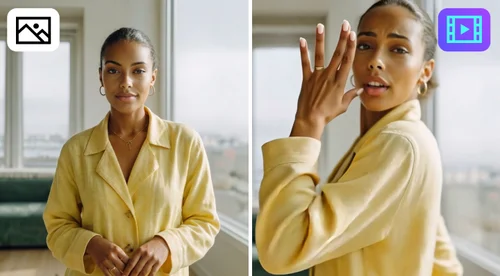
Turn one selfie into a professional headshot for free using your daily free credits. Choose from business, ID photo, or creative looks, and download your result in HD, ready for LinkedIn or your resume.
 By continuing, you agree to our Terms of Use and Privacy Policy.
Craft Professional Business Headshots With AI
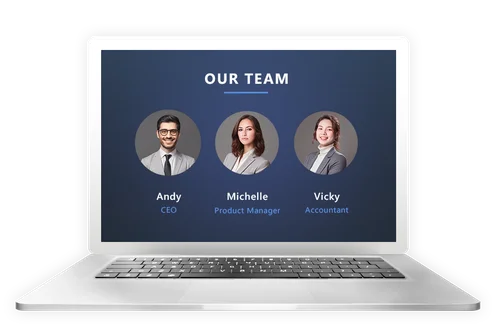
Instant AI Headshots Generator Online
Instant AI Headshots Generator Online Incorporating AI-generated headshots on your website, LinkedIn, or other platforms establishes credibility and trust with your audience. Our tool offers various outfit styles, allowing users to achieve studio-quality results for their LinkedIn profiles or resumes without the expense of a professional photographer.
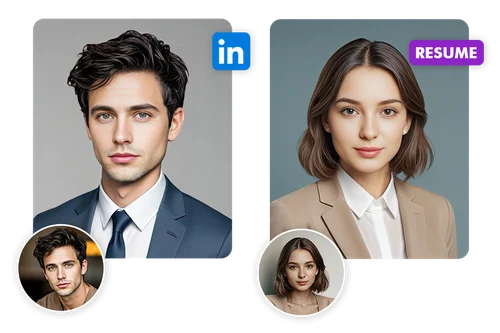
Professional AI Headshot for Resume and LinkedIn
Your profile photo is often the first point of contact for employers, clients, and colleagues. Whether you prefer a formal or casual business look, our AI Headshot Generator tailors the photo to fit your needs, helping you stand out and make a great first impression.
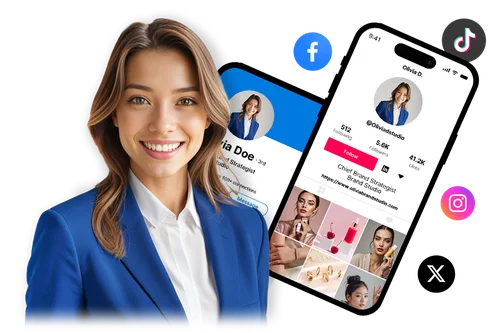
One Headshot, Every Platform
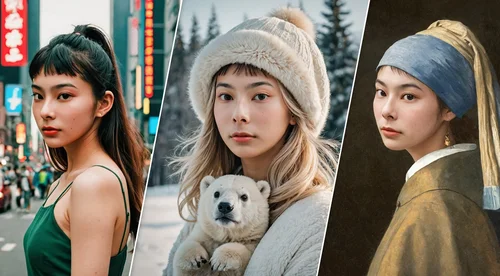
Use the same photo for your Instagram, TikTok, Facebook, and X profile, not just LinkedIn. Switch to a softer, Korean-style look for your social feeds, or keep the same polished look you use on LinkedIn for a consistent presence everywhere.
How to Turn Photos into AI Headshots?
 Step 1
Select Your Preferred Styles
Browse the Female or Male style set and pick what fits your photo, from boardroom-ready to Korean-style to a campus look.
Step 2Upload a Clear Photo of Yourself
Upload just one clear, front-facing photo of yourself. No need for a dozen training photos, one selfie is all our AI needs. Supports JPG, PNG, GIF, WebP, and BMP, up to 50MB.
Step 3Check and Download Your Results
Preview and download your result. We securely save your files so you can access your project anytime.
Why Use MyEdit's AI Headshot Generator

Skip the Photography Session
No studio, no photographer, no outfit changes or travel. Upload one selfie from your phone, and MyEdit turns it into a polished, professional-looking headshot right in your browser.

Business to Creative Styles in One Tool
Pick a corporate look for LinkedIn, an ID photo for official use, or try more casual and Korean-inspired looks for social media, all from the same upload.

Natural Skin Texture and Lighting
Make a stronger first impression on LinkedIn or your resume. The AI reproduces natural skin texture and lighting, avoiding the overly smoothed look some headshot generators produce.

Results in Seconds, Not Hours
Most AI headshot services make you wait 15 minutes to several hours for a batch to process. MyEdit generates your styles while you watch, so you can preview and download in the same session.

Works Right in Your Browser
No software to install and no app required. Upload your photo, pick a style, and generate your headshot directly in Chrome, Safari, or any browser, on desktop or mobile.

Preview Before You Download
Preview every headshot before you download. Compare your styles side by side and keep only the ones that match what you need.
AI Headshot Generator FAQ
What is an AI headshot?


An AI headshot is an image created by advanced algorithms in an AI headshot generator. It helps create headshot images that are great for professional use. You can use them on LinkedIn, social media profiles, or websites.
What’s the best AI headshot generator?
MyEdit stands out by needing only one photo instead of the 6 to 20 or more photos many AI headshot generators require, with results ready in seconds instead of hours. It works well for business profiles, LinkedIn, resumes, and social media.
Do I need to sign in to use AI Headshot Generator?
Yes. Sign in to start earning free daily credits toward your headshot generation, and downloads have no watermark. New users also get a free first generation, so you can try a result before spending any credits.
How can I get the best results when generating AI Headshot?
Use a clear, front-facing photo with good lighting and only one person in frame. Avoid face coverings, sunglasses, headwear, or anything blocking your face, and steer clear of group photos.
Do I need technical skills to generate AI Headshots?
Zero. Just upload one high-quality, front-facing photo, and MyEdit handles the styling, lighting, and background.
What image formats does AI Headshot Generator support?
AI Headshot Generator supports JPG, PNG, GIF, WebP, and BMP files, up to 50MB.
How many photos do I need for an AI headshot?
Just one. Unlike many AI headshot generators that ask for 6 to 20 or more training photos, MyEdit only needs a single clear, front-facing photo to generate your results.
What styles can I customize with AI Headshot Generator?
Pick from Female or Male style sets, spanning business, casual, Korean-inspired, and campus looks, plus a dedicated style for application and badge photos.
Is it safe to use AI Headshot Generator?
Yes. Your privacy and data security are our top priorities! The AI Headshot Generator ensures that all user data remains private and secure.