Video Sound Generator
Add Sound to Videos With AI
Enhance your videos effortlessly with our AI-powered Sound Generator for Video. Upload your clip and let AI generate the perfect audio to match your scene. Ideal for replacing poor-quality sound or creating immersive soundscapes for AI-generated or stock videos.
Add Audio to Your Videos Easily with AI-Powered Precision
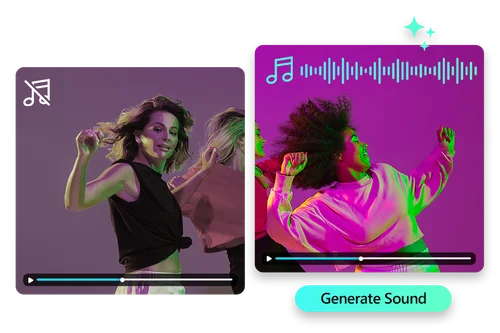
Sync Sound to Your Video Automatically with AI
Tired of poor-quality audio? Let AI fix it. It analyzes your video and adds high-quality, immersive sound that fits each scene, making your video more engaging without the hassle.
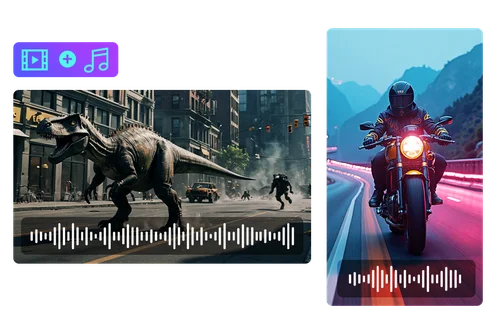
Add Sound to AI Video with Video Sound Generator
Got a silent AI-generated video? Our tool adds realistic background sounds like nature, cities, or ambient noise to match your scenes. Turn silent footage into a full experience with ease. Combine it with other AI video tools for even more creative possibilities.
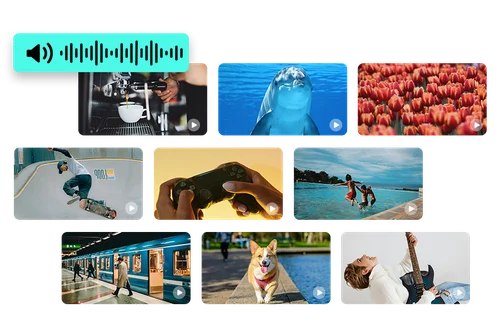
Auto-Generated Sound to Stock Videos for Creators
Whether you’re making a vlog, short film, or editing stock footage, adding sound can be time-consuming. Let AI handle it and instantly create high-quality audio for your videos so you can focus more on your creative work.
How to Generate Sound for Your Video Online
 Step 1
Upload Your Video Clips
Upload your video clips to MyEdit and let our AI generate high-quality sound to perfectly match your footage, enhancing your video with just a few clicks.
Step 2Let AI Add Sound for Videos
Let AI sync sound to your videos automatically, creating high-quality audio that matches your footage with ease.
Step 3Download Your Video With AI Sound
Download your video with AI-generated sound, perfectly synced to enhance your footage effortlessly.
Add Sound to Your Videos With Video Sound Generator

Perfectly Aligned Audio for Your Videos
Enhance your videos with sound that matches every motion, mood, and moment. Our AI automatically aligns sound with your video’s pace, creating a seamless cinematic experience with zero effort.

Generate High Quality Audio
Don’t let background noise or unclear sound ruin your content. Our AI tool generates clear, high-quality sound, transforming even noisy footage into something worth sharing.

Sound for AI Videos Made Easy
AI-generated videos need the perfect sound. With just one click, our tool creates sci-fi, cinematic, or ambient soundscapes that match your AI content’s tone.

Unique Audio With No Copyright
Create and use sound without worrying about copyright. Our tool generates original audio that’s yours to use across platforms freely, legally, and without the need for additional purchases.

From Raw Clips to Polished Sound
With our Sound Generator for Videos, all it takes is a few clicks to generate studio-quality sound, so you can spend more time creating and less time fixing audio in post-production.

Use It Anywhere, Anytime
Designed for flexibility, our browser-based AI tool lets you create professional soundtracks on your phone or laptop. Whether you're at home, in a café, or traveling—your next video edit is always within reach.
AI Sound Generator for Videos FAQ
How do I add sound to a video automatically?


To add sound to a video automatically, simply upload your video to MyEdit. Our AI-powered tool will analyze your footage and generate the perfect audio that matches the scene’s tone and pace. No need for manual editing, just one click and your video is enhanced with high-quality, immersive sound.
Are there free sound generators for video editing?
Yes, MyEdit offers a free sound generator for video editing. You can use this tool with your free daily credits. To find out more about MyEdit credits, click here.
What is the best AI sound generator for videos?
The best AI sound generator for videos is MyEdit’s Video Sound Generator. It uses advanced AI to analyze your footage and automatically create high-quality, perfectly aligned sound to match your video's tone and pace.
Can I use AI-generated sound commercially?
Yes, you can use AI-generated sound commercially with MyEdit. The audio created by our tool is original and free from copyright issues, allowing you to use it across platforms legally without the need for additional purchases or licensing.
Which sound generator works best for YouTube Shorts?
MyEdit’s Video Sound Generator works best for YouTube Shorts. It automatically generates high-quality, perfectly aligned sound for your videos. The tool’s simplicity and speed make it ideal for creating engaging, professional-level audio for quick, impactful content like Shorts.
How do I fix poor audio quality in a video?
To fix poor audio quality in a video, simply upload your video to MyEdit. Our AI-powered tool analyzes the scene and automatically generates clear, high-quality sound.
Can I generate background sound for my video online?
Yes, you can generate background sound for your video online with MyEdit. Simply upload your video, and our AI-powered tool will create the perfect background sound to match your scenes, whether it’s nature sounds, city ambiance, or custom soundscapes. It’s fast, easy, and available directly in your browser.