HD Video Converter
Turn Videos into HD Quality With AI
Instantly upgrade low-quality videos to high resolution with AI-powered HD Video Converter. Perfect for smoother playback and seamless editing.
Enhance Every Frame With AI-Powered HD Video Converter
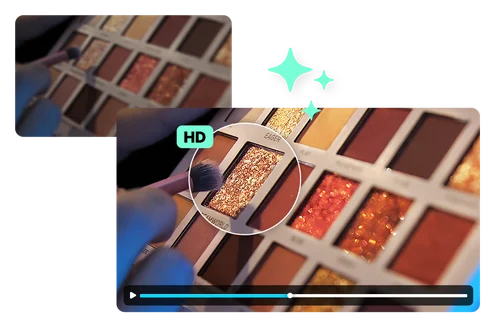
Convert Any Video to HD Quality Using AI Upscaling
Transform hazy or low-resolution videos into HD or 4K. Whether you're refreshing old footage or upgrading social content, upscale your videos to meet today’s high-definition standards.
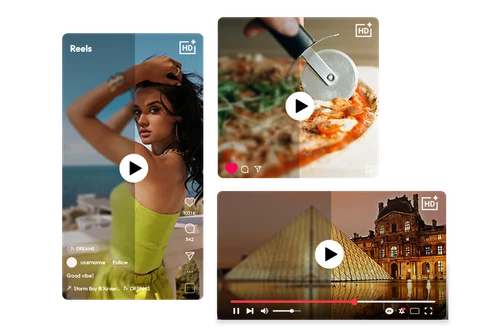
Share Ultra-Clear HD Videos on Social Media
HD Video Converter lets you upscale low-quality footage to 720P, 1080P, 2K, or even 4K with ease. Don’t let blurry or pixelated visuals limit your impact. Enhance your content for sharper visuals, smoother playback, and a professional look that drives more engagement.
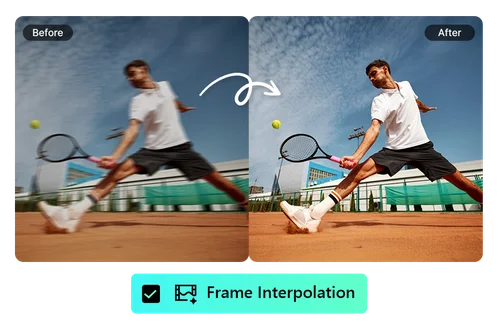
Do More Than Upscaling Your Video
HD Video Converter does more than just upscale resolution. It can also brighten footage and remove noise instantly. For slow-motion clips, AI-powered frame interpolation smooths out choppiness and reduces motion blur. You’ll also have access to additional enhancement tools to fine-tune your videos as you upscale.
How to Use HD Video Converter
 Step 1
Upload Your Video
Select and upload the video from your device.
Step 2Customize Your Enhancement Settings
You can upscale resolution, smooth out motion with frame interpolation, brighten footage, or remove noise, all in one place.
Step 3Export Your Enhanced Video
Download and enjoy your enhanced video.
Discover the Benefits of HD Video Converter

Professional-Quality HD Output
Convert videos up to 4K with clean, natural detail, no blur or blocky artifacts left behind.

Wide Format Compatibility
Compatible with popular formats like MP4 and MOV, making it easy to convert SD videos to HD.

Seamless SD to HD Conversion
Convert videos to HD instantly, then upload them for editing, sharing, or archiving with ease.

Lightning-Fast Cloud Processing
No software download needed. The HD video converter runs entirely in your browser, so you can process videos quickly and securely from anywhere.

Cross-Device Compatibility
Whether you're on a desktop, laptop, or mobile device, this tool runs smoothly in any modern browser with no installation required. Pick up right where you left off, on any screen.

HD Videos for Social Media
Sharper resolution and cleaner footage both help your videos hold up on feeds where competition for attention is high. Export in the same aspect ratio you uploaded, ready to post without extra editing steps.
HD Video Converter FAQ
What is an HD Video Converter?


An HD Video Converter is a tool that transforms standard-definition or low-quality footage into high-definition video. It improves clarity, brightness, and resolution so your video looks clean, crisp, and professional.
How to turn a video to HD?
Upload your video to MyEdit’s HD Converter. Select the enhancements you want, such as upscaling resolution, brightening footage, reducing noise, or smoothing motion using frame interpolation. The AI engine automatically applies the upgrades for you.
What can HD Video Converter do?
MyEdit’s HD Video Converter can denoise grainy footage, enhance lighting in dark scenes, upscale resolution, and add in-between frames for smoother motion. It gives you all the tools you need to improve video quality in one place.
What is the best HD Video Converter?
MyEdit's HD Video Converter stands out by combining upscaling, denoising, brightening, and frame interpolation in one pass, so you don't need four separate tools to clean up old or low-quality footage. It runs entirely in the browser, with no software to install.
What is the file format limitation?
MyEdit supports the most widely used video formats like MP4 and MOV. This makes it easy to edit and share your videos across devices and platforms without compatibility issues.
What kind of video needs to use HD Video Converter?
Videos that are low quality, noisy, dark, or from older sources benefit the most. Whether it's old home footage, dimly lit phone clips, or anything that looks dated or unclear, the HD Converter can enhance it and make it look much better.