AI Image Denoiser
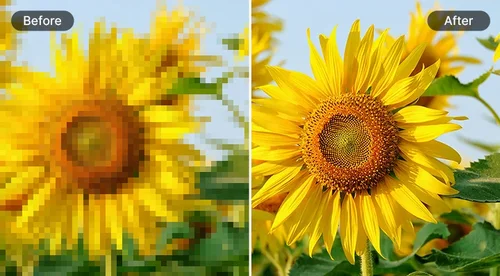
Remove Noise and Grain from Images
Remove grain and color noise from night, low-light, and old photos in seconds. Try it free with no sign-up, then create a free account to download without a watermark.
 By continuing, you agree to our Terms of Use and Privacy Policy.
Remove Image Noise with AI Precision
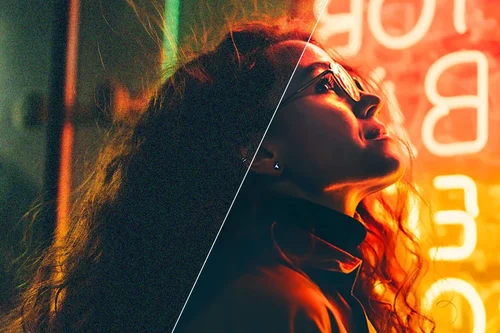
Remove Noise from Night Photography
Low light pushes your camera's ISO up, which is what makes night shots look grainy. Concerts, dim restaurants, and indoor parties are the usual culprits. Drop the grain with AI Image Denoise in seconds, while keeping faces and detail intact.
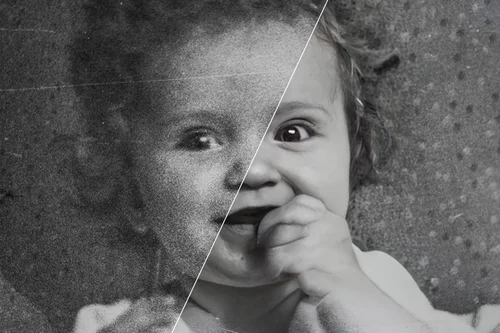
Restore Clarity to Old Pictures
Photos taken on older cameras or scanned from film often have visible grain. Use AI Denoise to clean them up and restore clarity instantly.
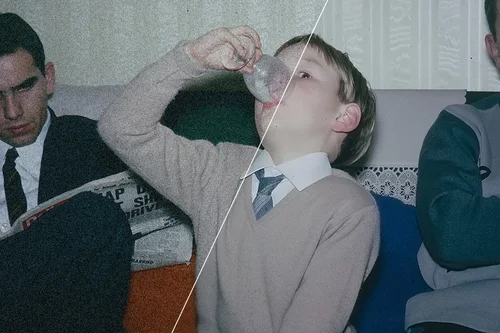
Denoise Compressed Images
Noise and artifacts often appear when you try and compress images to a smaller size. Use noise reduction to make your images look clear and professional again!
How to Remove Noise with AI Image Denoise
 Step 1
Upload Image File to Denoise
Select an image from your device, then let AI Image Denoise go to work. It supports JPG, PNG, GIF, WebP, and BMP.
Step 2Remove noise automatically
The AI cleans up grain and color noise on its own. Use the slider to set exactly how much to remove.
Step 3Download Denoised Images
Preview the result, then export the denoised image to your device in seconds.
What Are the Reasons to Remove Noise From Images?

Remove Noise in 3 Steps
Removing noise and grain from your photos has never been easier. It's a simple three-step process that requires no editing skills. Just upload your file, denoise, and export.

Online Image Denoise
Remove image noise anytime and anywhere you want. The AI Image Denoise is browser based so there's no need to download additional software.

Denoise Images With Precision
Use the slider to set how much noise to remove, then preview the result in real time before you export. You stay in control, so you can clean up grain without washing out the detail you want to keep.

AI-Based Image Denoise
Let our powerful AI algorithms help you quickly clean up pictures and improve visual quality. No need to worry about camera equipment or skills before taking a photo.

Get Your Denoised Image in Second
Denoise images in seconds thanks to state-of-the-art AI technology. Get crisp, clear results instantly for a professional finish.

Preview Your Denoised Image Directly Before Export
Our online AI Image Denoise will let you preview your edits before exporting so you'll always be satisfied with the end results.
AI Image Denoise FAQ
What does denoise mean in editing?


AI Denoise image tool allows you to easily and quickly suppress and remove grain in photos, achieving crisper clarity in your shots.
Is AI Image Denoiser free?
Yes. You can try it and preview the result for free without signing up. Create a free account to download one result a day without a watermark, or subscribe for unlimited watermark-free downloads.
What image formats are supported?
JPG, PNG, GIF, WebP, BMP files are supported for AI Denoise.
How do I remove noise from a photo?
Follow these steps to easily denoise images:
1. Upload your JPG, PNG, GIF, WebP, BMP file
2. AI Denoise will automatically fix grainy footage. Use the slider to choose the strength of the denoising effect
3. Download denoised image
Is it safe to use MyEdit to denoise images?
Yes, it's safe to use our tool to denoise images. MyEdit ensures that users' privacy is protected at all times. The platform uses advanced security measures to safeguard users' data.
How can I restore old images?
Restoring old images with our tool is easy and fast. You can use the object removal tool to remove creases in the photo. The Deblur tool will sharpen your old image in an instant. And the Denoise tool will remove any grain in your image.
How can I enhance the quality of an image?
Use our AI-powered Deblur and Denoise image tools to sharpen your images and recover crisp details with a single click.
What should I do if I'm not satisfied with the denoise level of my image?
Use the sliders on the right-hand toolbar to adjust the denoise strength. Additionally, you can use our Deblur tool to further enhance the sharpness of the image.
How do you make a grainy picture clear?
Use our denoise image tool to make any grainy image clear in seconds.
Will denoising make my photo blurry?
Light to medium denoising removes grain while keeping detail intact. If a photo looks soft after heavy noise removal, lower the strength slider, or run the Deblur tool afterward to bring the sharpness back. Previewing before you export lets you find the right balance.
Should I denoise or deblur my photo?
Denoise removes grain and color noise, common in night or high-ISO shots. Deblur restores sharpness lost to motion or focus. For a grainy but sharp photo use Denoise, for a blurry photo use Deblur, and to fix both at once use the AI Image Enhancer.