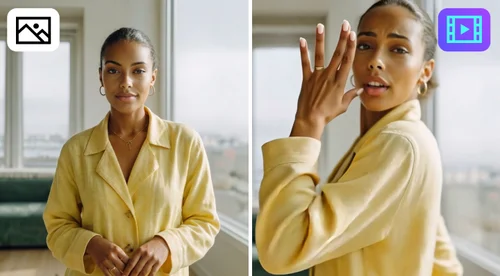
Chat Photo Editor
Edit Images by Chatting with AI
Tell the AI what to change, and it edits your photo. Get free credits every day to start. No watermark.
AI Image Changer Makes Photo Edits Easy and Fast
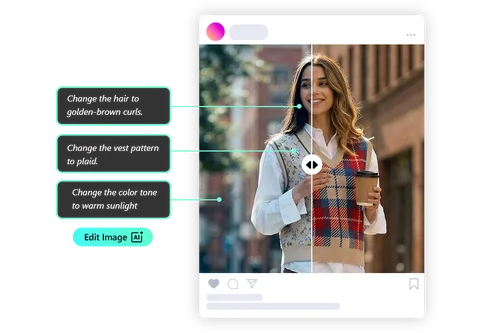
Edit Photos with Text, No Skills Needed
Ask the AI to adjust colors, retouch a portrait, or add something new to the scene. You don't need a designer or any editing experience. If you can say what you want, you can make the edit.
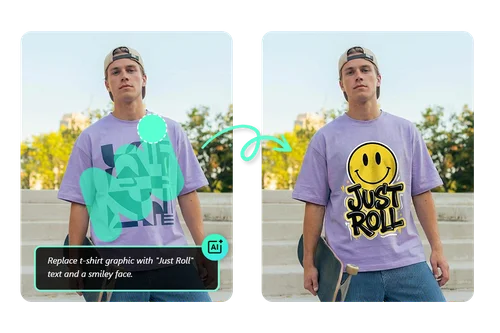
Edit Exactly Where You Want
Change one part of a photo without touching the rest. Replace an object, update a texture, or fix a small area, all without complex design software. Your edits blend in with the photo's existing lighting, textures, and perspective.
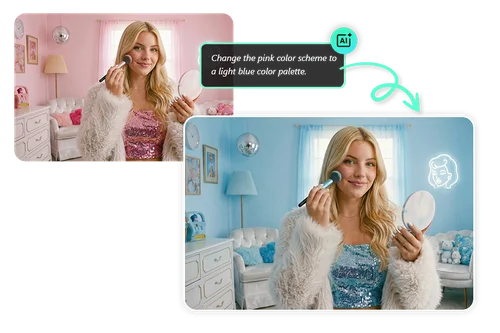
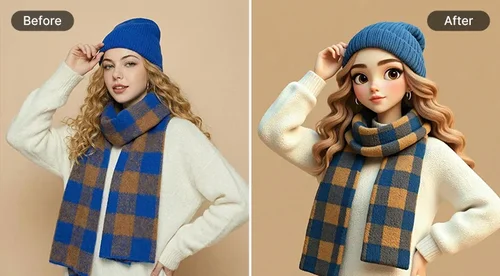
Restyle the Whole Photo in Seconds
Describe the change you want, and AI edits the entire photo to match. Shift the colors, try a different style, or change the theme of the scene. You don't need any editing skills.
How to Edit Photos with Text Using AI Chat
 Step 1
Upload Your Image
Upload images directly from your device. Our AI image editing tool supports JPG, PNG, GIF, WebP, and BMP formats, making it easy to start editing photos instantly.
Step 2Pick a model and describe your edit
Choose a model like Nano Banana or Flux, then type what you want to change. To edit just one area, use the smart brush to mark it first.
Step 3Generate and Download
Click "Generate." When you like the result, download it in high resolution for social posts, marketing, or personal use.
AI Image Editor Online, Free to Try
Choice of Leading AI Image Editing Models
Switch between AI models like Nano Banana for fast iterations or Flux for high-fidelity, professional image editing. Enjoy full creative control for any project.
Smart AI Edits with Brush-Level Control
Edit images using text while maintaining precision. AI automatically detects subjects for instant changes, while smart brush tools allow fine-tuned manual refinement exactly where needed.

Instant Style and Appearance Transformation
Change hair, clothing, and poses in seconds. Our AI image editing technology handles complex anatomical adjustments naturally, letting you explore new looks without tedious masking.
Precise Text Integration
Easily edit text in images or add custom words. Unlike basic editors, our AI image editing tool seamlessly replaces text, such as logos or clothing text, with realistic blending and alignment.

Effortless AI Photo Edits in Minutes
Chat with AI to edit your photos instantly. Describe the change, and the AI handles the rest. Make quick edits and skip complex tools entirely.

Edit Anywhere, No Skills Needed
Our browser-based AI image editor works on desktop and mobile. Edit images anytime, anywhere, with professional-quality results, no prior experience needed.
Chat Editor Image Editing FAQs
What is Chat Editor (Edit by Chat)?


Edit by Chat is an AI image editing tool that lets you modify photos simply by chatting with AI. Instead of manual brushes or masking, you describe the change and AI intelligently generates new pixels that blend seamlessly with the original image’s lighting and style.
Do I need professional skills to use Edit by Chat?
No. Design skills are not required. If you can describe what you want in words, you can perform professional-grade AI image editing instantly.
Is Edit by Chat free to use?
Yes. All users receive free daily credits to try AI image editing with text. For credit details and upgrades, please visit our Credits page.
Can I edit only a specific area of my image?
Yes. Use the smart brush tool to highlight exactly where you want changes. AI will only edit the selected area, preserving the rest of your image for natural, seamless results.
Is it safe to use Edit by Chat?
Absolutely. We prioritize privacy and data security. Uploaded images are processed securely and never used outside your editing session without consent.
Which image formats are supported?
We support JPG, PNG, GIF, WebP, and BMP formats for import, ensuring high-resolution results ready for any platform.
Can I use Edit by Chat on mobile?
Yes. Edit by Chat is fully optimized for mobile browsers, allowing you to edit, generate, and download images on phones or tablets with desktop-level power.