Online Voice Recorder
Record, Edit, and Share Audio Online Free
Record your voice or upload audio files and edit them seamlessly with our online voice recorder. Perfect for podcasts, voice memos, or presentations.
Fast and Easy Online Voice Recorder
Record and Share Your Audio Anytime
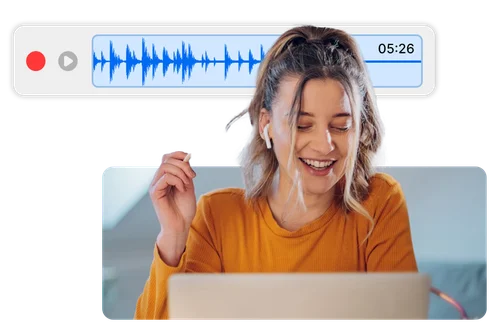
Record high-quality audio directly in your browser with no downloads required. Whether you're capturing voice memos, narrating a story, or saving personal notes, the Online Voice Recorder makes it easy to record and share your voice clearly and reliably.
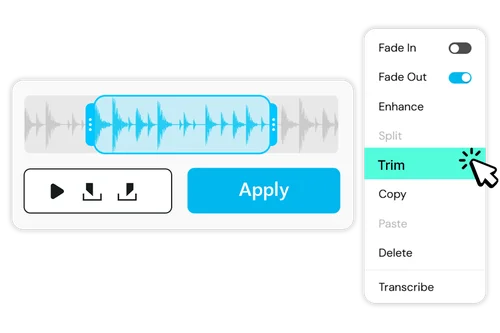
Edit Your Audio to Perfection
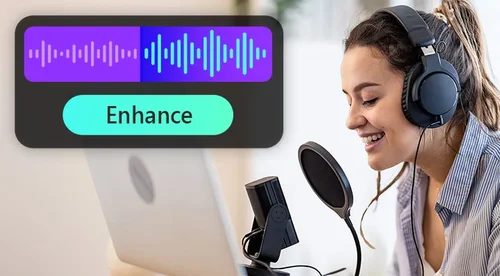
With our Online Voice Recorder, you can instantly edit your audio after recording. Trim unwanted parts, add fade-in and fade-out effects for smooth transitions, and enhance speech clarity for better sound quality.
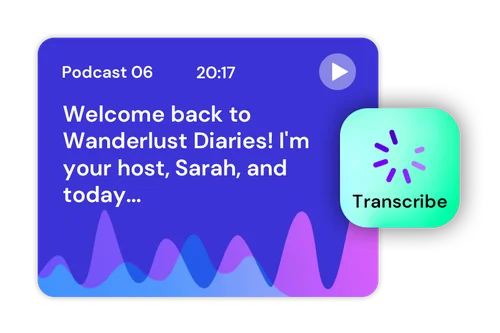
Transcribe Recorded Voice to Text
Use our Online Voice Recorder to convert your recorded audio into text with high accuracy. Perfect for creating subtitles, transcribing interviews, or generating meeting notes quickly and conveniently. You can also download the transcription as a TXT or SRT file for further use
How to Use Online Voice Recorder
 Step 1
Record Your Voice Online
Click 'Start Recording' to use our Online Voice Recorder and capture your voice directly in your browser—no downloads or installations needed.
Step 2Edit Recorded Voice If Needed
After recording with our Online Voice Recorder, easily edit your audio as needed. Trim, split the file, and enhance the sound for better quality.
Step 3Download and Share Your Recorded Audio
Once satisfied, download or share your high-quality audio file instantly with our Online Voice Recorder or export it as a transcription in TXT or SRT format.
Use Online Voice Recorder for Every Occasion

Record Meeting Discussions
Capture every detail of your meetings with crystal-clear audio using our Online Voice Recorder. Convert speech into text with the transcription feature for easy reference and documentation.

Create Lectures
Record lectures or presentations effortlessly for future review. Edit the audio to remove unnecessary parts and transcribe key points into text for study notes.

Conduct and Transcribe Interviews
Record interviews in high quality and transcribe them to text instantly. Save time on manual transcription and focus on analyzing your content.

Make Podcasts and Voiceovers
Produce professional-quality podcasts or voiceovers with ease. Use trimming, speech enhancement, and fade effects for a polished final result.

Take Voice Notes
Record quick voice memos or personal notes on the go. Organize your thoughts and transcribe them into text for easy access later.

Generate Subtitles for Videos
Record and transcribe audio to create accurate subtitles for your videos. Download the transcription as an SRT file for direct use in your video editing projects.
Online Voice Recorder FAQ
Is there a time limit for recording?


The recording limit depends on the plan you choose. Free and Audio plan users have a set time limit, while Audio Pro users can record longer.
Can I edit my recording?
With our Online Voice Recorder, you can edit your recording instantly after capturing it. Trim unwanted parts, split the file, and enhance the audio for better clarity and quality.
How do I use the online voice recorder?
You can use our online voice recorder by following these steps:
1. Click "Start Recording" to capture your voice directly in your browser.
2. After recording, edit your audio by trimming, splitting, or enhancing the sound for better quality.
3. Download and share your high-quality audio file once you're satisfied with the edits.
Can I enhance my voice recording?
Yes! With our Online Voice Recorder, you can enhance your recordings by trimming unwanted parts, splitting the file, and applying effects like fade-in and fade-out for smooth transitions. You can also improve speech clarity to achieve better sound quality.
What formats can I export my voice recordings in?
Our Online Voice Recorder allows you to export your edited audio in popular formats like MP3 and WAV, ensuring compatibility with various devices and applications
Is there an audio storage limitation?
For the free plan, the audio storage limitation is 5GB. For Pro users, this increases to 50 GB.