Noise Gate
Add Noise Gates to Audio
Remove any unwanted background noise, such as breathy vocals in your audio.
Who Is Noise Gate For?

Podcasters
Get distraction-free recordings with pristine sound when recording outdoors with the noise cancellation precision tool.
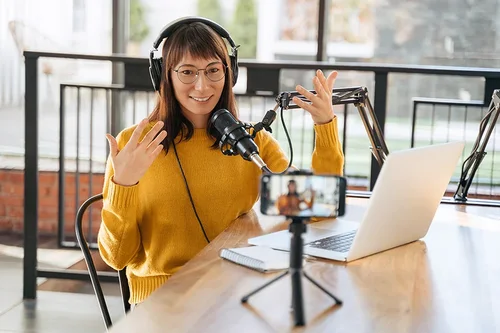
YouTubers
The online noise cancellation precision tool comes with Simple or Advanced controls to quickly clean up the audio for your video projects.

Music Enthusiasts
Remove background noise in songs with precision for professionals and enthusiasts alike.
Remove noise from your audio online for free
 Step 1
Select and Upload Audio
Choose your audio file and upload it. Make sure the file is less than 900 MB in size and 90 minutes in duration. (Safari: under 100 MB / 10 min)
Step 2Set Your Threshold
Use the slider to set the frequency threshold in Simple Mode. Audio will be reduced for signals under your set threshold.
Step 3Make Final Adjustments
Adjust the attack, release, and hold times in Advanced Mode before saving the new recording to your device.
Why Use Online Noise Gate and Noise Cancellation?

Noise Gate with Customizable Modes
Pick between Simple or Advanced for more control over your edits.

Browser-Based Online Tool
Quickly make precise edits without downloading anything on your device.

Supports Popular File Formats
MyEdit Noise Gate supports any MP3, WAV, FLAC or M4A file.

Simple and Intuitive
Just upload and tweak your processed audio for Noise Gate.

Quick Results
Sculpt your sound and get rid of distracting, breathy vocals instantly.

Preview Audio for Noise Gate
Save time by making sure the sound is perfect before exporting the audio to your device.
FAQ
Why do I need noise gate or noise suppression software?


To clean up your signal! That is, a noise gate pedal will reduce a signal that drops below a certain threshold - so in between stabs in audio, such as a riff, noise gate will cut your signal, and in turn you get no distracting hums or destructive noise.
Is the noise gate tool completely free?
Yes, the Noise Gate tool has a free version. All MyEdit tools are free with limited use.
Do I need to download anything for Noise Gate?
MyEdit tools are all browser-based so you do not need to install anything on your device. Simply locate the tool, upload your audio, and get results within seconds.
What is MyEdit?
MyEdit is a browser-based audio editor that makes it easy to analyze and edit your tracks all in one place. The editing suite comes with a versatile set of features such as wind remover, BPM finder, background noise remover, voice changer, vocal remover, and audio trimmer.
How do I make precise edits to remove breathy vocals or unwanted hum or distortion from pre-recorded audio?
Follow these steps to make precise edits to clean up your audio:
Step 1: Upload audio file to the Noise Gate tool.
Step 2: Remove background noise with AI.
Step 3: Fine-Tune and download file.
Can you edit out background noise in voice recording?
Yes, you can clean up your audio online using precision tools in Noise Gate. Simply upload your audio and let AI do the rest.
What is Noise Reduction in audio?
To reduce noise is to remove distracting hum, whistle, whine, buzz, or hiss sounds from an audio track.
How do I make precise edits to remove breathy vocals or unwanted hum or distortion for free?
Use the free version of Noise Gate to quickly make precise noise cancellation edits to clean up your audio files.