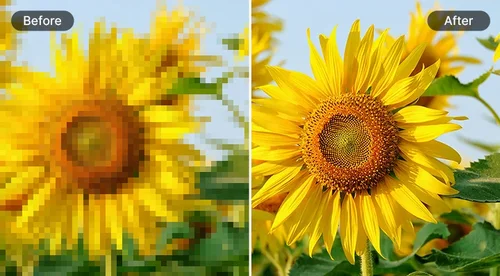
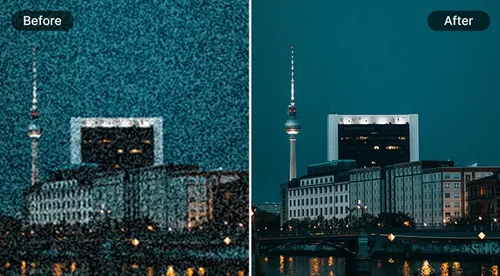
Unblur Image
Sharpen & Remove Blur from Photos
Unblur images instantly with one click using free AI deblur tool. Learn how to unblur an image, enhance it, and upscale images for better quality.
 By continuing, you agree to our Terms of Use and Privacy Policy.
Enhance Your Visuals with Unblur Image Tool
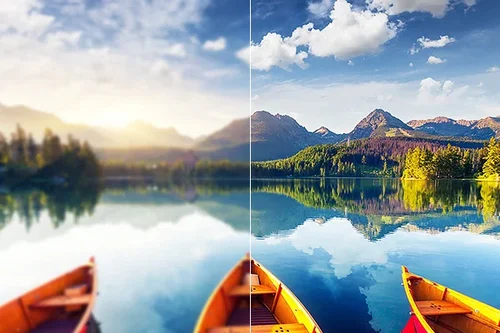
Unblur Images to Bring Out More Details
Increase the resolution of your images and bring out hard-to-see details in just seconds with the deblur image tool. Effortlessly enhance clarity and improve the quality of your photos, making every detail sharp and vibrant for a professional finish.
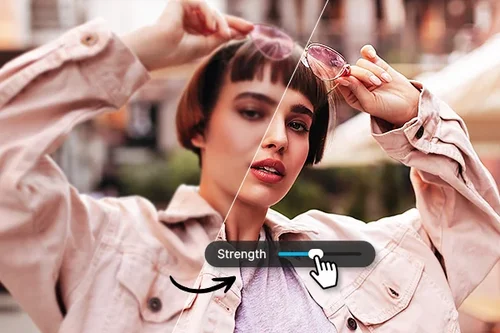
Unblur for Picture-Perfect Portraits
Unblur your photos and achieve unmatched clarity in your portrait shots with ease. Perfect for enhancing social media posts, profile pictures, and any image where you need high-quality, sharp details that stand out.
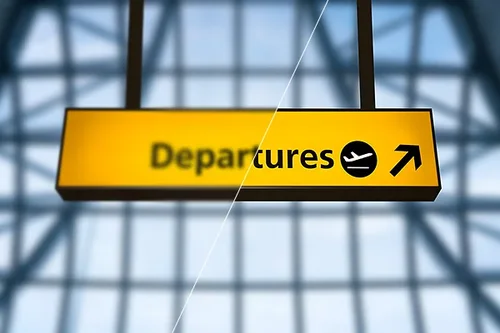
Reveal Hard-to-See Text with Unblur Image Tool
Whether you’re working with product shots, images with text overlays, or a photo taken in front of a popular tourist sign, use the unblur image tool to reveal hard-to-see text and uncover hidden details in just seconds.
How to Unblur an Image With AI Deblur
 Step 1
Upload Blurred Image
Select and import an image file from your device that you want to unblur.
Step 2Adjust Sharpness With the Slider
AI Unblur Image tool will analyze and remove blur from images automatically. Use the slider to adjust the strength of the sharpness.
Step 3Export Unblurred Image
Once you're happy with the result, download your unblurred image.
What are the reasons to Unblur an Image?

Easy-to-Use Unblur Image Tool
Our simple three-step process makes unblurring images a breeze: start by selecting your file, then let the Unblur tool do the work, and export your finished result.

Unblur Image in an Instant
The Unblur tool helps sharpen any image, especially those captured in motion, during high-intensity sports, and in other dynamic situations.

Unblur Image with Precision
Use the slider to precisely adjust and select your desired amount of sharpness, allowing you to achieve the exact look you desire for your image.

AI-Based Unblur Image
Our Unblur image tool utilizes powerful AI algorithms to assist you in achieving picture-perfect results with ease and precision.

Quick Unblur Results
Upload your images and see them unblurred in seconds, ensuring swift and effective enhancement.

Preview Your Unblurred Image Result
Our handy tool allows you to preview your unblurred images before exporting, ensuring you're satisfied with the results before finalizing them.
AI Image Unblur FAQ
What is AI Image Unblur Tool?


AI image unblur tool allows you to unblur images and restore even the finest of details instantly.
Is the AI Image Unblur Tool Free?
Yes, Image Unblur Tool has a free version. All our tools are free with limited use.
What image formats are supported?
JPG, PNG, GIF, WebP, BMP files are supported for AI Deblur.
How to unblur an image?
Upload your blurry photo and let our powerful AI Deblur algorithm analyze your photo in seconds, and then use a slider to choose the strength of your deblur.
Is it safe to use MyEdit to unblur an image?
Yes, it's safe to use our tool to unblur images. MyEdit ensures that users' privacy is protected at all times. The platform uses advanced security measures to safeguard users' data.
How to unblur text in an image?
Upload the image with blurry text to AI image sharpener tool. Our algorithm will automatically sharpen the text. Use the slider on the right side to determine the unblur strength.
How can I restore old pictures?
Restoring old images with our tool is easy and fast. You can use the object removal tool to remove creases in the photo. The AI Image Unblur tool will sharpen your old image in an instant. And the Denoise tool will remove any grain in your image.
How can I enhance my picture quality?
Use our AI-powered Image Unblur Tool to sharpen images and recover crisp details with a single click.