Watermark Remover
Effortlessly Remove Watermarks Online
Remove watermarks from images using our AI-powered online watermark remover. Erase logos, stamps, signatures, and more to make your photos completely watermark-free.
Remove Watermark From Photo with AI
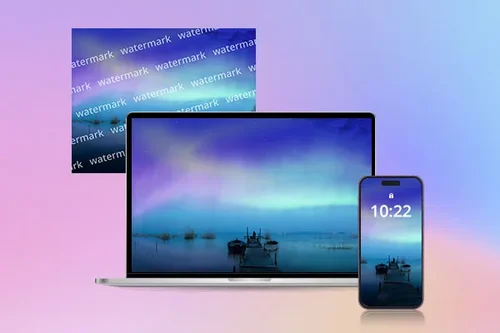
Remove Watermarks on Wallpaper on Mobile or PC
Watermark remover can be used to remove distracting text, symbols, or patterns on wallpaper, leaving them unmarked in high-quality and with fine detail.

Remove Watermarks for Professional Use
Using images without watermarks in work presentations or reports will make you look more professional and prevent distractions for your audience.

More Than a Watermark Remover
Watermark remover can also remove logos, texts, stamps, and other distracting objects from photos.
How to Remove Watermarks from Photos Online?
 Step 1
Upload Image to Watermark Remover to Clean Up
Select and import an image with a watermark from your device. Our Watermark Remover supports fotmats such as JPG, PNG, GIF, WebP, and BMP.
Step 2Select the Watermark Area to Remove
Use the brush, pan, or zoom tools to select the unwanted watermarks, then click Remove.
Step 3Preview and Download Cleaned Up Picture
Use the eraser tool to make final adjustments and preview your edits before exporting.
Why Use Online Watermark Remover?

Easy 3-Step Watermark Removal
Learn how to remove watermark effortlessly in just three steps. Simply upload your file, remove watermarks, and export the final image.

Remove Watermarks Online
In just one click, remove distracting watermarks right from your photos with AI. No installation required!

Precision Watermark Removal
Use tools like brush, zoom, pan, and eraser to fine-tune your final edits.

AI-Powered Watermark Removal
Cutting-edge AI technology can help remove watermarks or any objects and logos from photos easily.

Fast Results
Remove watermarks from photos within seconds. Our AI technology ensures the easiest and fastest way to remove watermarks, delivering quick and effective results.

Retain High Quality
Remove watermarks, text, and logos from photos without losing quality.
Online Watermark Remover FAQ
What is a watermark?


Watermarks are identifying designs, symbols, logos, or text commonly found on images.
What’s the best AI tool to remove watermarks?
MyEdit is one of the best AI-powered tools for removing watermarks online. It lets you erase logos, text, and other marks from images quickly and easily. You can try it for free before exporting your edited photo.
How to remove watermarks online?
Removing watermarks from an image is easy:
1. Upload your photo
2. Brush over watermarks you want to remove
3. Click Remove and download your edited photo
Is removing watermarks illegal?
Using an image watermark remover is legal as long as you are working with an image you own or have a license for, especially for commercial use. However, removing watermarks from copyrighted images without permission can be illegal. Always make sure you have the right to edit or use the image before removing the watermark.
What image formats can I upload for watermark removal?
You can upload images in the following formats for watermark removal: JPG, PNG, GIF, WebP, and BMP.
What can I use AI watermark remover for?
This technology can remove watermarks, signatures, logos, unwanted text, and even blemishes from your images, all without compromising the image quality.
What types of watermarks can be removed?
Watermarks such as logos, text, stamps, symbols, and patterns can be automatically removed using AI technology.