Blur Background
Instantly Blur Photo Backgrounds With AI For Free
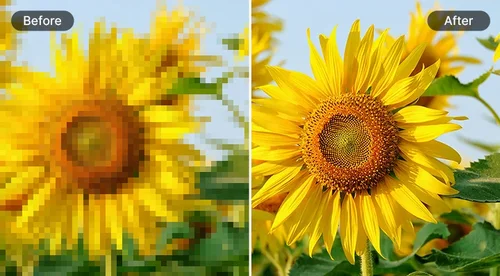
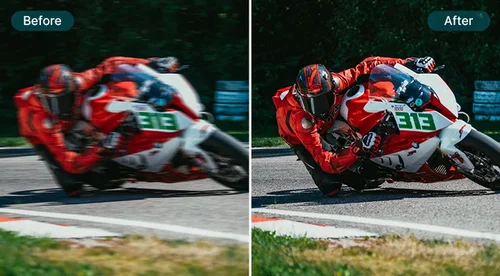
Blur the background of a photo online with this free AI tool. Customize the blur level to create a natural depth effect for portraits, product images, and social content.
Easily Blur a Picture's Background Online With AI
Make Your Products Stand Out in Every Shot
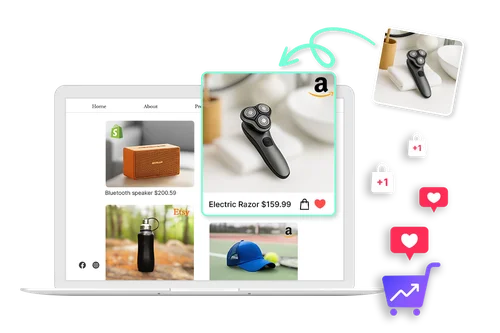
Want your products to stand out? Use this tool to blur photo backgrounds and instantly remove distractions. Whether you’re selling on Shopify, Etsy, or Amazon, a soft blur keeps the focus on your product and helps create a consistent, professional look across your catalog.
Blur Backgrounds for Better Portraits
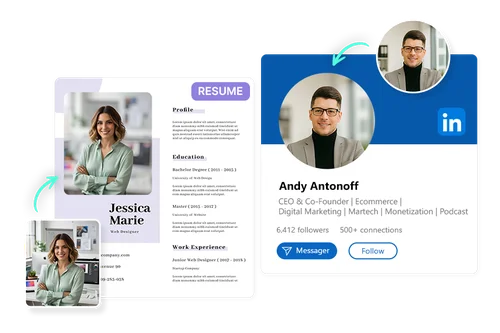
Make your portraits look sharp and professional by blurring the background in just a few clicks. Whether it's for a resume, social media, or personal branding, the AI tool makes it easy to blur photo backgrounds and deliver a polished, distraction-free result every time.
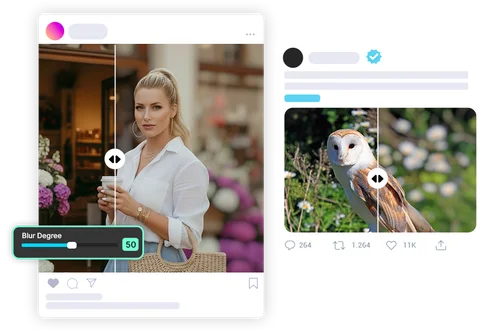
Content Creators: Blur Backgrounds With Precision and Ease
Easily adjust the blur intensity to highlight your subject and create polished, scroll-stopping images. Perfect for thumbnails, product showcases, and lifestyle content.
How to Blur Backgrounds in Your Photos
 Step 1
Upload Your Photo
Start by uploading an image from your device. Supported formats include JPG, PNG, GIF, WebP, and BMP. For best results, use a photo with a clear subject to ensure accurate background blur.
Step 2Apply Background Blur and Adjust Intensity
Click to apply the background blur effect. Use the slider to control the blur strength, from soft to strong. The tool automatically keeps your subject in focus while blurring the background.
Step 3Download and Save Your Blurred Image
Download your image with a blurred background in seconds. Perfect for resumes, social media, or everyday edits.
A Simple and Powerful Background Blur Tool Made for Everyone

E-commerce Sellers
Online sellers use the background blur tool to clean up cluttered product photos and keep the focus on what matters. Whether you're listing on Shopify, Shopee, or another platform, blurring the background helps your images look more polished and professional. It makes your catalog visually appealing and easier for customers to browse.

Content Creators and Influencers
Influencers use background blur effects to stand out in busy scenes. Softening the background makes their photos look more professional and eye-catching on platforms like Instagram, TikTok, and YouTube.

Photographers
Photographers use background blur tools to simulate the depth of field or remove distracting elements. Whether working on portraits or event shots, quickly blurring the background helps save time and achieve professional-looking results.

Job Seekers and Professionals
A clean headshot can make a strong impression on LinkedIn or a resume. Professionals use background blur tools to remove distractions and keep the focus on themselves, resulting in a polished, professional-looking image.

Marketers and Designers
Marketing teams blur photo backgrounds to enhance ad creatives, social banners, and product shots. A clean background helps direct attention to the subject and gives visuals a more polished, professional look.

Educators and YouTubers
Teachers and video creators use free online background blur tools to enhance thumbnails, educational slides, and profile images. A well-blurred background draws attention to the subject, making visuals more engaging and likely to attract clicks and viewers.
AI-Powered Picture Background Blur FAQ
What is Blur Background?


Blur Background is a photo editing effect that softens or removes the background of an image to keep the focus on the subject. It helps create a clean, professional look and is especially useful for profile photos, product shots, and social media content.
How do I blur the background of a photo?
To blur the background using MyEdit, simply upload your image, then click to apply the Blur Background effect. MyEdit automatically detects the subject and blurs the background for you. You can then fine-tune the result using the intensity slider.
Can I adjust the amount or style of blur?
Yes. MyEdit allows you to easily adjust the blur intensity using a slider. This gives you full control over how strong or soft you want the background blur to appear.
Which image formats are supported?
MyEdit supports JPG, PNG, GIF, WebP, and BMP formats for uploading.
Do I need any photo editing experience to use these tools?
Not at all. MyEdit is designed for everyone, from beginners to professionals. The tool is intuitive and fully automated, so you can blur backgrounds without any prior editing skills.
Can I use Blur Background on mobile?
Yes. MyEdit is compatible with mobile browsers, so you can blur photo backgrounds directly from your phone or tablet, no app download needed.