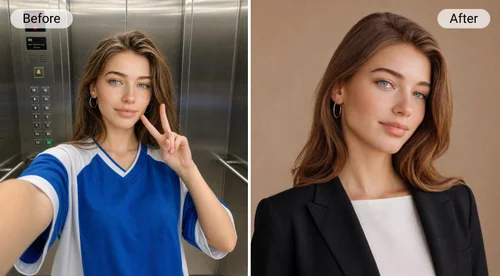
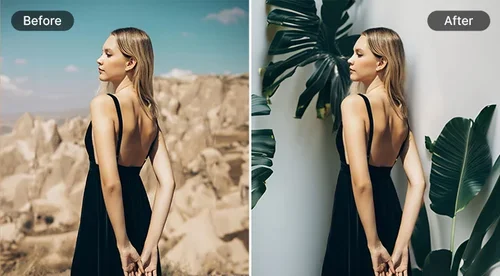
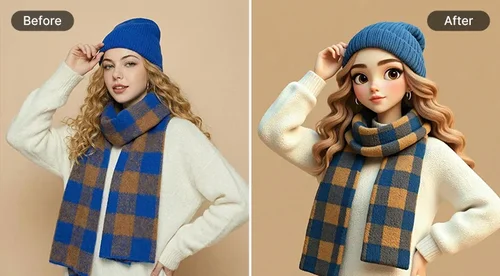
Picture to Painting
Turn Your Pictures into Amazing Paintings Online
Turn any picture into a beautiful painting in seconds with AI. Choose from a variety of painting styles.
Turn Picture into Painting in 1 Click
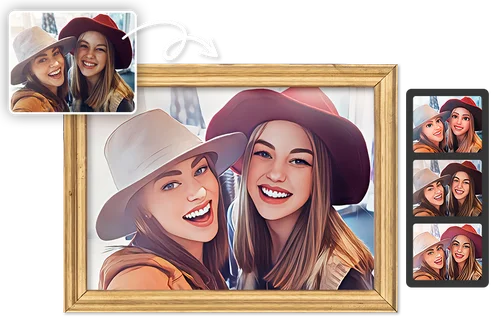
Picture to Painting for Creating Personalized Gifts
By leveraging Picture-to-Painting technology, you can transform cherished moments into greeting cards, posters, or anything else! Picture to Painting Converter lets you change any photos to paintings perfect for bespoke gifts!
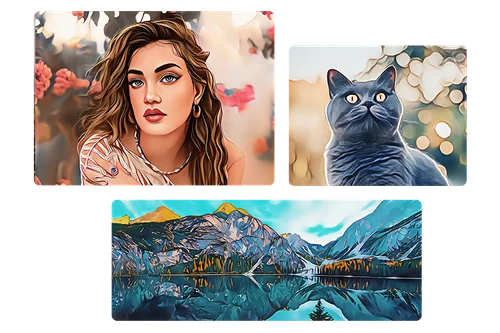
Get Inspired by Picture to Painting
Artists and designers can breathe new life into their photos with the Photo-to-Painting converter. With the ability to explore different styles, artists can unlock new perspectives and discover innovative expressions. This Picture-to-Painting converter can serve as a valuable resource to help develop their skills to new heights.
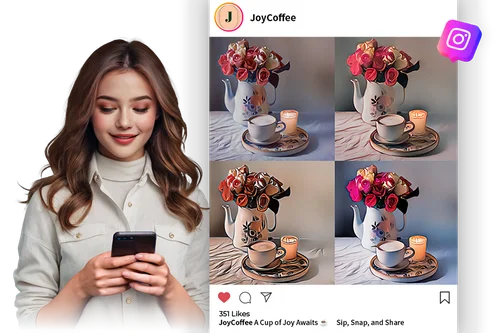
Use Picture to Painting for Marketing Ideas
The Picture to Painting tool is perfect for social media posts, self-branding, and more. Powered by AI-generated art, you can create unique, shareable content for your target audience. Enhance content across platforms, from blogs to e-commerce, with captivating and unique imagery that makes your photos stand out!
How to Turn Your Picture to Painting
 Step 1
Upload an Image that You Want to Transform to Painting
Select and import an image file that you plan to transform photo to painting from your device.
Step 2Select a Preset Style for Picture to Painting
Define your Photo to Painting with a diverse set of styles.
Step 3Check and Download your Picture to Painting Result
Check the before and after Photo to Painting result and download.
Why You Need to Try Picture to Painting

Turn Any Photo Into Art With AI
Turning picture into paintings is now easier than ever, preserving your unique features seamlessly without extra adjustments.
Turn Picture to Painting to Protect Your Identity
Picture to Painting creates a privacy-friendly profile image for social media, forums, and online platforms, resembling you.
Seamless Picture to Painting Conversion
Turning your picture to painting has never been simpler. Our preset options make it easy to paint yourself in just one click.

Various Styles for Picture to Painting
Explore a variety of styles for Photo to Painting. So no matter what you want - we've got a style for you.

Get Your Picture to Painting Results Instantly
It takes only seconds to transform your photo into painting. Instantly export your photo to painting result in high-resolution formats.

Preview Picture to Painting Results
AI Picture to Painting lets you preview before export. So you only get results you're happy with.
Picture to Painting FAQ
What does Photo to Painting converter do?


Photo to Painting takes your images and uses advanced AI algorithms to turn them into incredible artwork.
How does Photo to Painting work?
Photo to painting works by utilising powerful AI algorithms that understands the intricacies of brilliant art and art styles. Our algorithm has studied all the best and vastest art the world has offered up so far, and it gives your photos the realistic look of specific styles.
What are the benefits of using Photo to Painting?
Benefits are vast for picture to painting. Artistic Expression: These algorithms allow individuals to turn their photos into unique and personalized artworks, fostering creativity and artistic expression. Customization: Users can choose from various painting styles and techniques to match their preferences, from impressionism to oil painting, giving them a wide range of creative options. Interior Decor: Paintings generated from photos can be used as decorative pieces for homes, offices, or other spaces. They add a personalized touch to interior design. Gifts and Keepsakes: Transformed photos make thoughtful gifts for special occasions like birthdays, weddings, or anniversaries, offering a unique and sentimental present. Content Creation: Artists and designers can use these algorithms to quickly generate concept art, illustrations, or background visuals for various projects. Time and Cost Efficiency: Creating a painting from scratch can be time-consuming and expensive. AI algorithms can produce paintings quickly and cost-effectively.
What image input formats does Picture to Painting support?
Supported image formats are JPG, PNG, GIF, WebP, and BMP.
What image output formats does Photo to Painting provide?
You may export your cartoonized photo in JPG format.
How do I use Photo to Painting?
Choose a Picture to Painting photo to transform: Start by selecting the photo you want to transform into a painting. Ensure that the image is clear and has the desired composition. Select a Picture to Painting Style: Our powerful AI algorithm has studied an enormous amount of art and painting styles. Choose a style you want after uploading your image. Download: Preview your results and download them to your device!
Can I use Photo to Painting results for social media?
Yes - your picture to painting creations are all yours. Use them for social media - or however you deem fit.
Can the results from Photo to Painting be used in business?
Marketing content is a great way to use Picture to Painting. In industries like advertising, marketing, and e-commerce, these algorithms can be used to create visually appealing product images and marketing materials.
Is it safe to use Photo to Painting?
100% safe. Like all MyEdit tools, Photo to Painting is guaranteed to be safe for our users.