Sora 2 Video Generator
Create Realistic AI Videos Online With Sora 2
Sora 2 converts text prompts into ultra-realistic, cinematic videos. Enjoy precise motion, perfect sound sync, and complete creative control. Claim daily free credits to generate now. No watermark.
Unlock Powerful AI Video Creation with Sora 2
Create Ultra-Realistic, Cinematic Videos
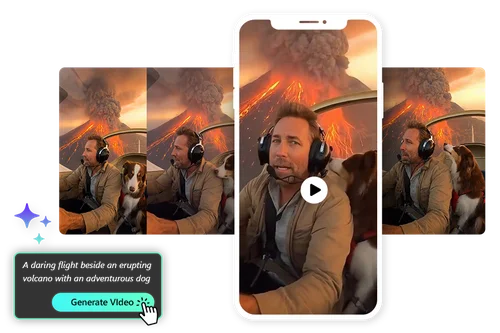
Sora 2 enables creators to produce cinematic-quality videos without the traditional cost of filming, actors, locations, or complex post-production. By using text prompts, you can describe scenes, camera movements, lighting, and emotions in detail, and the Sora video generator transforms them into visually stunning footage. This makes Sora 2 ideal for startups, marketers, educators, and creators who want premium visuals while keeping budgets under control.
Generate AI Videos with Perfect Sound and Motion Sync
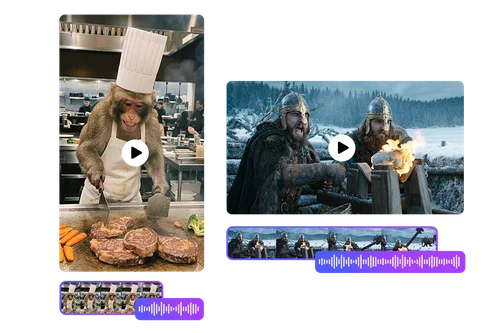
Sora 2 excels at synchronizing visuals, motion, and audio cues. Character actions, environmental changes, and camera movement align naturally with sound effects and dialogue pacing. This high level of coherence creates immersive, believable videos while minimizing the need for manual editing, allowing creators to focus on storytelling instead of timelines.
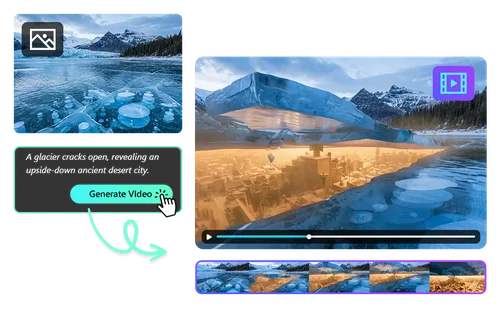
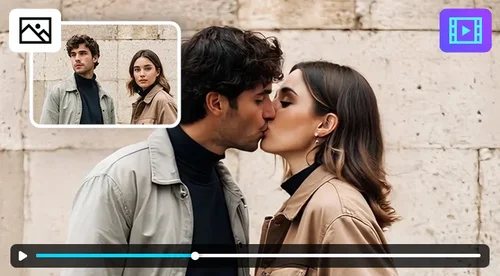
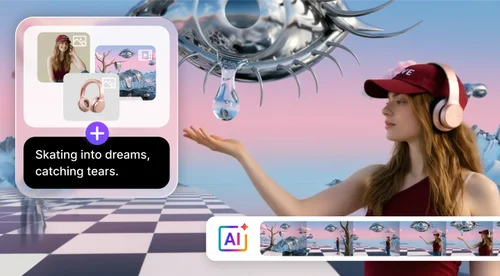
Turn Still Images into Dynamic Scenes with Image to Video
Upload images and animate them into dynamic video scenes set in virtually any environment. From cinematic landscapes and historical moments to futuristic worlds, Sora 2 adds realistic motion, depth, and lighting. Image-to-video AI makes visual storytelling easier, enabling creators to turn still images into engaging video content.
How to Create Videos with Sora 2
 Step 1
Enter a Text Prompt
Describe your idea in detail or upload an image as a starting point. Sora 2 understands scenes, visual styles, camera movement, and emotional tone, giving you complete creative freedom from the start.
Step 2Choose Preferred Settings
Select video options such as aspect ratio and whether to generate audio alongside visuals. Customize each output to fit your platform, audience, and creative goals.
Step 3Generate and Export Your Video Instantly
Click “Generate” to create your video in seconds. Sora 2 delivers realistic, high-quality videos instantly, enabling fast iteration, quick previews, or immediate publishing.
Why Choose Sora 2 for AI Video Creation

Advanced Physics Simulation
Sora 2 understands real-world physics, enabling natural movement, object interaction, and environmental behavior. Gravity, collisions, and motion feel authentic, making videos more believable and cinematic.

High-Quality AI Video Output
Create sharp visuals with realistic lighting and cinematic composition, no specialized equipment or technical skills required. Sora 2 delivers professional-grade video quality with minimal effort.

Multi-Shot AI Video Control
Define multiple shots, transitions, and scene structures within a single prompt. This allows for more complex, cinematic storytelling while keeping the workflow simple and efficient.

Support for both Text to Video and Image to Video
Sora 2 supports both text prompts and image uploads, giving creators flexibility to start from a written idea or an existing visual reference.

Instant Realistic AI Video Generation
Compared to traditional video workflows, Sora 2 dramatically reduces production time. Rapid generation enables fast experimentation, instant iteration, and a much shorter time-to-publish.

AI Video Creation for Every Use Case
From marketing videos and social media content to education, product demos, and storytelling, Sora 2 adapts to a wide range of creative and professional needs with consistent output quality.
Sora 2 AI Video Generator FAQ
What is Sora 2?


Sora 2 is an advanced AI video generator that creates realistic, cinematic videos from text prompts or images using cutting-edge AI generative models.
How is Sora 2 different from other AI video generators?
Sora 2 stands out with advanced physics simulation, multi-shot control, and stronger scene coherence, producing videos that feel more natural and cinematic.
Can I use my own images as references when using Sora 2?
Yes. Sora 2 supports image to video generation, allowing you to upload images and animate them into realistic video scenes.
How do I generate videos with Sora 2?
Describe your scene in text or upload an image, specify style or motion preferences, and let the Sora 2 video generator create the video automatically.
Can Sora 2 generate sound and dialogue?
Sora 2 is designed to align visuals with sound cues and dialogue timing, creating immersive and synchronized video experiences.
What types of videos can I create with Sora 2?
You can create marketing videos, cinematic scenes, educational content, social media clips, creative storytelling videos and more.
Do I need video editing experience to use Sora 2?
No. Sora 2 is built for both beginners and professionals, making it easy to create high-quality videos without advanced editing skills.