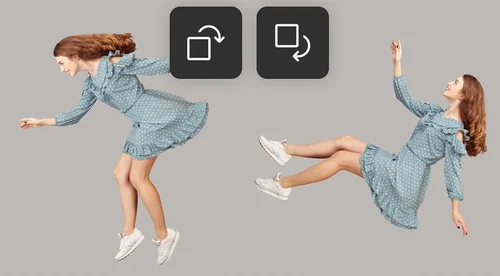
Image Rotator
Rotate Images Online for Free
100% free and browser-based. Simply upload your file and rotate image clockwise until the desired orientation is achieved
Why Rotate Images?
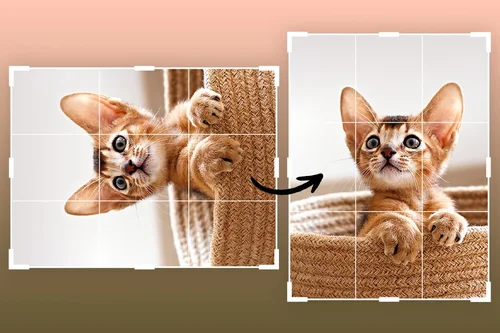
Rotate Images to Fix Orientation
Depending on your camera position, images may look upside down or rotated when uploaded to your device. Image Rotator can easily fix the orientation, no matter how the photo was taken.
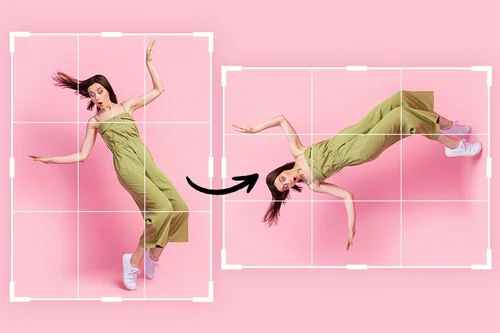
Create a Visual Effect
Want to create the falling down effect without breaking the bank on production costs or visual effects? Just rotate image sideways and voilà!

Make an Artistic Scene
Rotate pictures to create surreal compositions. The only limit is your imagination!
How to Rotate Images With Image Rotator
 Step 1
Upload Image File
Select and import an image file to rotate from your device.
Step 2Rotate Image
Click on Rotate to turn your picture clockwise 90 degrees. Continue until the desired orientation is achieved.
Step 3That's it!
Click on Download to export your rotated image.
Why Rotate Images With Image Rotator?

Easy-to-Use
Simple three-step process. Choose your file, rotate image, and export.

Rotate Images Online
Quickly turn images without downloading an app or software to your device.

All-in-One Image Editor
Crop, flip, and rotate photos with just one tool.

PC and Mobile Compatibility
Simply upload from your device and rotate images.

Social Media Compatibility
Export images in ready-to-use social media formats like Facebook posts, Instagram posts, YouTube thumbnails, and more!

Support for Popular File Formats
Rotate image files in JPEG, PNG, GIF, WebP, or BMP.
Image Rotator FAQ
What does the image rotator tool do?


Rotating an image allows you to turn it clockwise.
Is the image rotator tool free?
Yes, you can rotate images for free.
What image formats are supported by the image rotator tool?
Supported image formats include JPG, PNG, GIF, WebP, and BMP.
Is it safe to use MyEdit to rotate images?
Yes, it's safe to use our tool for rotating images. MyEdit uses advanced security measures to safeguard users' data.
What does rotating an image do?
Image rotator allows you to turn images clockwise.
How do I rotate an image?
Follow these steps to rotate images online: 1. Upload Image to Image Rotator 2. Click Rotate 3. Download rotated image
How do I rotate a picture on my iPhone?
Follow these steps to rotate images on your iPhone: 1. Upload Image to Image Rotator 2. Click Rotate 3. Download rotated image
How do I flip and rotate an image?
Use our image editing tools to easily flip or rotate images.